
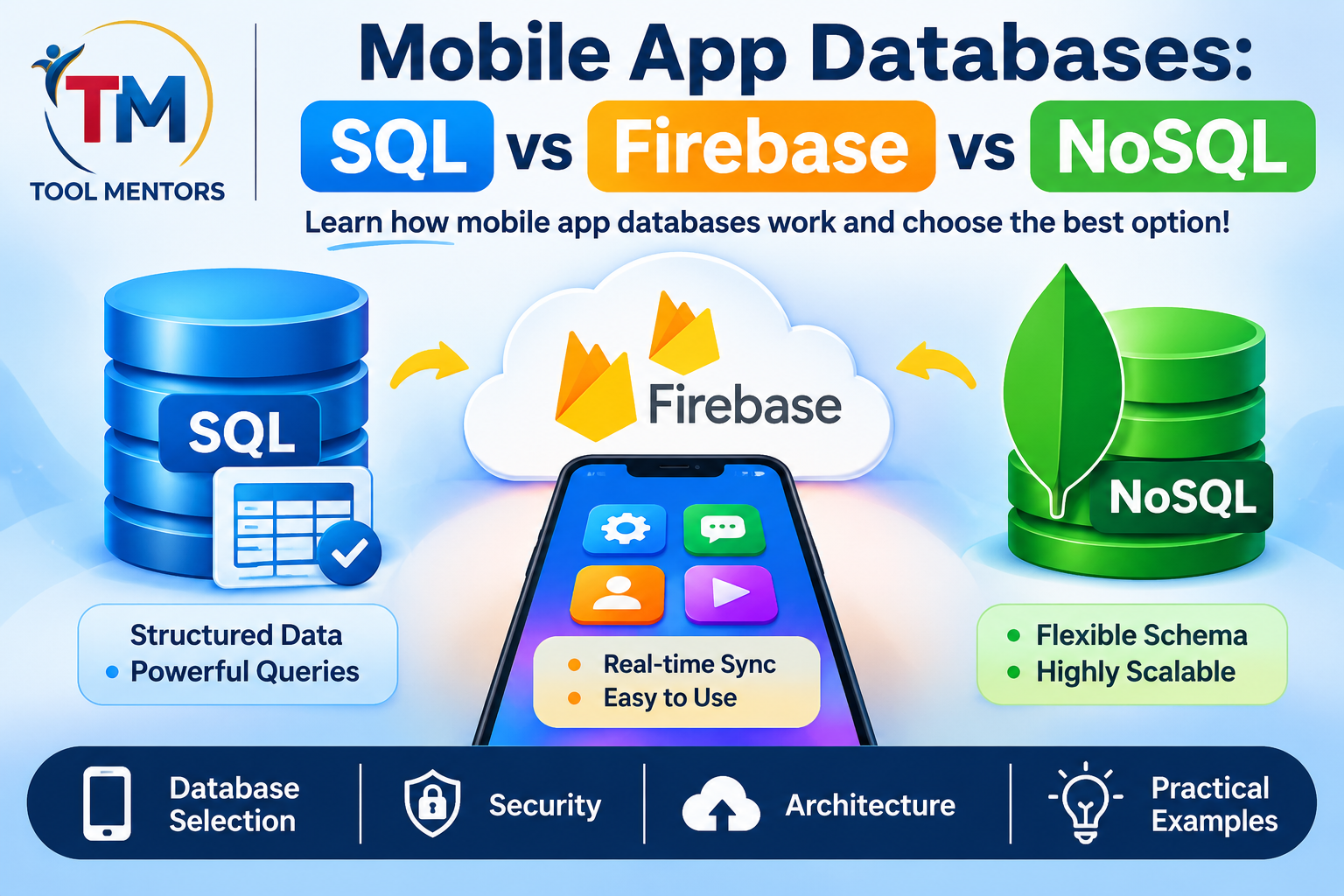
Mobile applications depend on databases to store, organize, retrieve, and manage information. Whether you are developing a shopping application, social media platform, fitness tracker, or educational app, choosing the right database is an important part of successful mobile app development.
Imagine opening a shopping application and finding your previous orders, saved addresses, shopping cart, and payment history. All this information needs to be stored somewhere and retrieved whenever required. A database makes this possible.
However, not every mobile application requires the same database technology. Some applications work better with traditional SQL databases, while others benefit from NoSQL databases or cloud-based platforms such as Firebase.
In this guide, we will explain mobile app databases from beginner to advanced levels. You will learn how SQL, NoSQL, Firebase, and SQLite work, understand their differences, explore practical implementation examples, and discover how to select the right database for Android, iOS, and cross-platform applications.
What Is a Mobile App Database?
A mobile app database is a system used to store, organize, retrieve, update, and manage information required by a mobile application.
Whenever users enter information into an application, that information may need to be saved for future use.
For example, a fitness application might store:
- User profiles and account information.
- Daily workout activities.
- Weight and fitness measurements.
- Exercise schedules.
- Food and nutrition records.
- Progress reports.
Without an appropriate data storage system, the application might lose information when users close it or change devices.
Databases provide a structured way to manage this information and make it available whenever the application needs it.
How Do Mobile App Databases Work?
A typical mobile application communicates with a database through a local storage system or a backend service.
The process usually follows these steps:
- A user opens the mobile application.
- The user performs an action, such as registering an account.
- The application sends the required information to a database or backend.
- The database processes and stores the information.
- The application retrieves the information when needed.
- The updated information appears on the user’s screen.
For example, when someone creates a profile in a shopping application, their name, email address, and other account information may be stored in a database.
When they log in again, the application retrieves the relevant profile information.
Why Are Databases Important in Mobile App Development?
Databases are important because modern applications need to manage information reliably.
Their main benefits include:
- Data storage: Save information for future access.
- Data organization: Arrange information into tables, documents, or other structures.
- Data retrieval: Find specific information quickly.
- Data synchronization: Keep information consistent across devices.
- Data security: Control who can access sensitive information.
- Scalability: Support increasing amounts of information and users.
- Offline functionality: Allow certain application features to work without an internet connection.
A suitable database helps developers create applications that are reliable, responsive, and easier to maintain.
Understanding the Main Types of Mobile App Databases
Before selecting a database, you should understand the different database categories.
The most common options include relational SQL databases, NoSQL databases, local databases, and cloud-based database services.
1. SQL Databases
SQL stands for Structured Query Language.
SQL databases organize information into tables containing rows and columns. Each table represents a particular type of information.
For example, an e-commerce application might have separate tables for:
- Users.
- Products.
- Orders.
- Payments.
- Addresses.
These tables can be connected using relationships.
SQL databases are particularly useful when an application manages structured information that requires consistency and complex queries.
Common SQL database systems include:
- MySQL.
- PostgreSQL.
- SQLite.
- Microsoft SQL Server.
Example of a SQL Database
Imagine a mobile application that manages student information.
A simple users table might look like this:
| ID | Name | |
|---|---|---|
| 1 | Ali | ali@example.com |
| 2 | Sara | sara@example.com |
| 3 | Ahmed | ahmed@example.com |
Each row represents one student, while each column represents a particular piece of information.
Developers can use SQL queries to retrieve specific records.
Example:
SELECT * FROM users;This query retrieves all records from the users table.
To retrieve one specific user:
SELECT * FROM users
WHERE id = 1;
This approach makes SQL databases useful for applications that require organized information and relationships between different records.
2. NoSQL Databases
NoSQL databases use data models that do not depend exclusively on traditional relational tables.
They can store information in different formats, including documents, key-value pairs, graphs, and wide-column structures.
NoSQL databases are useful when application data has flexible structures or when developers need particular scalability and distribution characteristics.
Common NoSQL database technologies include:
- MongoDB.
- Cloud Firestore.
- Apache Cassandra.
- Redis.
- Amazon DynamoDB.
Example of a NoSQL Database
A document-based database might store a user profile like this:
{
  "userId": 101,
  "name": "Ali",
  "email": "ali@example.com",
  "preferences": {
    "theme": "dark",
    "notifications": true
  }
}
Unlike a traditional SQL table, a document can contain nested information.
Another user document could contain additional fields without necessarily requiring every document to have exactly the same structure.
This flexibility can be useful for applications with changing data requirements.
3. Firebase Database
Firebase is a development platform that provides backend services for mobile and web applications.
Its database options include:
- Firebase Realtime Database.
- Cloud Firestore.
Firebase Realtime Database stores data in a JSON-based structure and supports real-time synchronization.
Cloud Firestore is a document-oriented NoSQL database that organizes information into collections and documents.
Firebase can be useful when developers want managed cloud infrastructure without building every backend component themselves.
Firebase Realtime Database
Realtime Database allows connected application clients to receive updates when relevant data changes.
For example, in a messaging application, a new message can appear on another connected device without requiring the user to manually refresh the screen.
Cloud Firestore
Cloud Firestore stores data in documents organized into collections.
For example:
users
  user101
    name: Ali
    email: ali@example.com

  user102
    name: Sara
    email: sara@example.com
Firestore supports queries, offline persistence on supported clients, and real-time listeners.
It is useful for applications such as:
- Messaging platforms.
- Educational applications.
- Task management systems.
- Social applications.
- Collaborative applications.
SQL vs NoSQL vs Firebase: Main Differences
Choosing between SQL, NoSQL, and Firebase depends on your application requirements.
The following table highlights their main differences.
| Feature | SQL | NoSQL | Firebase |
|---|---|---|---|
| Data structure | Tables | Documents and other models | JSON or documents |
| Relationships | Strong relational support | Depends on database type | Usually handled through document design and references |
| Schema | Generally predefined | Often flexible | Flexible |
| Queries | SQL | Database-specific | Firebase query APIs |
| Real-time updates | Requires additional implementation in many systems | Depends on technology | Supported |
| Offline support | Depends on local database and architecture | Depends on technology | Supported by selected SDKs |
| Scalability | Depends on architecture | Depends on architecture | Managed cloud infrastructure |
| Best use | Structured business data | Flexible or specialized data models | Managed application backends |
An important distinction is that Firebase is not a separate database model that replaces SQL and NoSQL entirely. It is a platform containing different backend services, including NoSQL database products.
What Is SQLite and Why Is It Used in Mobile Applications?
SQLite is a lightweight relational database engine that stores information locally in a database file.
It is commonly used in mobile applications because it does not require a separate database server to operate.
SQLite is particularly useful for storing information directly on a device.
Common Uses of SQLite
Developers may use SQLite for:
- Offline notes applications.
- Personal finance trackers.
- Local shopping carts.
- Reading history.
- Task management applications.
- Cached application information.
Advantages of SQLite
- Lightweight and efficient.
- No separate database server required.
- Supports SQL queries.
- Stores information locally.
- Suitable for offline applications.
- Useful for structured data.
Limitations of SQLite
SQLite is not automatically a cloud synchronization system.
If users install the same application on two different devices, their local SQLite databases do not automatically share information.
Developers must implement synchronization through a backend or another suitable service.
Local Database vs Cloud Database in Mobile App Development
Another important decision is whether your application should store information locally or in the cloud.
What Is a Local Database?
A local database stores information directly on the user’s mobile device.
Examples include SQLite and platform-specific local database solutions.
Local storage is useful when an application needs to work without an internet connection.
For example, a note-taking application can allow users to write and save notes even when their devices are offline.
What Is a Cloud Database?
A cloud database stores information on remote infrastructure that applications access through a network.
Firebase, managed database services, and backend-hosted SQL databases are examples.
Cloud databases are useful when information needs to be shared between multiple devices or users.
For example, a messaging application needs to deliver messages between different users, which requires shared backend infrastructure.
Local vs Cloud Database Comparison
| Feature | Local Database | Cloud Database |
|---|---|---|
| Storage location | Mobile device | Remote infrastructure |
| Internet requirement | Not always required | Usually required for server communication |
| Offline functionality | Strong | Depends on caching and synchronization |
| Multi-device access | Requires synchronization | Supported through shared backend |
| User data sharing | Limited without backend | Suitable for shared information |
| Server management | Not required for local storage | Depends on service |
| Typical example | SQLite | Firebase |
Can a Mobile Application Use Both?
Yes. Many modern applications combine local and cloud databases.
For example, a fitness application might:
- Save daily workout information locally.
- Allow users to view previous records without internet access.
- Synchronize information with a cloud backend when connectivity returns.
- Make updated information available on another device.
This approach can improve application usability while maintaining access to shared information.
How to Choose the Best Database for a Mobile App
There is no universal database that works best for every mobile application.
The right choice depends on the type of data, application functionality, security requirements, budget, and expected growth.
1. Understand Your Application Requirements
Start by identifying what information your application needs to store.
For example:
| Application Type | Database Requirements |
|---|---|
| Shopping app | Products, orders, payments, users |
| Messaging app | Messages, conversations, users |
| Fitness app | Workout history, goals, progress |
| Banking app | Transactions, accounts, financial records |
| Educational app | Courses, lessons, student progress |
| Notes app | Text, attachments, saved notes |
A shopping application with complex order relationships may benefit from a relational database.
A collaborative application with flexible document structures might benefit from a NoSQL database.
2. Consider Data Structure
If your application stores highly structured information with relationships between records, SQL may be appropriate.
If your application needs flexible document structures, a document database may be more convenient.
For example, an inventory management system may use related tables for products, suppliers, and transactions.
A social application may use document-based storage for profiles, posts, and comments, depending on its architecture.
3. Evaluate Offline Requirements
Ask whether users need access to information without internet connectivity.
If offline access is important, consider local storage such as SQLite or a database with appropriate offline capabilities.
You should also plan how information will synchronize when the connection becomes available.
4. Consider Scalability
A database should support the application’s expected growth.
Think about:
- Number of users.
- Amount of stored information.
- Frequency of database requests.
- Concurrent users.
- Data backup requirements.
- Geographic distribution.
Do not choose a database simply because it is popular. Evaluate how it handles your expected workload.
5. Evaluate Security Requirements
Applications that store personal, financial, or business information require careful security planning.
Consider authentication, authorization, encryption, secure communication, and database access controls.
Never assume that a database is secure simply because it is hosted by a managed cloud provider.
6. Compare Costs
Database expenses can include:
- Storage usage.
- Database operations.
- Network transfer.
- Server hosting.
- Backup storage.
- Monitoring.
- Maintenance.
Firebase and other managed services may offer entry-level free allowances, but costs can change as usage increases.
Self-hosted SQL databases also require infrastructure and maintenance.
How to Integrate a Database Into a Mobile Application
Database integration involves connecting your application to a suitable storage system and implementing the operations needed to manage information.
The exact process depends on your framework and database technology.
Step 1: Select Your Database
Choose a database based on your project.
For example:
- SQLite for local relational storage.
- Firebase for managed cloud functionality.
- PostgreSQL for structured backend data.
- MongoDB for document-based storage.
Step 2: Design Your Data Structure
Before writing code, decide how information will be organized.
For a simple task management application, you might need:
- Task ID.
- Task title.
- Description.
- Completion status.
- Creation date.
A clear data structure makes application development easier.
Step 3: Connect Your Application
Use the appropriate database library or SDK.
For example, Flutter applications can use SQLite-related packages for local storage or Firebase SDKs for cloud database functionality.
Android applications can use Room as an abstraction layer over SQLite.
Step 4: Implement CRUD Operations
CRUD stands for:
- Create.
- Read.
- Update.
- Delete.
These are the four fundamental operations used to manage database records.
For example, a task management application needs to create new tasks, display saved tasks, update their completion status, and delete unwanted records.
Step 5: Test Database Operations
Test different situations, including:
- Saving new information.
- Retrieving existing records.
- Updating information.
- Deleting records.
- Handling invalid input.
- Working without internet access.
- Recovering from connection errors.
Testing helps identify problems before an application reaches users.
Practical Example: Using SQLite in a Mobile Application
Let’s understand how a local database works through a simple example.
Imagine you are developing a task management application that stores users’ tasks on their devices.
Each task contains an ID, title, and completion status.
A basic SQL table could be created using:
CREATE TABLE tasks (
    id INTEGER PRIMARY KEY AUTOINCREMENT,
    title TEXT NOT NULL,
    is_completed INTEGER DEFAULT 0
);
This creates a table containing three columns.
Adding a Task
INSERT INTO tasks (title, is_completed)
VALUES ('Learn Flutter', 0);
This query adds a new task.
Retrieving Tasks
SELECT * FROM tasks;This retrieves all saved tasks.
Updating a Task
UPDATE tasks
SET is_completed = 1
WHERE id = 1;
This marks the selected task as completed.
Deleting a Task
DELETE FROM tasks
WHERE id = 1;
This removes the selected task.
These operations form the foundation of database-driven mobile applications.
In a real application, developers should use parameterized database operations instead of constructing SQL queries by directly combining user input with query strings.
Practical Example: Using Firebase Cloud Firestore
Now consider a different application: an online classroom platform.
Students should be able to log in, access courses, and view learning progress from multiple devices.
Cloud Firestore can provide document-based storage for this type of application.
A simplified collection structure could look like this:
students
  student_101
    name: "Ali"
    email: "ali@example.com"

courses
  course_201
    title: "Mobile App Development"
    duration: "8 weeks"

progress
  progress_301
    studentId: "student_101"
    courseId: "course_201"
    completedLessons: 5
The application can retrieve student information, course details, and learning progress through Firestore SDK operations.
Example Firebase Data Flow
- A student signs in.
- The application authenticates the user.
- The application retrieves the student’s course information.
- The student completes a lesson.
- The application updates the learning progress.
- Other connected devices can receive the updated information when synchronization is configured.
This approach is useful when users need shared information across devices.
However, developers must configure authentication, database security rules, and access permissions correctly.
Popular Database Technologies for Mobile App Development
Several database technologies are available for mobile application developers.
MySQL
MySQL is a relational database management system.
It is commonly used in web and backend applications that need structured information and relationships between records.
It can support mobile applications through a backend API.
PostgreSQL
PostgreSQL is an advanced relational database system.
It supports complex queries, transactions, indexing, and advanced data types.
It can be suitable for applications that manage structured business information.
SQLite
SQLite is a lightweight local relational database.
It is useful for mobile applications that need local data storage without maintaining a separate database server.
MongoDB
MongoDB is a document-oriented NoSQL database.
It stores information in flexible document structures and is useful for applications with changing or nested data models.
Firebase Firestore
Cloud Firestore is a managed document database that supports queries, real-time listeners, and offline capabilities in supported mobile SDKs.
It is useful for applications that need managed backend infrastructure and synchronization.
Firebase Realtime Database
Realtime Database stores information in a JSON tree and supports real-time synchronization.
It can be useful for applications involving live updates, such as messaging and collaborative features.
Database Security Best Practices for Mobile Applications
Database security is one of the most important responsibilities in application development.
A poorly secured database can expose user information, allow unauthorized modifications, or create serious privacy problems.
1. Use Authentication
Require users to authenticate before accessing private account information.
Authentication helps establish the identity of users interacting with the application.
2. Implement Authorization
Authentication and authorization are different.
Authentication verifies who a user is.
Authorization determines what that user is allowed to access.
For example, a student should not automatically have permission to modify another student’s private academic records.
3. Encrypt Sensitive Information
Use secure communication between mobile applications and backend services.
Sensitive information should be protected through appropriate encryption mechanisms.
For particularly sensitive data, carefully evaluate how it is stored and accessed.
4. Protect API Keys and Credentials
Never place private database passwords, service account credentials, or administrative secrets directly inside a mobile application’s source code.
Mobile applications can be inspected, so embedded secrets should not be treated as confidential.
Use appropriate backend services and restricted credentials.
5. Configure Database Access Rules
For Firebase applications, configure security rules that restrict access according to authenticated users and application permissions.
Never rely on default or overly permissive access settings for production applications.
6. Validate User Input
Validate information before saving it.
For example, check that:
- Email addresses follow an acceptable format.
- Required fields are not empty.
- Numeric values fall within reasonable limits.
- Uploaded information follows expected formats.
Validation helps protect database integrity and reduces application errors.
7. Maintain Backups
Regular backups help recover important information after accidental deletion, infrastructure failure, or other problems.
Define a backup strategy according to the importance of your application data.
Mobile Database Performance Optimization
Database performance directly affects how responsive a mobile application feels.
Slow queries, unnecessary data transfers, and inefficient storage structures can create poor user experiences.
Use Database Indexing
Indexes help databases find specific information more efficiently.
For example, an e-commerce application may frequently search products by category.
An appropriate index can improve the efficiency of these queries.
However, unnecessary indexes increase storage and can make data modifications more expensive.
Avoid Retrieving Unnecessary Information
Do not retrieve every database record when the application only needs a small portion of the information.
Use pagination, filtering, and carefully designed queries.
For example, a shopping application should load products in manageable groups rather than retrieving an unlimited product catalogue at once.
Use Local Caching
Caching stores frequently accessed information temporarily so the application does not need to retrieve it repeatedly.
This can improve performance and reduce network requests.
Reduce Network Requests
Combine related requests where appropriate and avoid repeatedly requesting the same information.
Efficient communication between the application and backend can improve responsiveness.
Monitor Database Performance
Track query performance, network activity, error rates, and resource usage.
Monitoring can help developers identify problems before they significantly affect users.
Common Database Mistakes in Mobile App Development
Beginners often make database design mistakes that become difficult to correct as applications grow.
1. Choosing a Database Without Planning
Selecting a database only because it is popular can create future problems.
Solution: Identify your data structure, application requirements, security needs, and expected usage before making a decision.
2. Storing Everything Locally
Local storage is useful, but it is not always suitable for information that needs to be shared between users or devices.
Solution: Use an appropriate backend and synchronization strategy when shared information is required.
3. Ignoring Database Security
An improperly configured database can expose sensitive information.
Solution: Implement authentication, authorization, encryption, and access controls.
4. Using Poor Data Structures
Unorganized information can make database queries complicated and difficult to maintain.
Solution: Design your database structure carefully and understand relationships between different records.
5. Ignoring Offline Functionality
Applications that depend entirely on internet connectivity may become frustrating when users lose their connection.
Solution: Consider local caching, offline storage, and synchronization when these features are important.
6. Not Planning for Growth
A database that works for a small test application may require architectural changes as usage increases.
Solution: Consider indexing, data access patterns, backup requirements, and scalability during the design stage.
Advanced Database Concepts for Professional Mobile Developers
After understanding the basics, developers should explore advanced database concepts.
Database Normalization
Normalization is the process of organizing relational database tables to reduce unnecessary duplication and improve data integrity.
For example, instead of storing customer information repeatedly in every order record, an application can maintain separate customer and order tables connected through identifiers.
Normalization helps make relational databases easier to maintain.
Database Transactions
A transaction groups multiple database operations into a logical unit.
For example, when processing a shopping order, the application may need to create an order record and update inventory information.
Transactions help ensure that related operations are handled consistently.
SQL databases commonly provide ACID transaction properties:
- Atomicity.
- Consistency.
- Isolation.
- Durability.
Database Indexing Strategies
Indexes can improve query performance, but developers must choose them carefully.
Consider:
- Frequently searched columns.
- Common filtering conditions.
- Sorting requirements.
- Query execution patterns.
- Index maintenance costs.
Data Synchronization
Data synchronization keeps local and remote information consistent.
It becomes important when users access an application from multiple devices or work offline.
Developers must consider how to handle conflicting changes.
For example, if someone edits the same task on two devices while offline, the application needs a defined conflict-resolution strategy.
Database Migration
Database migration means changing the database structure while preserving existing information.
For example, a task application may introduce a new priority field in a later version.
Developers need a migration strategy to update existing records without unnecessarily losing user information.
Choosing Between SQL and NoSQL at Scale
Large applications may use more than one database technology.
For example:
- PostgreSQL for financial transactions.
- Redis for caching.
- MongoDB for particular document-based workloads.
- Cloud storage for uploaded files.
This is sometimes called polyglot persistence.
It allows developers to select technologies according to individual data requirements rather than forcing every workload into one database system.
Best Practices for Selecting and Managing Mobile App Databases
Before launching your application, consider the following recommendations:
- Understand the type of information your application stores.
- Select SQL or NoSQL according to data requirements.
- Use local storage when offline functionality is important.
- Use cloud storage when information needs to be shared.
- Design database structures carefully.
- Implement secure authentication and authorization.
- Protect sensitive credentials.
- Use appropriate indexes and efficient queries.
- Plan for backups and data recovery.
- Test synchronization and error handling.
- Monitor performance as the application grows.
- Document database structures and migrations.
These practices can help developers build applications that are easier to maintain and more reliable over time.
Frequently Asked Questions About Mobile App Databases
1. What is a mobile app database?
A mobile app database is a storage system that helps applications save, retrieve, update, and manage information. It can store user accounts, messages, products, transactions, and other application data. Depending on the application architecture, information may be stored locally on a device or remotely on a cloud server.
2. Which database is best for mobile app development?
There is no single best database for every application. SQLite is useful for local storage, PostgreSQL is suitable for structured relational information, MongoDB supports document-based storage, and Firebase offers managed cloud database services. Choose according to your application’s data structure, synchronization needs, security requirements, and expected usage.
3. What is the difference between SQL and NoSQL databases?
SQL databases organize information into relational tables and support structured queries. NoSQL databases use different data models, including documents, key-value pairs, and graphs. SQL is useful for structured relationships and transactions, while NoSQL can be suitable for flexible data models and specific distributed workloads.
4. Is Firebase SQL or NoSQL?
Firebase includes NoSQL database products. Firebase Realtime Database uses a JSON-based data structure, while Cloud Firestore stores information in documents organized into collections. Firebase is a broader development platform that also provides services such as authentication, cloud functions, and application monitoring.
5. What is SQLite in mobile app development?
SQLite is a lightweight relational database engine commonly used for local data storage. It allows mobile applications to save information directly on a device without maintaining a separate database server. Developers can use it for notes, task lists, offline records, and other structured information.
6. Can a mobile application work without an internet connection?
Yes. Applications can use local databases such as SQLite to store and retrieve information without internet connectivity. Some cloud database SDKs also support offline persistence. However, information that needs to be shared with other devices or users must eventually synchronize with a suitable backend.
7. What is the difference between Firebase Realtime Database and Firestore?
Firebase Realtime Database stores information in a JSON tree, whereas Cloud Firestore organizes data into collections and documents. Both support real-time updates, but their data structures and query capabilities differ. Developers should compare their application requirements before choosing either service.
8. Is MongoDB suitable for mobile applications?
MongoDB can be suitable for mobile applications through a backend service or API. It uses a document-based data model that supports flexible information structures. Developers can use it for applications involving user profiles, content, product information, and other document-oriented workloads.
9. Can I use MySQL for Android and iOS applications?
Yes. MySQL can be used as a backend database for Android and iOS applications. However, mobile applications should generally communicate with the database through a secure backend API instead of connecting directly to the MySQL server using embedded database credentials.
10. What is the difference between a local and cloud database?
A local database stores information directly on a mobile device, while a cloud database stores information on remote infrastructure. Local databases support offline access, whereas cloud databases are useful for sharing information between devices and users. Many applications combine both approaches.
11. How do mobile applications synchronize database information?
Applications typically synchronize information by communicating with a backend service. When a user updates information locally, the application can send the changes to the server when connectivity is available. Synchronization systems must also handle duplicate updates, conflicting changes, and connection failures.
12. Is Firebase free for mobile app development?
Firebase provides free usage allowances for selected services, but some services and higher usage levels involve charges. Costs can depend on database operations, storage, network usage, and other resources. Developers should review current pricing and monitor usage before launching applications at scale.
13. Which database is best for an offline mobile application?
SQLite is a useful option for applications that require local relational storage and offline access. Other options depend on the development framework and data structure. If information must synchronize across devices, developers should combine local storage with a backend synchronization strategy.
14. What is CRUD in database management?
CRUD represents Create, Read, Update, and Delete. These are the four fundamental operations for managing database records. For example, a task management application uses CRUD operations to add tasks, display saved tasks, modify task information, and remove completed or unwanted records.
15. How can I secure a mobile app database?
Use secure authentication, authorization, encryption, database access rules, and appropriate input validation. Avoid placing private credentials in application source code. Also use secure network communication, maintain backups, and regularly review database permissions to reduce unauthorized access.
16. Can I use SQL and Firebase together?
Yes. An application can use a SQL database for structured business records and Firebase for services such as authentication, notifications, or particular real-time features. However, developers should define which system owns each type of information and implement reliable synchronization where necessary.
17. What is database normalization?
Database normalization is a method of organizing relational tables to reduce duplicated information and improve data integrity. For example, customer details can be stored in one table and connected to orders through customer identifiers. This approach makes structured databases easier to maintain.
18. What is database indexing?
Database indexing is a technique that helps databases find information more efficiently. An index can improve searches and filtering operations, particularly when tables contain many records. However, indexes also require storage and maintenance, so developers should create them according to actual query requirements.
19. How do I choose between MongoDB and PostgreSQL?
PostgreSQL is a relational database that is useful for structured data, relationships, and transactions. MongoDB is a document-oriented NoSQL database that supports flexible document structures. Your choice should depend on how your application stores information, the complexity of its relationships, and its query requirements.
20. Which database should beginners learn first for mobile app development?
Beginners should understand SQL fundamentals and learn how local databases such as SQLite work. After that, they can explore cloud database platforms such as Firebase and document databases such as MongoDB. Learning both relational and NoSQL concepts provides a useful foundation for professional application development.
Conclusion
Choosing the right mobile app database is an important decision that influences application performance, security, scalability, and user experience.
SQL databases such as PostgreSQL and MySQL are useful for structured information, relationships, and transaction-based applications. NoSQL databases such as MongoDB and Cloud Firestore offer flexible data models for applications with different storage requirements.
Firebase provides managed backend services that can simplify cloud database integration, while SQLite offers a lightweight solution for local mobile storage.
The best choice depends on what your application needs to accomplish.
For beginners, a practical learning path is to:
- Understand SQL and relational database concepts.
- Learn SQLite for local application storage.
- Explore NoSQL and document-based databases.
- Practice integrating Firebase with a mobile application.
- Understand APIs and backend architecture.
- Learn authentication, authorization, and database security.
- Practice synchronization and performance optimization.
Remember that a successful mobile application does not necessarily need the most complicated database technology. It needs a database architecture that matches its requirements and can support its future development.
Keep Learning with ToolMentors
Explore more mobile app development tutorials, programming guides, software development resources, and practical technical lessons at ToolMentors.
Visit https://toolmentors.com/ to continue developing your technical skills and building better applications.