
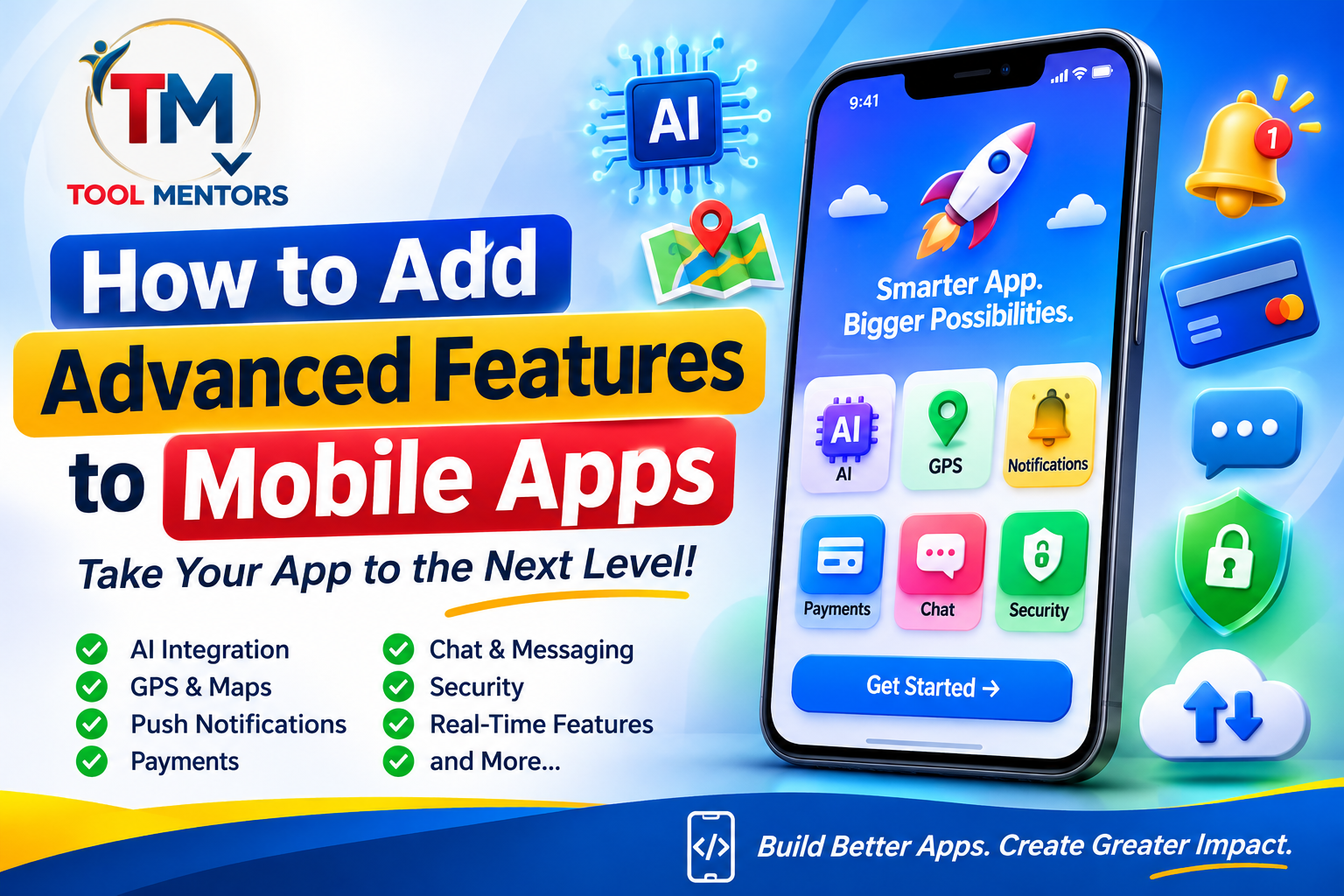
Mobile applications have evolved far beyond simple screens, buttons, and basic functionality. Modern applications can recognize user behavior, process online payments, provide real-time communication, use artificial intelligence, track locations, and synchronize information across multiple devices.
These capabilities help businesses improve customer experiences, automate processes, and create more useful digital products. However, adding advanced features to a mobile application requires more than simply writing additional code. Developers must understand application architecture, APIs, databases, backend services, security, performance optimization, and user experience.
Whether you are developing an Android application, an iOS application, or a cross-platform product, learning how to add advanced features to mobile apps can help you build more capable and competitive software.
In this guide, we will explore the most useful mobile app features, the technologies behind them, practical integration methods, implementation examples, common mistakes, and advanced development techniques.
What Are Advanced Features in Mobile Apps?
Advanced mobile app features are capabilities that extend an application’s functionality beyond basic operations such as displaying information, accepting input, and navigating between screens.
These features often depend on external services, backend systems, device hardware, artificial intelligence, or real-time data processing.
For example, a basic shopping application might display products and product descriptions. An advanced shopping application could additionally provide:
-
Personalized product recommendations.
-
Secure online payments.
-
Live order tracking.
-
Push notifications.
-
AI-powered customer support.
-
Real-time inventory updates.
-
Biometric authentication.
-
Automated order management.
Each additional capability makes the application more useful, but it can also introduce new technical requirements.
Basic Features vs Advanced Features
| Basic mobile app features | Advanced mobile app features |
|---|---|
| User registration | Biometric authentication |
| Basic login | Multi-factor authentication |
| Static content | Real-time content synchronization |
| Simple search | AI-powered search |
| Manual data entry | Automated data processing |
| Basic notifications | Personalized push notifications |
| Product listings | Recommendation engines |
| Simple messaging | Real-time chat and video calls |
| Basic location display | Live GPS tracking |
The difference is not necessarily the complexity of the user interface. It is the underlying technology, functionality, and integration required to deliver the experience.
Why Do Modern Applications Need Advanced Features?
Users increasingly expect mobile applications to be responsive, personalized, secure, and convenient.
Advanced features can help developers:
-
Improve user engagement through personalized experiences.
-
Increase efficiency through automation.
-
Improve customer support with intelligent assistance.
-
Provide faster access to information.
-
Protect accounts and sensitive information.
-
Support business operations through real-time updates.
-
Create opportunities for new services and revenue models.
However, developers should avoid adding features simply because they are popular. Every feature should solve a genuine user problem.
10 Important Advanced Features to Add to Mobile Apps
Before implementing advanced functionality, understand which features are appropriate for your application.
1. Artificial Intelligence and Machine Learning
Artificial intelligence (AI) allows mobile applications to perform tasks that traditionally require human decision-making or manual analysis.
Machine learning (ML), a branch of AI, enables systems to identify patterns in data and generate predictions.
Examples include:
-
AI-powered chatbots.
-
Personalized recommendations.
-
Image recognition.
-
Voice recognition.
-
Smart search.
-
Text summarization.
-
Fraud detection.
-
Predictive analytics.
Real-world example:
An educational application can use AI to recommend learning materials based on a student’s previous activities, quiz results, and learning preferences.
An e-commerce application can analyze browsing and purchase behavior to recommend relevant products.
Technologies developers can use:
-
Cloud-based AI services.
-
Machine learning APIs.
-
On-device machine learning frameworks.
-
Natural language processing.
-
Computer vision models.
There are two common approaches to AI integration:
Cloud-based AI: The application sends a request to a backend service, which communicates with an AI model and returns the result.
On-device AI: A machine learning model runs directly on the user’s smartphone. This can reduce network dependency and improve privacy for suitable tasks.
Choose the approach according to performance requirements, model size, privacy, device capabilities, and operating costs.
2. Push Notifications
Push notifications allow applications to send messages to users even when they are not actively using the application.
They are commonly used for:
-
Order confirmations.
-
Delivery updates.
-
Appointment reminders.
-
Security alerts.
-
Promotional announcements.
-
Important account notifications.
-
Personalized recommendations.
For example, a food delivery application can notify customers when an order is confirmed, prepared, dispatched, and delivered.
How push notifications work:
-
The application requests notification permission where required.
-
The device receives a push notification token.
-
The application securely sends the token to its backend.
-
The backend stores the token and associates it with the appropriate user or device.
-
When an event occurs, the backend requests a notification from a push notification service.
-
The notification service delivers the message to the device.
Developers should use notification permissions responsibly and allow users to control notification preferences.
3. GPS and Location-Based Services
Location-based functionality uses a smartphone’s location capabilities to provide services based on the user’s geographical position.
Common applications include:
-
Navigation.
-
Ride-sharing.
-
Food delivery.
-
Fitness tracking.
-
Nearby business discovery.
-
Delivery tracking.
-
Location-based reminders.
For example, a delivery application can use GPS coordinates to show customers the approximate location of their delivery driver.
Important technologies:
-
GPS and device location services.
-
Mapping SDKs.
-
Geolocation APIs.
-
Background location processing.
-
Distance calculation algorithms.
Developers should request location permission only when necessary.
They should also distinguish between foreground and background location access. Background tracking requires additional platform-specific permissions and careful battery management.
4. Real-Time Chat and Messaging
Real-time messaging allows users to exchange information without manually refreshing the application.
Popular use cases include:
-
Customer support.
-
Social networking.
-
Business communication.
-
Online education.
-
Healthcare appointment communication.
-
Marketplace messaging.
A real-time messaging system usually requires:
-
User authentication.
-
Message storage.
-
Backend communication.
-
Real-time event delivery.
-
Message status management.
-
Notifications.
-
Appropriate security controls.
Developers can implement messaging using WebSockets or managed real-time backend services.
WebSockets maintain a persistent communication connection between the client and server, making them useful for applications that require frequent updates.
For example, a customer support application can display new agent messages immediately without requiring the customer to reload the conversation.
5. Online Payment Integration
Payment integration allows users to purchase products, pay bills, subscribe to services, or complete transactions directly through a mobile application.
Common payment capabilities include:
-
Credit and debit card payments.
-
Digital wallets.
-
Subscription billing.
-
Payment confirmations.
-
Refund processing.
-
Transaction history.
-
Saved payment methods through supported payment providers.
Example:
An online shopping application can allow users to:
-
Select products.
-
Add items to a shopping cart.
-
Proceed to checkout.
-
Choose a supported payment method.
-
Complete payment through a payment provider.
-
Receive transaction confirmation.
Developers should avoid storing raw card information in their application databases. Use a reputable payment provider and follow applicable security and compliance requirements.
The backend must verify payment results rather than trusting a success message received directly from the mobile application.
6. Biometric Authentication
Biometric authentication allows users to access supported application functions using biometric verification, such as fingerprint or facial recognition.
It can make login and transaction confirmation more convenient.
Common use cases include:
-
Banking applications.
-
Password managers.
-
Personal information applications.
-
Secure business software.
-
Shopping applications.
Modern Android and iOS applications can use platform authentication capabilities instead of implementing biometric recognition themselves.
The application should receive an authentication result, not collect or store the user’s raw biometric information.
Developers should also provide a suitable alternative authentication method when biometric authentication is unavailable or unsuccessful.
7. Voice Recognition and Voice Commands
Voice functionality allows users to interact with mobile applications through spoken instructions.
Examples include:
-
Searching for products using voice.
-
Dictating messages.
-
Setting reminders.
-
Controlling application functions.
-
Searching educational content.
-
Converting speech into text.
For example, a user could say, “Find nearby restaurants,” and the application could process the spoken request and display relevant results.
Voice integration typically requires speech recognition, permission management, language support, and error handling.
Developers should consider background noise, different accents, speech recognition accuracy, and privacy when designing voice-based functionality.
8. Offline Mode and Data Synchronization
An offline mode allows users to access selected application features without an active internet connection.
This is particularly useful for:
-
Educational applications.
-
Travel applications.
-
Productivity tools.
-
Reading applications.
-
Field service applications.
-
Inventory management systems.
For example, a student can download learning materials and continue studying without internet access.
When connectivity returns, the application can synchronize local changes with the backend.
A reliable offline system should include:
-
Local database storage.
-
Data caching.
-
Synchronization queues.
-
Conflict resolution.
-
Retry mechanisms.
-
Clear synchronization status.
Developers must decide how to handle situations where the same information changes on multiple devices.
9. Augmented Reality (AR)
Augmented reality combines digital content with the user’s physical environment.
It can be useful in:
-
Furniture shopping.
-
Education.
-
Gaming.
-
Interior design.
-
Product visualization.
-
Training applications.
For example, a furniture shopping application could allow customers to visualize how a sofa might look inside their living room using their smartphone camera.
AR functionality may require camera access, motion sensors, spatial tracking, and specialized development frameworks.
Because AR can require significant device resources, developers should test performance across different smartphone models.
10. Analytics and Personalized Experiences
Analytics help developers understand how people use their applications.
They can provide information about:
-
Frequently used features.
-
User navigation patterns.
-
Application crashes.
-
Session activity.
-
Conversion events.
-
Performance problems.
Personalization uses relevant information to adapt the application experience.
For example, a fitness application can display workout recommendations based on a user’s selected goals and previous activities.
Analytics should be implemented with appropriate privacy safeguards, transparent data practices, and consent where required.
How to Integrate Advanced Features into a Mobile Application
Understanding advanced features is only the first step. The next challenge is implementing them correctly.
A mobile application generally consists of three major components:
-
Frontend: The part users interact with, including screens, buttons, forms, and navigation.
-
Backend: The server-side system that processes requests, manages authentication, and handles business logic.
-
Database: The system that stores application information, such as user profiles, messages, orders, and preferences.
APIs connect these components and allow them to exchange information.
Step 1: Identify the Feature Requirements
Before writing code, define exactly what the new feature should accomplish.
For example, suppose you want to add real-time chat to an educational application.
Your requirements might include:
-
Students can send messages to teachers.
-
Teachers can reply to students.
-
Messages appear without refreshing the screen.
-
Users can see message timestamps.
-
Unread messages generate notifications.
-
Only authorized users can access conversations.
Writing requirements first helps you identify the necessary technologies.
Step 2: Select the Appropriate Technology
Different features require different development tools.
| Feature | Possible technology |
|---|---|
| Push notifications | Firebase Cloud Messaging or platform push services |
| Real-time chat | WebSockets or managed real-time services |
| AI integration | AI APIs or on-device ML |
| GPS tracking | Android and Apple location services |
| Online payments | Payment gateway SDKs |
| Authentication | Firebase Auth or custom backend authentication |
| Offline storage | SQLite or local database solutions |
| Analytics | Application analytics services |
| Augmented reality | ARCore or ARKit |
Select technologies based on functionality, compatibility, cost, security, and long-term maintenance.
Step 3: Design the User Interface
Before implementation, prepare the screens and user interactions.
For example, an AI chatbot feature might require:
-
A chat screen.
-
A message input field.
-
A send button.
-
A loading indicator.
-
A conversation history.
-
Error messages.
-
A way to start a new conversation.
Designing these elements first helps developers understand how users will interact with the feature.
Step 4: Build the Backend Functionality
Many advanced features require backend processing.
For example, when a user asks an AI assistant a question, the application should not expose private API credentials inside its source code.
A safer architecture looks like this:
Mobile Application
User enters a question
HTTPS request
Backend Server
Authentication, validation and request handling
External AI Service
Processes the request and returns a response
Mobile Application
Displays the returned response
The backend acts as a controlled intermediary between the application and external services.
Step 5: Connect the Application to APIs
An API allows the application to communicate with another service.
For example, a weather application can request current weather information from a weather API.
A simplified HTTP request using JavaScript might look like this:
async function getWeather(city) {
  try {
    const response = await fetch(
      `/api/weather?city=${encodeURIComponent(city)}`
    );

    if (!response.ok) {
      throw new Error("Unable to retrieve weather");
    }

    const weather = await response.json();

    return weather;
  } catch (error) {
    console.error("Weather request failed:", error);
    return null;
  }
}
This example assumes that your backend provides the /api/weather endpoint.
The mobile application requests information from your own backend, which can communicate with the appropriate external weather service.
For production applications, also implement request timeouts, input validation, authentication where needed, and appropriate error handling.
Step 6: Connect the Database
If your feature needs to save information, connect it to a suitable database.
For example, a messaging application may need to store:
-
User IDs.
-
Conversation IDs.
-
Message content.
-
Message timestamps.
-
Read status.
-
Attachment information.
A database structure should support efficient retrieval and appropriate access control.
For a small application, a managed backend database may be sufficient. More complex systems may need a carefully designed relational or NoSQL database architecture.
Step 7: Test the Feature Before Release
Testing helps identify problems before users encounter them.
Check:
-
Normal functionality.
-
Incorrect user input.
-
Slow internet connections.
-
Server errors.
-
Permission restrictions.
-
Different screen sizes.
-
Unexpected application closures.
-
Unauthorized access attempts.
Do not assume that a feature works correctly simply because it works on your development device.
Advanced Mobile App Development Technologies and Frameworks
The technologies you select influence application performance, development time, scalability, and maintenance.
Native Android Development
Native Android applications are developed specifically for Android devices.
Kotlin is a major language used for modern Android development, while Java is also supported.
Android development provides access to platform capabilities such as:
-
Camera.
-
GPS.
-
Bluetooth.
-
Biometrics.
-
Notifications.
-
Background services.
-
Device sensors.
Native development is useful when your application depends heavily on Android-specific capabilities or requires deep platform integration.
Native iOS Development
Apple applications are commonly developed using Swift and Apple’s development frameworks.
Native iOS development provides access to:
-
Face ID and Touch ID authentication.
-
Apple notifications.
-
Location services.
-
Camera and media functionality.
-
Apple Pay where supported.
-
Health and device integrations subject to platform permissions.
Developers should follow Apple’s platform requirements when implementing these features.
Flutter
Flutter is a cross-platform framework that uses Dart.
It allows developers to build applications for Android and iOS using a shared codebase for much of the application.
It is useful when:
-
You want to support multiple platforms.
-
Your application requires a customized interface.
-
You want to reuse application logic.
-
Your development team prefers a shared technology stack.
Some advanced capabilities may require platform-specific integrations.
React Native
React Native uses JavaScript or TypeScript and React concepts to build mobile applications.
It can be a good option for developers who already have web development experience.
It supports integrations with native platform functionality through suitable libraries and native modules.
Firebase
Firebase provides backend services that can simplify application development.
Depending on the services selected, developers can use it for:
-
Authentication.
-
Cloud databases.
-
Push notifications.
-
Crash reporting.
-
Analytics.
-
Server-side functions.
Firebase can reduce infrastructure management, but developers must still understand authentication, security rules, database design, and usage costs.
Supabase
Supabase provides backend services built around PostgreSQL.
It can be useful when an application needs relational data, authentication, storage, and APIs.
For example, a booking application could use relational tables for customers, appointments, service providers, and payment records.
The choice between Firebase and Supabase should depend on your application’s data model and technical requirements rather than popularity alone.
How to Choose the Right Mobile Development Technology
| Technology | Best suited for | Main consideration |
|---|---|---|
| Kotlin | Native Android | Android-specific development |
| Swift | Native iOS | Apple platform development |
| Flutter | Cross-platform apps | Dart and platform integrations |
| React Native | Cross-platform apps | JavaScript/TypeScript and native modules |
| Firebase | Managed backend services | Service-specific architecture and pricing |
| Supabase | Relational backend services | PostgreSQL knowledge |
| Unity | Mobile games and interactive 3D | Game development expertise |
For more development software guidance, explore ToolMentors’ guide to the best app development software and tools for beginners.
Practical Example: Adding AI Chatbot Functionality to a Mobile App
Let’s consider a practical example of integrating an AI chatbot into an educational application.
Imagine that students use an application to study programming. They want to ask questions and receive explanations without leaving the application.
The chatbot could help users:
-
Understand programming concepts.
-
Explain code errors.
-
Generate practice questions.
-
Summarize educational topics.
-
Suggest learning exercises.
Step 1: Create a Chat Interface
Design a simple screen containing:
-
Conversation history.
-
Text input.
-
Send button.
-
Loading indicator.
-
Error message area.
The interface should clearly distinguish between student messages and AI responses.
Step 2: Create a Backend Endpoint
The mobile application can send a message to an authenticated backend endpoint.
For example, a simplified Node.js and Express endpoint might look like this:
app.post("/api/chat", authenticateUser, async (req, res) => {
  try {
    const { message } = req.body;

    if (typeof message !== "string" ||
        message.trim().length === 0 ||
        message.length > 4000) {
      return res.status(400).json({
        error: "Invalid message"
      });
    }

    const answer = await generateAIResponse(
      message.trim()
    );

    res.json({
      answer
    });
  } catch (error) {
    console.error("Chat error:", error);

    res.status(500).json({
      error: "Unable to process your request"
    });
  }
});
Here, authenticateUser and generateAIResponse represent backend functions that must be implemented separately.
The AI service credentials should be stored securely on the server, not inside the mobile application.
Step 3: Send the User’s Message
The mobile application sends the message to the backend through an HTTPS request.
The backend checks the user’s authentication, validates the message, applies usage limits, and requests a response from the configured AI service.
Step 4: Display the AI Response
Once the backend returns the result, the mobile application displays it in the conversation.
The application should also handle:
-
Network failures.
-
Empty responses.
-
Request timeouts.
-
Usage limits.
-
Unexpected server responses.
-
Repeated requests.
Step 5: Add Conversation History
If students need to revisit previous discussions, store conversations in a database.
Make sure users can only access conversations they are authorized to view.
Step 6: Optimize the Experience
You can improve the chatbot by introducing:
-
Streaming responses.
-
Conversation summaries.
-
Subject-specific instructions.
-
Message feedback.
-
Rate limiting.
-
Content moderation.
-
Appropriate data retention controls.
This example demonstrates how an advanced feature combines frontend development, backend programming, API integration, authentication, and database management.
How Much Does It Cost to Add Advanced Features to a Mobile App?
The cost depends on the functionality, technology, development team, infrastructure, and ongoing maintenance requirements.
A simple feature may require only a small interface change and an existing API integration. A complex feature may require custom backend services, database changes, extensive testing, and additional infrastructure.
Factors That Influence Development Costs
1. Feature complexity
A basic notification feature is generally less complex than building a complete real-time video communication system.
2. Backend requirements
Features involving authentication, databases, cloud processing, or external APIs may require additional development.
3. Platform support
Supporting Android and iOS can require additional platform-specific implementation and testing.
4. Third-party service fees
AI services, payment gateways, maps, cloud infrastructure, and messaging services may charge based on usage or subscription plans.
5. Maintenance
Features need ongoing monitoring, security updates, compatibility testing, and bug fixes.
One-Time Development vs Ongoing Costs
| Cost type | Examples |
|---|---|
| Initial development | Coding, design, API integration |
| Backend setup | Server configuration and databases |
| Third-party services | AI APIs, maps, payment processing |
| Testing | Device compatibility and security testing |
| Maintenance | Bug fixes and software updates |
| Infrastructure | Cloud hosting and storage |
There is no reliable universal price for adding an advanced feature. Developers should prepare estimates based on actual project requirements and service pricing.
Common Mistakes When Adding Advanced Mobile App Features
Adding new functionality can create technical problems when developers do not plan integrations properly.
1. Adding Too Many Features at Once
Trying to introduce AI, payments, messaging, GPS, and analytics in a single development phase makes testing and troubleshooting difficult.
Solution: Implement one feature at a time and validate it before moving to the next.
2. Ignoring Application Security
Exposed API keys, insecure database rules, and weak authentication can compromise sensitive information.
Solution: Keep secrets on the backend, enforce authorization, use encrypted network communication, and validate requests.
3. Choosing the Wrong Database
Not every database is suitable for every application.
For example, a financial management application may need structured relationships and transaction consistency, while a live messaging system may have different data access patterns.
Solution: Evaluate data structure, query patterns, consistency requirements, and expected growth before selecting a database.
4. Neglecting Performance
Too many background tasks, inefficient API requests, and excessive image downloads can make applications slow.
Solution: Use caching, pagination, efficient data structures, and performance monitoring.
5. Ignoring Device Permissions
Features such as GPS, camera access, and microphone recording require appropriate permissions.
Solution: Request permissions when they are needed and explain why the application needs them.
6. Depending Completely on Third-Party Services
External services can experience outages, pricing changes, or API modifications.
Solution: Design error handling, retry policies, fallback behavior, and service monitoring.
7. Skipping Real-Device Testing
An application that works on an emulator may still experience problems on physical devices.
Solution: Test on multiple device models and operating system versions.
Security and Performance Best Practices for Advanced Mobile Applications
Advanced functionality often involves more sensitive data and more communication between different systems.
Security and performance should therefore be part of the development process from the beginning.
Protect User Information
Use appropriate safeguards for personal information, account details, messages, and transactions.
Important practices include:
-
Encrypt network communication using HTTPS.
-
Apply authentication and authorization.
-
Store sensitive credentials securely.
-
Avoid logging passwords or private information.
-
Validate data on the backend.
-
Restrict database access.
-
Use secure token management.
-
Follow relevant privacy requirements.
Secure API Integrations
API credentials should not be placed directly in publicly distributed mobile application code.
A user may inspect an application package and potentially discover embedded secrets.
Keep private credentials on a secure backend and use controlled endpoints for communication with external services.
Optimize Network Requests
Mobile users may experience slow connections or temporary network interruptions.
To improve reliability:
-
Cache suitable information.
-
Reduce unnecessary requests.
-
Compress appropriate media.
-
Use pagination for large datasets.
-
Apply request timeouts.
-
Retry temporary failures carefully.
-
Avoid duplicate requests.
Improve Battery Efficiency
Features involving GPS, background synchronization, Bluetooth, and continuous network activity can consume battery power.
Use background processing only when necessary.
For example, a delivery application may need location updates during an active delivery, but it should not continuously track the user after the delivery process has ended.
Monitor Application Performance
Monitor important indicators such as:
-
Application startup time.
-
Screen responsiveness.
-
Crash frequency.
-
API response times.
-
Memory usage.
-
Battery consumption.
-
Failed requests.
Performance monitoring helps identify problems before they significantly affect users.
Advanced Techniques for Scalable Mobile Applications
Once the basic features work correctly, developers can explore more advanced architectural approaches.
Microservices Architecture
Microservices architecture divides a backend application into smaller services responsible for specific functions.
For example, an e-commerce application might have separate services for:
-
User accounts.
-
Product catalogs.
-
Orders.
-
Payments.
-
Notifications.
This approach can help large systems scale and maintain independent services, but it introduces additional operational complexity.
It is not automatically the best choice for a small application.
Real-Time Data Synchronization
Real-time synchronization allows changes made on one device to appear on other connected devices.
For example, when a user completes a task on a phone, the update may also appear on their tablet.
This requires suitable synchronization mechanisms, conflict resolution, and reliable data management.
Offline-First Architecture
An offline-first application prioritizes local functionality and synchronizes data when connectivity becomes available.
This approach is particularly useful for applications used in areas with unreliable internet access.
Developers must define conflict-resolution rules to prevent important user changes from being lost.
Continuous Integration and Continuous Delivery
CI/CD refers to automated development and release workflows.
A typical workflow might be:
-
A developer commits code.
-
Automated checks run.
-
Tests execute.
-
A build is generated.
-
The release is reviewed.
-
An approved version is deployed.
This can reduce repetitive work and help teams maintain consistent software quality.
For developers learning deployment workflows, ToolMentors also provides practical guides on deploying PHP applications and deploying projects from GitHub to Hostinger.
Feature Flags
Feature flags allow developers to enable or disable functionality without requiring every feature to be released to all users simultaneously.
For example, a new AI assistant could initially be enabled for a small testing group.
Developers can monitor performance, gather feedback, and gradually expand access.
Modular Application Architecture
Modular architecture separates application functionality into manageable components.
For example:
-
Authentication module.
-
Payment module.
-
Messaging module.
-
Notification module.
-
User profile module.
This makes application code easier to maintain and allows developers to work on individual features without unnecessarily changing unrelated components.
20 Frequently Asked Questions About How to Add Advanced Features to Mobile Apps
1. What are advanced features in mobile apps?
Advanced mobile app features are capabilities that extend an application’s basic functionality. Examples include artificial intelligence, GPS tracking, real-time messaging, online payments, biometric authentication, voice recognition, and offline synchronization. These features help applications provide more personalized, interactive, secure, and efficient experiences.
2. How do I add advanced features to an existing mobile application?
Start by identifying the functionality you want to introduce and evaluating your existing application architecture. Select compatible technologies, design the user interface, implement the required backend and API integrations, and connect any necessary databases. Test the new functionality thoroughly before releasing it to users.
3. Which programming languages are used to develop advanced mobile apps?
Kotlin and Java are used for Android development, while Swift is commonly used for iOS development. Flutter applications use Dart, and React Native applications generally use JavaScript or TypeScript. The best language depends on your target platform, development framework, and application requirements.
4. How can I integrate artificial intelligence into a mobile application?
You can integrate AI through cloud-based APIs or machine learning models running directly on supported devices. First, identify the AI functionality you need, such as chatbots, image recognition, or recommendations. Then implement a secure integration, handle requests through suitable application services, and test the results for accuracy and performance.
5. How do I add real-time chat to a mobile app?
Real-time chat typically requires a messaging interface, user authentication, backend processing, and message storage. Developers can use WebSockets or managed real-time services to deliver messages without refreshing the application. Additional functionality can include read receipts, timestamps, notifications, and secure attachment sharing.
6. How can I add push notifications to my mobile application?
Integrate a suitable push notification service with your Android or iOS application. Register devices, obtain their notification tokens, and securely associate those tokens with users on your backend. Your server can then trigger notifications when events occur, such as new messages, payment confirmations, or delivery updates.
7. How do I integrate GPS tracking into a mobile app?
Use the location services provided by the target mobile operating system. Request the necessary permissions, retrieve location information, and process coordinates through your application or backend. For live tracking, implement suitable update intervals and consider battery consumption, background permissions, user privacy, and location accuracy.
8. Can I add payment functionality to an existing mobile app?
Yes. You can integrate a supported payment gateway through its mobile SDK or backend API. The application should provide a checkout interface, initiate payment requests securely, and verify transaction results through trusted backend processes. Never store raw payment card information unnecessarily or rely exclusively on client-side payment confirmation.
9. What is the difference between native and cross-platform feature integration?
Native integration uses platform-specific technologies for Android or iOS, while cross-platform development shares much of the application code between operating systems. Native approaches can provide direct access to platform capabilities, whereas cross-platform frameworks can reduce duplicated development work. Both may require platform-specific code for certain advanced features.
10. Which backend is best for advanced mobile app development?
There is no universally best backend. Firebase offers managed authentication, databases, messaging, and other services, while Supabase provides PostgreSQL-based database functionality and related backend services. Custom backends using technologies such as Node.js can provide additional architectural control. Choose according to your application requirements and development experience.
11. How much does it cost to add advanced features to a mobile app?
The cost depends on feature complexity, development hours, backend infrastructure, third-party services, platform requirements, and testing. Integrating an existing notification service is different from developing a custom AI assistant or real-time communication platform. Prepare a separate estimate for initial development, ongoing service usage, and maintenance.
12. Can advanced mobile app features work without an internet connection?
Some advanced features can work offline if developers implement local storage and offline processing. For example, downloaded learning materials, saved notes, and certain machine learning models can operate without continuous connectivity. However, online payments, cloud-based AI requests, and remote synchronization generally require network access.
13. How do I make advanced mobile app features secure?
Use HTTPS, secure authentication, authorization checks, encrypted storage where appropriate, and backend validation. Protect API credentials by keeping private secrets on the server. Apply database access controls, monitor suspicious activity, and avoid exposing sensitive user information through application logs or insecure integrations.
14. What is API integration in mobile app development?
API integration allows a mobile application to exchange information with another application, backend, or external service. For example, a travel application can use an API to retrieve flight information, while a shopping application can retrieve product details. APIs make it possible to add functionality without building every service from scratch.
15. How can I improve the performance of a feature-rich mobile application?
Optimize network requests, use caching, reduce unnecessary background tasks, and load large datasets through pagination. Monitor memory usage, application startup time, and API response times. Test on different devices because performance can vary according to hardware, operating system versions, and available network connectivity.
16. What tools are useful for integrating advanced mobile app features?
Useful tools include Android Studio, Xcode, Flutter, React Native, Firebase, Supabase, and Postman. Git and GitHub help manage source code, while testing tools help identify application problems. Your technology stack should be selected according to the features, platform requirements, and backend architecture.
17. What is offline-first mobile app development?
Offline-first development allows an application to perform important operations using locally available information before synchronizing changes with a remote backend. It is useful for educational, productivity, and field service applications. Developers need local storage, synchronization queues, conflict resolution, and appropriate handling of interrupted network connections.
18. How do I test advanced features before launching a mobile app?
Use unit tests, integration tests, and automated UI tests where appropriate. Test on physical devices and emulators, including different screen sizes and operating system versions. Also simulate slow networks, server failures, invalid inputs, and permission restrictions to identify problems that may affect real users.
19. Can I add AI, GPS, payments, and chat to the same mobile application?
Yes. A single application can support all these capabilities, provided its architecture is designed appropriately. Each feature may require different APIs, permissions, backend services, and security controls. Introduce functionality in manageable stages and monitor application performance as the number of integrations increases.
20. How can I make a mobile application scalable for future advanced features?
Use modular architecture, well-designed APIs, appropriate database structures, version control, and automated testing. Avoid unnecessary dependencies between application components. Monitor infrastructure usage and introduce additional backend services when actual requirements justify them. Planning for scalability early can reduce the difficulty of future development.
Conclusion: Building Better Mobile Applications with Advanced Features
Adding advanced features to mobile apps is an important part of creating modern digital products. Capabilities such as artificial intelligence, real-time messaging, GPS tracking, online payments, biometric authentication, and offline synchronization can make applications more useful and engaging.
However, successful feature integration requires careful planning and a strong technical foundation.
Developers should understand how frontend interfaces, backend services, databases, and APIs work together. They should also select appropriate development frameworks, protect sensitive information, optimize performance, and thoroughly test every new capability.
For beginners, the best approach is to start with a small application and gradually introduce more advanced functionality. Build your understanding of programming, API integration, databases, and application architecture before attempting complex systems.
Experienced developers should focus on modular design, secure integrations, efficient data processing, automated testing, and scalable backend architecture.
Most importantly, remember that adding more features does not automatically make an application better. Every feature should improve the user experience or solve a genuine problem.
Final Call to Action
Mobile app development is a continuously evolving field, and learning new technologies can help you become a more capable developer.
Whether you are a student, beginner, freelancer, or experienced software developer, keep exploring new development techniques and building practical projects.
Visit ToolMentors to explore educational technology guides, programming tutorials, development resources, and useful free online tools.
Keep learning, keep building, and turn your application ideas into practical digital solutions.