
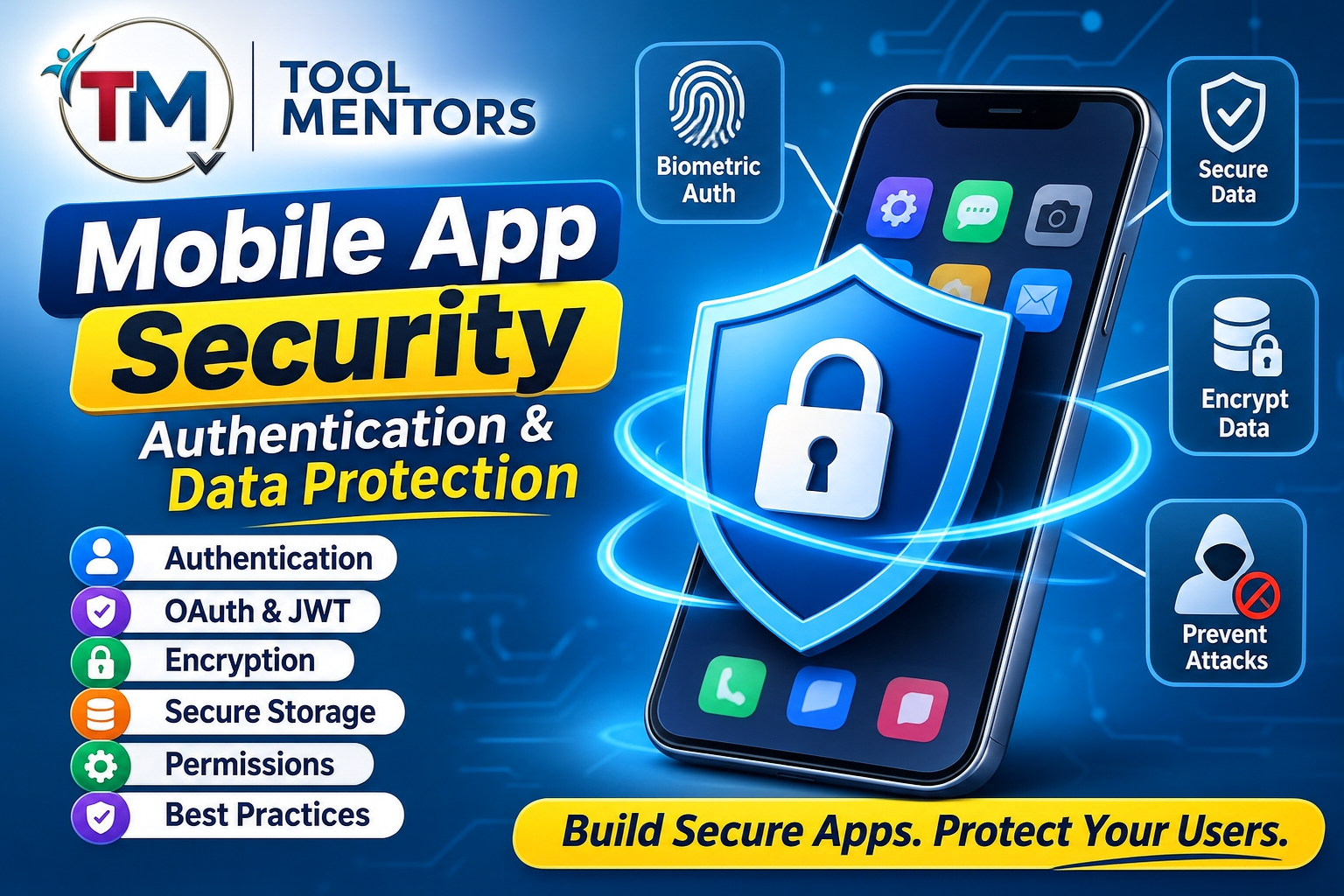
Mobile applications have become an essential part of everyday life. People use them to manage bank accounts, communicate with others, shop online, store personal information, access educational resources, and manage business operations. As mobile applications handle increasingly sensitive information, protecting user accounts and personal data has become a critical responsibility for developers.
A mobile application may offer an excellent design, useful features, and smooth performance, but security weaknesses can put its users at risk. Weak passwords, insecure login systems, unencrypted network connections, poorly protected databases, and excessive application permissions can expose sensitive information to attackers.
Mobile app security involves protecting an application’s users, data, communication channels, authentication systems, and backend infrastructure against unauthorized access and security threats.
For beginners learning app development, understanding security early is important. Security should not be treated as a feature added just before publishing an application. It should be considered throughout the entire development process, from planning and interface design to backend development, testing, publishing, and maintenance.
In this guide, ToolMentors explains the essential principles of mobile app security, including authentication methods, OAuth 2.0, JSON Web Tokens (JWT), encryption, HTTPS, secure storage, application permissions, and common security vulnerabilities. You will also learn practical implementation techniques and how to create a stronger security foundation for Android, iOS, and cross-platform applications.
1. What Is Mobile App Security?
Mobile app security refers to the techniques, technologies, policies, and development practices used to protect mobile applications against security threats.
Its primary purpose is to ensure that only authorized users can access protected features and information while preventing unauthorized individuals or applications from reading, changing, stealing, or manipulating sensitive data.
A secure mobile application protects several important areas:
-
User accounts: Prevent unauthorized access to registered accounts.
-
Personal information: Protect names, email addresses, phone numbers, and other private details.
-
Authentication credentials: Secure passwords, access tokens, and session information.
-
Application data: Protect information stored locally and on remote servers.
-
Network communication: Prevent unauthorized interception or modification of transmitted information.
-
Backend services: Protect APIs, databases, and server-side operations.
-
Application functionality: Prevent attackers from manipulating sensitive features or bypassing security checks.
Why Is Mobile App Security Important?
Mobile applications frequently operate in environments that developers cannot fully control. Users may connect through public Wi-Fi, install applications on compromised devices, or use outdated operating systems.
These situations create potential security risks.
Consider a mobile banking application. If its authentication system is weak, an unauthorized person might access a user’s account. If financial information is transmitted without encryption, attackers could potentially intercept it. If sensitive information is stored insecurely, someone with access to the device might retrieve it.
Mobile app security helps reduce these risks through multiple layers of protection.
Main Objectives of Mobile Application Security
| Security objective | Purpose |
|---|---|
| Confidentiality | Prevent unauthorized people from accessing sensitive information |
| Integrity | Protect information against unauthorized modification |
| Availability | Keep application services accessible to legitimate users |
| Authentication | Verify the identity of users |
| Authorization | Control which resources and actions users can access |
| Privacy | Minimize unnecessary collection and exposure of personal information |
These objectives form the foundation of secure mobile application development.
2. Authentication vs Authorization: Understanding the Difference
Authentication and authorization are two essential concepts in mobile app security. Although they are closely related, they perform different functions.
What Is Authentication?
Authentication is the process of verifying a user’s identity.
When someone enters an email address and password to access an application, the authentication system checks whether the supplied credentials are valid.
Common authentication methods include:
-
Email and password.
-
Phone number and one-time password (OTP).
-
Fingerprint authentication.
-
Facial recognition.
-
Multi-factor authentication.
-
Social login through an identity provider.
For example, when a user signs into a shopping application, authentication confirms that the person attempting to access the account has valid credentials.
What Is Authorization?
Authorization determines what an authenticated user is allowed to do.
For example, consider an educational application with two types of accounts:
-
Students can view lessons and download learning materials.
-
Administrators can create courses, manage users, and update content.
Both users may successfully authenticate, but their permissions are different.
Authorization should be enforced on the backend rather than relying only on buttons or restrictions displayed in the mobile interface.
Authentication vs Authorization
| Feature | Authentication | Authorization |
|---|---|---|
| Main purpose | Verify identity | Control access |
| Main question | Who are you? | What can you access? |
| Happens | Before protected access | After identity verification |
| Example | Password login | Administrator permissions |
| Common methods | Passwords, OTP, biometrics | Roles, permissions, access policies |
A secure mobile application needs both systems. Successful login alone should never give a user unrestricted access to application resources.
3. Common Mobile App Authentication Methods
Choosing an appropriate authentication method depends on the application’s purpose, users, security requirements, and technical architecture.
Some applications need simple email-based login, while financial or business applications may require additional verification.
3.1 Email and Password Authentication
Email and password authentication is one of the most common login methods.
The user enters a registered email address and password. The backend verifies the credentials and creates an authenticated session.
A secure implementation should:
-
Validate the email address.
-
Require an appropriately strong password.
-
Send credentials through HTTPS.
-
Verify passwords using a suitable password-hashing algorithm on the server.
-
Apply login rate limits.
-
Return a secure session or access token.
-
Provide password recovery and account protection mechanisms.
Never store users’ original passwords in a database.
Passwords should be processed using dedicated password-hashing algorithms such as Argon2id, bcrypt, or scrypt, with appropriate parameters and unique salts.
3.2 OTP-Based Authentication
A one-time password is a temporary verification code used to confirm a user’s identity.
OTP authentication commonly works through:
-
SMS verification.
-
Email verification.
-
Authenticator applications.
-
Other supported verification channels.
For example, a user enters a phone number and receives a six-digit verification code.
The backend verifies that the submitted code matches the expected value and has not expired or already been used.
Security recommendations:
-
Use short expiration periods.
-
Limit verification attempts.
-
Prevent repeated code requests.
-
Make codes single-use.
-
Avoid revealing whether an account or phone number is registered.
-
Apply additional protection against automated abuse.
SMS-based OTP can improve account security, but it is not phishing-resistant and may be vulnerable to SIM-swapping attacks.
3.3 Biometric Authentication
Biometric authentication allows users to verify their identity using supported physical characteristics.
Common examples include:
-
Fingerprint recognition.
-
Facial recognition.
-
Other platform-supported biometric methods.
Biometrics can make mobile applications easier to use while adding a convenient verification layer.
However, developers should use the operating system’s secure biometric authentication APIs rather than attempting to implement their own facial or fingerprint recognition system for authentication.
The application should also provide an appropriate fallback method, such as a device PIN or account reauthentication.
3.4 Multi-Factor Authentication (MFA)
Multi-factor authentication requires users to provide more than one independent form of verification.
The factors generally fall into three categories:
| Factor | Example |
|---|---|
| Something you know | Password or PIN |
| Something you have | Security key or authentication device |
| Something you are | Fingerprint or facial recognition |
For example, a user might enter a password and then confirm the login through an authenticator application.
MFA provides an additional security layer if a password is stolen.
For sensitive applications, consider phishing-resistant authentication methods where supported.
4. OAuth 2.0: Secure Authorization for Mobile Applications
OAuth 2.0 is an authorization framework that allows an application to obtain limited access to protected resources without requiring users to share their account passwords with that application.
It is commonly used in applications that connect with external identity or service providers.
For example, a mobile application may allow users to access a service using an existing account from a supported identity provider.
How OAuth 2.0 Works
A typical authorization process involves the following steps:
-
The user selects an available sign-in option.
-
The mobile application opens the authorization interface provided by the identity provider.
-
The user authenticates with that provider.
-
The provider requests the necessary authorization.
-
After approval, the authorization server returns an authorization code.
-
The application exchanges the code through the appropriate secure flow.
-
The application receives an access token.
-
The token is used to request authorized resources.
OAuth 2.0 Authorization Code Flow with PKCE
For native mobile applications, the Authorization Code Flow with Proof Key for Code Exchange (PKCE) is an important security approach.
PKCE helps protect authorization codes against interception and misuse.
Its general process is:
-
Generate a random code verifier.
-
Create a code challenge from that verifier.
-
Send the code challenge with the authorization request.
-
Receive an authorization code.
-
Exchange the code and original verifier through the token endpoint.
-
Verify the challenge before issuing tokens.
Public mobile clients should use PKCE rather than relying on a client secret embedded in the application. A secret included in a distributed mobile application cannot be treated as confidential.
OAuth 2.0 vs Traditional Password Login
| Feature | Traditional Login | OAuth 2.0 |
|---|---|---|
| Credentials | Application manages login credentials | Authorization handled by an authorization server |
| User experience | Direct email/password entry | Can support external sign-in |
| Password handling | Backend verifies application password | User authenticates with provider |
| Integration | Requires account system | Requires provider integration |
| Security responsibility | Application and backend | Application, authorization server, and backend |
OAuth 2.0 is an authorization framework. OpenID Connect (OIDC) adds an identity layer that is commonly used when an application needs to authenticate users through an external identity provider.
5. JSON Web Tokens (JWT) in Mobile App Authentication
JSON Web Token (JWT) is a compact token format commonly used to transmit information between an application and a server.
JWT is frequently used in authentication systems to represent claims about a user or session.
After successful authentication, a backend may issue a token that the mobile application uses when requesting protected API resources.
How Does JWT Authentication Work?
A typical JWT authentication process follows these steps:
-
The user enters login credentials.
-
The application sends the credentials securely to the backend.
-
The backend validates the credentials.
-
The server generates and signs a JWT.
-
The application receives the token.
-
The application sends the token with subsequent protected API requests.
-
The backend validates the token before allowing access.
A typical JWT contains three parts:
-
Header: Specifies the token type and signing algorithm.
-
Payload: Contains claims such as user ID, issuer, and expiration time.
-
Signature: Helps verify that the token has not been modified.
A JWT commonly looks like this:
xxxxx.yyyyy.zzzzzThe three sections are separated by periods.
JWT Authentication Example
A simplified example of a JWT payload might look like this:
{
  "sub": "user_123",
  "role": "customer",
  "iss": "toolmentors-api",
  "exp": 1795500000
}
This example contains a subject identifier, user role, issuer, and expiration timestamp.
Important: JWT payloads are normally encoded, not encrypted. Anyone who obtains a conventional signed JWT can generally read its payload. Never place passwords, secret keys, or other confidential information inside an ordinary JWT.
Access Tokens vs Refresh Tokens
Authentication systems sometimes use two different types of tokens.
| Feature | Access Token | Refresh Token |
|---|---|---|
| Purpose | Access protected resources | Obtain new access tokens |
| Lifetime | Usually shorter | Usually longer |
| Usage | Sent with API requests | Used with the token endpoint |
| Storage | Secure application storage | Strongly protected storage |
| Revocation | Depends on architecture | Should support revocation |
A secure token strategy should include expiration, rotation where appropriate, revocation, and protection against token theft.
Best Practices for JWT Security
-
Use established authentication libraries.
-
Validate token signatures on the backend.
-
Verify issuer and audience claims.
-
Check expiration timestamps.
-
Use an explicitly configured algorithm.
-
Never trust a user role supplied by the mobile application.
-
Protect tokens using platform-supported secure storage.
-
Avoid putting tokens in application logs.
-
Implement appropriate refresh-token rotation and revocation.
JWT can be useful, but it is not automatically more secure than every other session-management approach. Its security depends on how it is implemented.
6. Data Encryption in Mobile Applications
Encryption is one of the most important components of mobile app security.
It converts readable information, known as plaintext, into an unreadable format called ciphertext using a cryptographic algorithm and key.
Only an authorized process with the appropriate decryption key can recover the original information.
For example, an application may store personal information or financial records on a device. Encryption helps protect this information if someone gains unauthorized access to the stored files.
What Are the Main Types of Data Encryption?
Mobile application security generally requires protection for data in two important states.
6.1 Encryption at Rest
Encryption at rest protects information stored on a device, database, or server.
Examples include:
-
User profile information.
-
Financial records.
-
Private messages.
-
Authentication tokens.
-
Downloaded confidential documents.
-
Sensitive application settings.
Developers should use appropriate platform security features and encryption libraries rather than creating their own encryption algorithms.
6.2 Encryption in Transit
Encryption in transit protects information while it moves between a mobile application and another system.
For example, when someone logs into an application, their credentials travel from the mobile device to the authentication server.
HTTPS with modern TLS configurations helps protect this communication against interception and unauthorized modification.
Encryption at Rest vs Encryption in Transit
| Feature | Encryption at Rest | Encryption in Transit |
|---|---|---|
| Protects | Stored information | Transmitted information |
| Main location | Device and databases | Network connections |
| Common technology | AES-based encryption | HTTPS and TLS |
| Main risk addressed | Unauthorized storage access | Network interception |
| Example | Encrypted user records | Secure login requests |
Both are necessary because protecting information in one state does not automatically protect it in another.
6.3 Symmetric Encryption
Symmetric encryption uses the same secret key for encryption and decryption.
AES (Advanced Encryption Standard) is a widely used symmetric encryption algorithm.
For example, an application can use AES-based encryption to protect sensitive locally stored information.
However, the encryption key must also be protected. If attackers obtain both the encrypted information and its key, the encryption may provide little practical protection.
6.4 Asymmetric Encryption
Asymmetric encryption uses a public and private key pair.
-
Public key: Can be shared with others.
-
Private key: Must remain protected.
This approach is commonly used in cryptographic protocols and digital signature systems.
For example, public-key cryptography plays an important role in establishing secure TLS connections.
Which Encryption Method Should Developers Use?
The correct choice depends on the application requirement.
| Requirement | Suitable approach |
|---|---|
| Encrypting stored application data | Established symmetric encryption |
| Secure network communication | HTTPS with TLS |
| Digital signatures | Asymmetric cryptography |
| Secure cryptographic key storage | Platform Keystore or Keychain |
| Password protection | Argon2id, bcrypt, or scrypt |
Do not confuse password hashing with encryption. Passwords should generally be hashed using dedicated password-hashing algorithms rather than encrypted for later recovery.
7. HTTPS and Secure API Communication
Mobile applications frequently communicate with backend servers to retrieve information, authenticate users, synchronize data, and process transactions.
These connections must be protected.
HTTPS is the secure version of HTTP. It uses TLS to protect communication between clients and servers.
Why Is HTTPS Important for Mobile Applications?
Without secure communication, sensitive information could be exposed to attackers monitoring network traffic.
HTTPS helps provide:
-
Encryption of transmitted information.
-
Server authentication through digital certificates.
-
Protection against unauthorized modification of data in transit.
-
Greater protection when using public Wi-Fi networks.
For example, consider an online shopping application.
When a user signs in, views an order, or submits payment information, the application communicates with backend services. These connections should use HTTPS.
How to Implement HTTPS in a Mobile Application
Follow these practical recommendations:
-
Configure backend services to support HTTPS.
-
Use trusted TLS certificates.
-
Ensure all API requests use HTTPS.
-
Disable unnecessary cleartext HTTP traffic.
-
Validate server certificates correctly.
-
Avoid ignoring certificate validation errors.
-
Test network connections before publishing.
Android Network Security Configuration Example
Android developers can restrict cleartext traffic through a network security configuration.
For example:
<?xml version="1.0" encoding="utf-8"?>
<network-security-config>
    <base-config cleartextTrafficPermitted="false" />
</network-security-config>
This configuration disallows cleartext network traffic by default for connections governed by the configuration.
It should be connected through the application’s manifest:
<application
    android:networkSecurityConfig="@xml/network_security_config"
    ... >
</application>
This is one part of network security, not a replacement for proper TLS configuration, secure backend development, or certificate validation.
API Security Best Practices
When developing mobile APIs, follow these principles:
-
Require authentication for protected endpoints.
-
Check authorization on every sensitive operation.
-
Validate input on the backend.
-
Apply rate limits to sensitive endpoints.
-
Avoid exposing internal server details in error messages.
-
Do not include private API credentials in application source code.
-
Use secure token-management practices.
-
Monitor suspicious requests.
Remember that mobile applications operate on devices controlled by users. Client-side restrictions can be bypassed, so important security decisions must be enforced by the backend.
8. Secure Data Storage on Android and iOS
Mobile applications frequently store information locally to improve performance and provide offline functionality.
However, storing sensitive information in ordinary files or unprotected preferences can expose it to unauthorized access.
Developers should use the security mechanisms provided by the operating system.
Secure Storage on Android
Android provides the Android Keystore system for managing cryptographic keys.
The Keystore can help applications generate and use cryptographic keys without exposing the key material directly to application code.
Depending on the device, supported keys may benefit from hardware-backed protection.
Common secure-storage considerations include:
-
Protecting encryption keys using Android Keystore.
-
Avoiding hardcoded secrets.
-
Restricting access to application files.
-
Encrypting sensitive information when necessary.
-
Avoiding unnecessary storage of authentication credentials.
Secure Storage on iOS
Apple provides Keychain Services for securely storing small pieces of sensitive information.
Developers can use Keychain to manage items such as authentication tokens, credentials, and other confidential data.
Sensitive cryptographic operations may also benefit from hardware-backed capabilities such as Secure Enclave, depending on the device and implementation.
Android vs iOS Secure Storage
| Feature | Android | iOS |
|---|---|---|
| Key management | Android Keystore | Keychain and supported cryptographic APIs |
| Secure credential storage | Encrypted storage with protected keys | Keychain Services |
| Hardware protection | Supported hardware-backed Keystore | Secure Enclave for supported operations |
| Main purpose | Protect keys and sensitive information | Protect credentials and cryptographic material |
The exact protection available depends on the operating system, hardware, configuration, and application implementation.
What Information Should Never Be Stored Insecurely?
Avoid storing the following in plain-text files, unprotected preferences, or source code:
-
User passwords.
-
Private cryptographic keys.
-
Long-lived access tokens.
-
Payment credentials.
-
Sensitive personal records.
-
Confidential API secrets.
Only store information that the application genuinely needs.
9. Mobile App Permissions and Privacy Protection
Mobile applications sometimes need access to device features such as the camera, microphone, contacts, location, and storage.
These capabilities are controlled through application permissions.
However, requesting unnecessary permissions can create privacy and security risks.
Common Mobile App Permissions
| Permission | Typical application use |
|---|---|
| Camera | Scanning documents or taking pictures |
| Microphone | Recording audio or voice communication |
| Location | Navigation and location-based services |
| Contacts | Contact discovery or sharing |
| Notifications | Alerts and application updates |
| Photos | Selecting or uploading images |
| Bluetooth | Connecting with supported devices |
Why Should Developers Request Minimum Permissions?
Consider a simple calculator application.
If it requests access to contacts, the microphone, and location without a legitimate requirement, users may question why those permissions are necessary.
The principle of least privilege recommends granting only the permissions needed to perform a specific function.
Permission Management Best Practices
-
Request permission only when the related feature is needed.
-
Explain why access is necessary.
-
Avoid requesting multiple unrelated permissions together.
-
Respect denied permissions.
-
Provide alternative functionality where possible.
-
Remove permissions that are no longer required.
-
Avoid collecting personal information without a valid purpose.
Protecting User Privacy
Security and privacy are closely connected, but they are not identical.
Security focuses on preventing unauthorized access, while privacy also concerns how information is collected, used, shared, and retained.
Developers should:
-
Collect only necessary information.
-
Explain data collection practices.
-
Provide appropriate privacy controls.
-
Protect stored personal information.
-
Establish data-retention policies.
-
Handle account deletion requests appropriately.
-
Avoid exposing sensitive information through analytics and logging.
10. Common Mobile App Security Vulnerabilities
Understanding common security weaknesses helps developers identify problems before attackers exploit them.
Some vulnerabilities arise from insecure programming, while others result from poor server configuration, weak authentication, or careless data management.
10.1 Weak Authentication
Weak passwords, unrestricted login attempts, and poorly implemented account recovery can make user accounts vulnerable.
Solution:
Implement secure password handling, login rate limiting, MFA where appropriate, and protected account recovery.
10.2 Insecure Data Storage
Saving confidential information in plain text can expose users if application files become accessible.
Solution:
Use Android Keystore, iOS Keychain, and appropriate encryption mechanisms.
10.3 Insecure Network Communication
Sending sensitive information through unencrypted HTTP connections can expose it to interception.
Solution:
Require HTTPS and configure TLS correctly.
10.4 Hardcoded API Keys and Secrets
Developers sometimes place private credentials directly inside application code.
This is dangerous because mobile application packages can be inspected and reverse-engineered.
Solution:
Keep confidential credentials on trusted backend infrastructure. Use restricted public identifiers only where appropriate, and apply server-side authorization.
10.5 Insecure API Authorization
An application may hide certain features from ordinary users while leaving the corresponding backend endpoints accessible.
For example, a student may not see an administrator button, but could attempt to call the administrator API directly.
Solution:
Verify roles and permissions on the server for every protected operation.
10.6 SQL Injection
SQL injection occurs when an application handles user input unsafely while constructing database queries.
Attackers may manipulate input to interfere with database operations.
Solution:
Use parameterized queries, safe database libraries, input validation, and restricted database permissions.
10.7 Cross-Site Scripting in WebViews
Mobile applications that display web content through WebView components may introduce security risks if untrusted content is handled carelessly.
Solution:
Restrict navigation to trusted destinations, avoid unnecessary JavaScript interfaces, and validate content loaded into the WebView.
10.8 Insecure Logging
Developers sometimes record passwords, tokens, payment information, or personal data in application logs.
These logs may become accessible through debugging systems or monitoring tools.
Solution:
Remove sensitive values from logs and use appropriate production logging controls.
10.9 Reverse Engineering and Application Tampering
Attackers may inspect application packages, analyze code, or modify application behavior.
Solution:
Avoid embedding secrets in the application, protect sensitive backend operations, validate important requests server-side, and consider appropriate application-integrity protections.
Obfuscation can increase the effort required to analyze an application, but it does not replace proper security architecture.
11. Step-by-Step Guide to Implementing Mobile App Security
Developers should treat security as part of the normal application development process.
The following example explains how to approach security when building a basic mobile application with user accounts.
Step 1: Plan the Security Requirements
Before writing code, identify the information your application will handle.
For example, a student management application may store:
-
Student names.
-
Email addresses.
-
Login credentials.
-
Course information.
-
Attendance records.
Determine which information is sensitive and who should be allowed to access it.
Step 2: Create a Secure Authentication System
Choose an appropriate authentication approach.
For a basic application, you might use email and password authentication with secure server-side password hashing.
For an application with additional security requirements, consider MFA or an established identity provider.
Step 3: Configure Secure Backend APIs
Create backend endpoints that handle protected operations.
For example:
POST /api/auth/login
POST /api/auth/refresh
GET  /api/user/profile
GET  /api/student/courses
POST /api/student/attendance
The backend should authenticate requests and verify the user’s permissions before returning or modifying information.
These endpoints are illustrative examples rather than existing ToolMentors services.
Step 4: Protect Authentication Tokens
After successful login, the backend may issue an access token.
The application should:
-
Store tokens using appropriate secure storage.
-
Avoid exposing tokens in logs.
-
Handle token expiration.
-
Support logout and token revocation.
-
Protect refresh tokens carefully.
Step 5: Encrypt Sensitive Information
Use appropriate encryption for confidential information stored locally or transmitted over the network.
Do not implement your own cryptographic algorithms.
Use established libraries and operating system security features.
Step 6: Configure Application Permissions
Review every requested permission.
If your application only requires users to view course information, it probably does not need access to the microphone or contacts.
Request additional permissions only when a real application feature requires them.
Step 7: Test Security Before Publishing
Test the application for:
-
Weak authentication.
-
Unauthorized API access.
-
Token exposure.
-
Insecure local storage.
-
Network configuration errors.
-
Excessive permissions.
-
Input validation problems.
-
Session-management weaknesses.
A successful login test is not enough to demonstrate that the complete application is secure.
12. Mobile App Security Testing and Maintenance
Security does not end when an application is published.
New vulnerabilities can appear in application dependencies, backend services, operating systems, and third-party integrations.
Developers should establish a continuous security-testing and maintenance process.
Types of Mobile App Security Testing
| Testing method | Purpose |
|---|---|
| Static Application Security Testing (SAST) | Analyze source code for potential vulnerabilities |
| Dynamic Application Security Testing (DAST) | Examine application behavior while running |
| Penetration testing | Simulate attacks to identify security weaknesses |
| Dependency scanning | Identify vulnerable third-party packages |
| API security testing | Evaluate backend endpoints and authorization |
| Manual code review | Examine implementation and security logic |
What Is OWASP MASVS?
The OWASP Mobile Application Security Verification Standard (MASVS) is a security standard designed to help developers and testers assess mobile application security.
It organizes security requirements into areas such as:
-
Storage.
-
Cryptography.
-
Authentication and authorization.
-
Network communication.
-
Platform interaction.
-
Code quality.
-
Resilience.
-
Privacy.
Developers can use MASVS as a structured reference when planning and reviewing mobile application security.
Mobile App Security Maintenance Checklist
Before and after publishing an application, review the following:
Regular maintenance is particularly important for applications that process personal, financial, educational, or business information.
13. Best Practices for Building Secure Mobile Applications
A strong mobile application security strategy combines several protective measures rather than depending on one technology.
The following recommendations provide a useful foundation.
Use Secure Authentication
Select established authentication protocols and libraries. Protect account recovery, login sessions, and sensitive account operations.
Encrypt Sensitive Information
Protect confidential data both when it is stored and when it travels across a network.
Apply the Principle of Least Privilege
Give users, applications, and backend services only the permissions necessary for their intended tasks.
Validate All Important Operations on the Backend
Never assume that the mobile interface is trustworthy. Users can inspect application traffic and modify client-side behavior.
Keep Software Dependencies Updated
Use maintained libraries and review security updates. Remove unnecessary dependencies.
Protect API Credentials
Never rely on hardcoded secrets inside distributed application packages.
Perform Regular Security Testing
Test authentication, authorization, storage, APIs, and network communication throughout the development lifecycle.
Prepare for Security Incidents
Establish procedures for investigating vulnerabilities, revoking compromised tokens, updating applications, and communicating security issues appropriately.
14. How Mobile App Security Supports Testing, Publishing and Maintenance
Security is directly connected to the three major stages of mobile application delivery: testing, publishing, and maintenance.
Security During Testing
Before release, developers should evaluate authentication, authorization, data protection, network connections, and application permissions.
Testing should include both expected user behavior and attempts to access restricted resources.
Security During Publishing
Before distributing an application:
-
Remove development credentials.
-
Disable debugging configurations.
-
Verify release signing procedures.
-
Review permissions.
-
Check third-party dependencies.
-
Confirm backend security settings.
-
Review privacy disclosures.
Application signing is important because it helps establish the integrity and authenticity of application releases.
Security During Maintenance
After release, developers should monitor errors, update dependencies, investigate vulnerabilities, and improve security controls as the application evolves.
A secure release today does not guarantee that the application will remain secure indefinitely.
Mobile app security must therefore be treated as an ongoing responsibility.
15. Frequently Asked Questions About Mobile App Security
1. What is mobile app security?
Mobile app security refers to the techniques and practices used to protect mobile applications, user accounts, personal information, and backend services against unauthorized access and cyberattacks. It includes authentication, encryption, secure storage, API protection, permission management, and regular security testing.
2. Why is mobile app security important?
Mobile app security is important because applications frequently process personal, financial, and confidential information. Weak security can expose user accounts, private records, and business data. Strong security measures help protect users, maintain application reliability, and reduce the risk of unauthorized access.
3. What is the difference between authentication and authorization?
Authentication verifies a user’s identity, while authorization determines which resources and features that user can access. For example, entering a password verifies identity, whereas checking whether someone has administrator permissions determines what actions they can perform.
4. What is the best authentication method for mobile applications?
There is no single best method for every application. Email and password authentication, MFA, biometrics, and OAuth-based sign-in are common options. The appropriate choice depends on the application’s sensitivity, user experience, backend architecture, and security requirements.
5. What is OAuth 2.0 in mobile app development?
OAuth 2.0 is an authorization framework that allows applications to obtain limited access to protected resources without collecting users’ external account passwords. Native applications commonly use the Authorization Code Flow with PKCE to improve authorization security.
6. What is JWT authentication in mobile applications?
JWT authentication uses JSON Web Tokens to represent claims about an authenticated user or session. A backend can issue a signed token after successful login, and the application can present it when accessing protected APIs. Developers must validate signatures, expiration, issuer, and audience appropriately.
7. Is JWT more secure than OAuth 2.0?
JWT and OAuth 2.0 serve different purposes and are not direct alternatives. JWT is a token format, while OAuth 2.0 is an authorization framework. An OAuth-based system may use JWT access tokens, but security depends on the complete implementation.
8. What is encryption in mobile app security?
Encryption transforms readable information into ciphertext using cryptographic algorithms and keys. It helps prevent unauthorized people from understanding sensitive information. Mobile applications should protect confidential data both when it is stored on devices or servers and when it travels across networks.
9. What is the difference between encryption at rest and encryption in transit?
Encryption at rest protects stored information, such as database records and local application files. Encryption in transit protects information while it moves between devices and servers. Secure mobile applications generally need both protections to reduce data exposure.
10. Why should mobile applications use HTTPS?
HTTPS uses TLS to encrypt communication between applications and servers. It helps protect login credentials, authentication tokens, and other transmitted information against interception and unauthorized modification. Developers should configure trusted certificates and avoid insecure HTTP connections for sensitive communications.
11. How can developers securely store passwords and tokens?
Passwords should generally remain on the backend as securely hashed values rather than being stored directly on mobile devices. Authentication tokens should be protected using platform-supported mechanisms such as Android Keystore-backed storage and iOS Keychain, with appropriate expiration and revocation controls.
12. What is Android Keystore?
Android Keystore is a platform feature that helps applications generate, store, and use cryptographic keys securely. Depending on the device, keys may receive hardware-backed protection. It helps developers protect encryption keys without exposing their raw key material directly to application code.
13. What is iOS Keychain?
iOS Keychain is Apple’s secure storage service for sensitive information such as passwords, credentials, and authentication tokens. It provides access controls and platform-managed protection. Developers commonly use Keychain instead of storing confidential information in ordinary application preferences or files.
14. What are common mobile app security vulnerabilities?
Common vulnerabilities include weak authentication, insecure data storage, exposed API credentials, insufficient authorization checks, SQL injection, insecure network communication, excessive permissions, and sensitive information appearing in logs. Regular security testing helps identify these weaknesses before and after release.
15. How can developers protect mobile applications against hackers?
Developers should implement strong authentication, secure APIs, encryption, minimum permissions, protected token storage, input validation, and regular security testing. Sensitive operations must be validated on the backend because client-side security restrictions can be bypassed.
16. What is multi-factor authentication in mobile apps?
Multi-factor authentication requires users to verify their identity using multiple independent authentication factors. For example, a user might enter a password and confirm the login through an authenticator application. MFA reduces the risk associated with stolen passwords.
17. How can developers protect mobile app APIs?
Mobile APIs should use HTTPS, secure authentication, server-side authorization, input validation, and rate limiting. Developers should also protect credentials, monitor suspicious requests, and prevent unauthorized users from accessing restricted endpoints. Important security decisions should never depend exclusively on the mobile interface.
18. What is OWASP MASVS?
OWASP Mobile Application Security Verification Standard (MASVS) is a structured security standard for evaluating mobile applications. It covers areas including authentication, cryptography, secure storage, network communication, platform interaction, code quality, resilience, and privacy. Developers can use it to organize security reviews and testing.
19. How often should mobile applications undergo security testing?
Security testing should take place throughout development and after significant application changes. Developers should also review third-party dependencies, investigate newly discovered vulnerabilities, and periodically assess backend security. Applications handling sensitive information may require more frequent and comprehensive testing.
20. What should developers check before publishing a secure mobile application?
Before publishing, developers should test authentication, authorization, encryption, API communication, secure storage, and permissions. They should remove development credentials, review dependencies, configure release signing, disable debugging configurations, and verify privacy practices. Security maintenance should continue after the application becomes available to users.
16. Conclusion: Building Secure Mobile Applications
Mobile app security is an essential part of professional application development. A successful application must do more than provide useful features and an attractive interface. It must also protect user accounts, confidential information, backend services, and communication channels.
Understanding authentication, authorization, OAuth 2.0, JWT, encryption, HTTPS, and secure data storage gives developers the knowledge needed to build stronger applications.
For beginners, the best approach is to learn security fundamentals while developing small practical projects. Start with secure login functionality, understand how backend APIs work, protect authentication tokens, and learn how Android and iOS handle sensitive information.
As your experience increases, explore advanced concepts such as MFA, secure session management, API security testing, cryptographic key management, and OWASP MASVS.
Remember these important principles:
-
Never store passwords in plain text.
-
Protect sensitive information using appropriate encryption.
-
Use HTTPS for application communication.
-
Store authentication tokens securely.
-
Enforce authorization on the backend.
-
Request only necessary application permissions.
-
Keep dependencies and development tools updated.
-
Test security before and after publishing.
-
Treat security as an ongoing development responsibility.
By following these practices, developers can create mobile applications that are more reliable, privacy-conscious, and resistant to common security threats.
17. Final Call to Action
Learning mobile app security is an important step toward becoming a skilled application developer. Whether you are a student, beginner, freelancer, or experienced programmer, understanding secure development practices will help you build better applications.
At ToolMentors, our goal is to make technology and software development easier to understand through practical tutorials, educational articles, and useful online tools.
Explore more programming guides, mobile app development tutorials, software resources, and technical learning materials at:
Visit ToolMentors – Learn, Build and Grow
Keep learning, keep practising, and build applications with security in mind from the beginning.