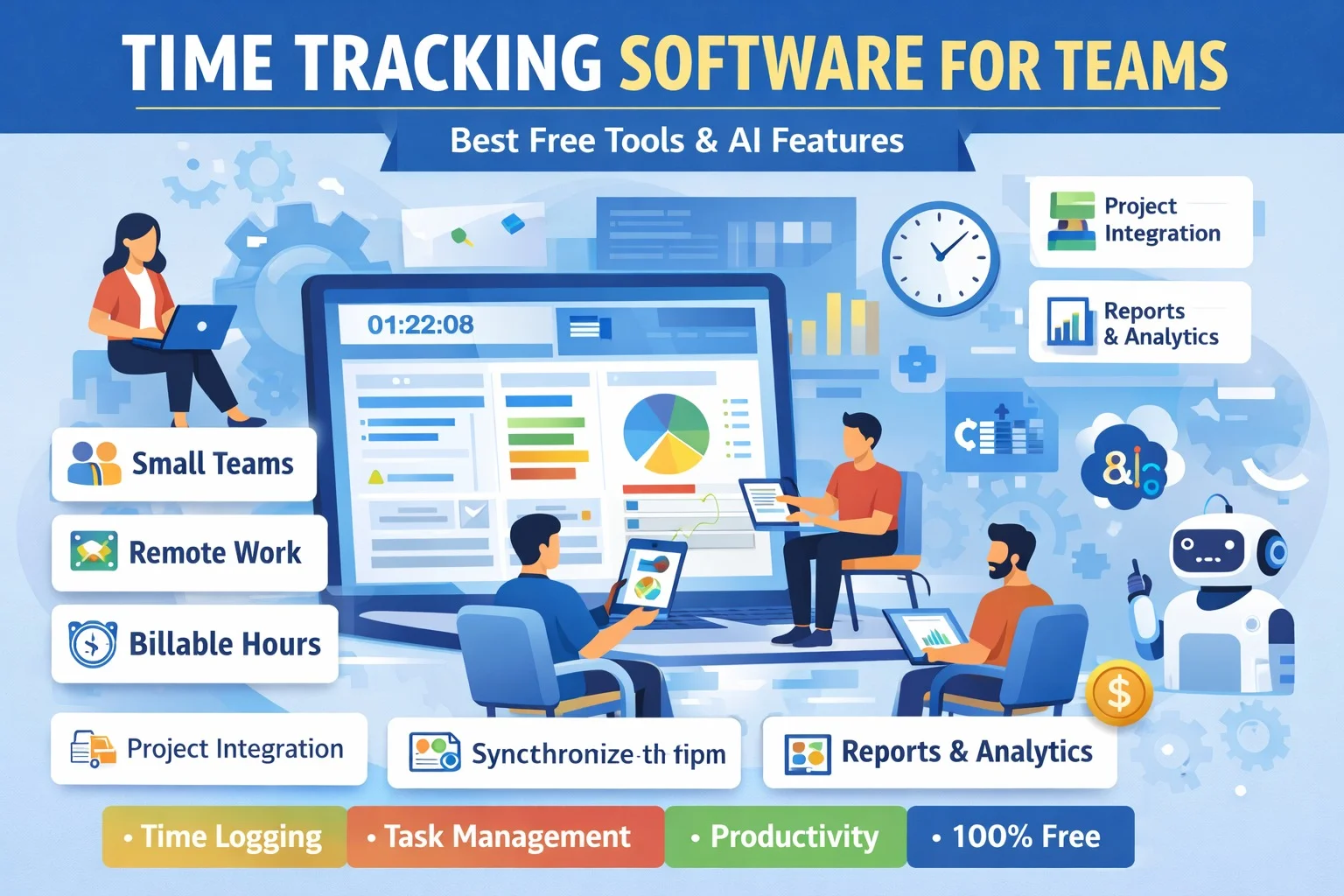
Time tracking software has become an essential tool for teams, freelancers, and remote workers who want to improve productivity, manage workloads, and ensure accurate billing. Whether you are a small startup or a remote team, time tracking tools help monitor work hours, optimize tasks, and streamline workflows. In this guide, we will explore the best free time tracking software for teams and answer the most common questions users have.
1. Which free time tracking software is best for small teams?
Small teams need simple yet effective tools that are easy to implement. Some of the top free time tracking software options for small teams include:
- Toggl Track: Toggl Track offers a user-friendly interface, allowing small teams to start tracking hours immediately. The free version supports up to 5 users and includes basic reports.
- Clockify: Clockify is completely free for unlimited users and projects. It provides time tracking, timesheets, and basic reporting, making it perfect for small teams who want a simple solution.
- Harvest (Free Plan): Harvest allows small teams to track up to 2 projects for free. It is ideal for startups or teams testing time tracking for the first time.
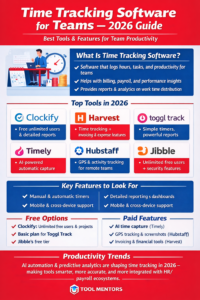
These tools offer essential features without the need for a paid plan, making them suitable for teams with a limited budget.
2. Does time tracking software integrate with project management tools?
Yes, many time tracking tools integrate seamlessly with popular project management platforms like Asana, Trello, ClickUp, and Jira.
- Clockify: Integrates with Trello, Asana, Jira, and ClickUp. Users can start tracking time directly from tasks within these apps.
- Toggl Track: Provides integration with Asana, Trello, Jira, ClickUp, and Slack, enabling teams to log hours without switching between apps.
- Harvest: Offers integration with Asana and Trello, allowing teams to attach tracked time to tasks and projects automatically.
Integration ensures that teams have a single workflow where task management and time tracking work together efficiently.
3. What are the best time tracking apps for remote teams?
Remote teams require tools that allow collaboration, visibility, and flexibility. The following free tools are excellent for remote teams:
- Clockify: Offers unlimited users, making it suitable for remote teams of any size. It allows team members to log hours in real-time, share reports, and manage tasks across different time zones.
- Toggl Track: Toggl Track’s browser and desktop apps enable remote teams to track hours on multiple devices. It also supports offline tracking and synchronization.
- Hubstaff (Free Plan): Hubstaff’s free plan includes time tracking for 1 user, which is ideal for solo remote workers or testing purposes. It also provides basic productivity monitoring and activity levels.
Remote teams benefit from these tools by ensuring accountability and transparency, even when working across different locations.
4. Can free time tracking software track billable hours?
Yes, many free time tracking tools allow teams to track billable hours accurately.
- Clockify: Supports billable hours tracking and allows teams to assign hourly rates to tasks or projects.
- Toggl Track: Users can mark time entries as billable and generate basic invoices from the free plan.
- Harvest (Free Plan): While limited to 2 projects, Harvest allows billable tracking and invoice generation for small teams.
Tracking billable hours is essential for freelancers and teams who need accurate reporting for client billing and payroll purposes.
5. Which time tracking software supports reporting and analytics for free?
Reporting and analytics are key to understanding productivity and project progress. Free tools offering reporting features include:
- Clockify: Provides basic reporting and timesheets in the free version. Users can filter by project, team member, and date range.
- Toggl Track: Offers simple reporting with export options for CSV or PDF, allowing teams to analyze work hours.
- RescueTime (Free Version): Offers personal productivity reports, tracking app usage and time spent on tasks, which is helpful for small teams monitoring workflow.
Even free reporting options provide valuable insights that help teams make informed decisions and improve efficiency.
6. How do free time tracking tools compare to paid versions?
Free time tracking tools are very capable but come with some limitations compared to paid plans:
- User Limits: Some free plans restrict the number of users or projects. Paid plans often remove these limits.
- Advanced Features: Paid versions include advanced reporting, automated reminders, time audits, task dependencies, and integrations with more apps.
- Storage & History: Paid plans often allow more extensive data retention and file attachments.
- Support: Free users typically have access to community or email support, whereas paid plans include priority or live chat support.
Despite these limitations, free tools provide most core functionalities and are perfect for small teams or those testing time tracking software.
7. Are there AI-powered time tracking tools?
Yes, AI features are increasingly included even in free plans to boost productivity and automate tasks:
- Toggl Track AI (Free Plan): Suggests task categorization, automated reminders, and activity tracking patterns.
- Clockify AI: Can predict project timelines, suggest task prioritization, and analyze productivity trends.
- Hubstaff AI (Limited): Provides automated activity suggestions and reminders to ensure accurate time tracking.
AI-powered tools help teams save time by automating repetitive tasks, improving accuracy, and offering insights for better workload management.
Conclusion
Free time tracking software for teams provides a reliable way to manage work hours, monitor productivity, and streamline workflows without additional costs. Tools like Clockify, Toggl Track, and Harvest offer essential features such as time logging, billable hours tracking, integration with project management apps, reporting, and AI assistance.
For small teams, startups, or remote workers, these free tools offer enough functionality to track work efficiently, analyze performance, and optimize productivity. While paid plans provide more advanced features, free time tracking software remains a valuable solution for teams wanting to improve workflow management in 2026.