
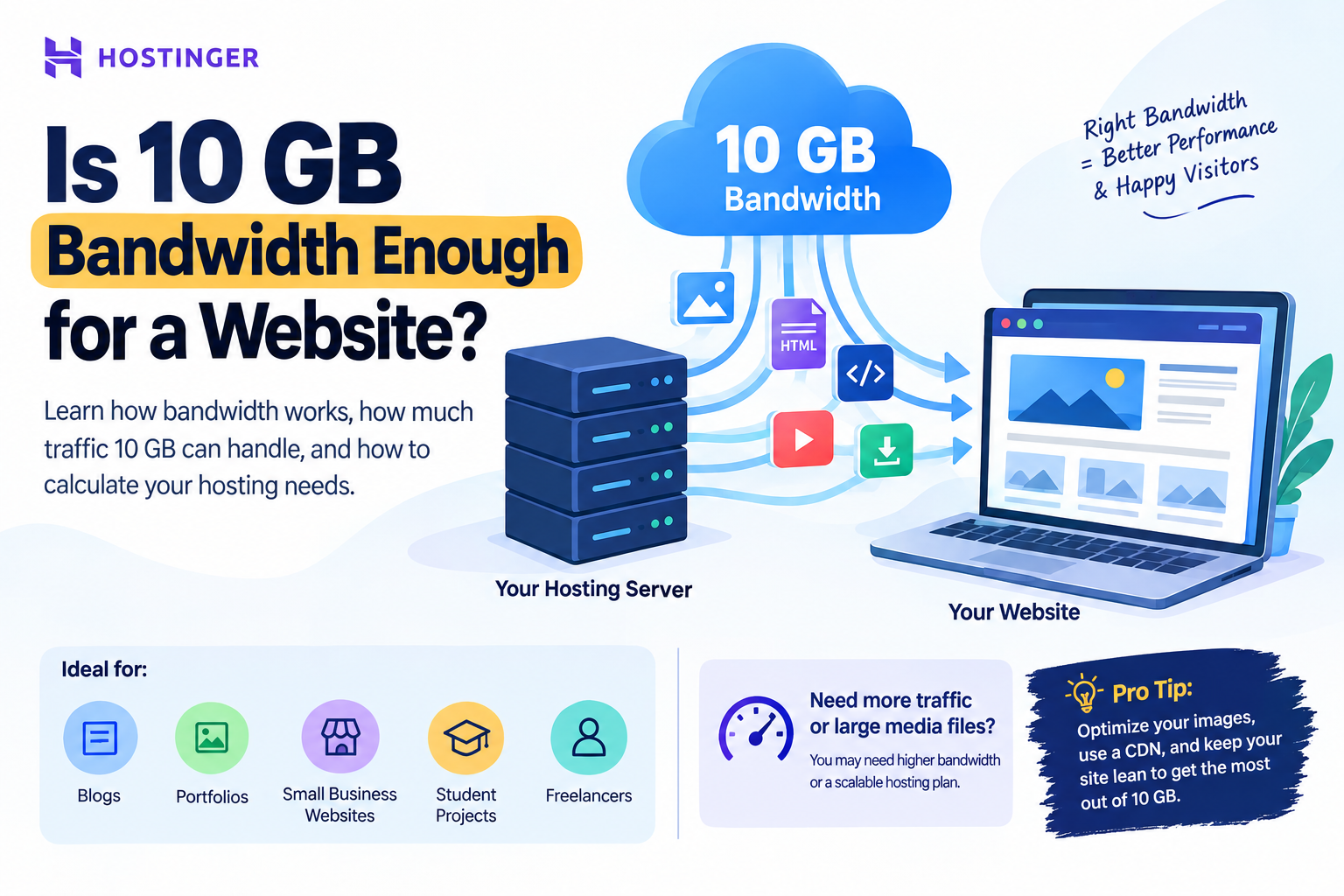
Yes, 10 GB of monthly bandwidth can be enough for a small website with moderate traffic, especially a blog, portfolio, or simple business website. However, image-heavy websites, online stores, video sites, or websites receiving thousands of visitors may need significantly more bandwidth.
 When choosing a web hosting plan, one of the specifications you may come across is bandwidth. Beginners often see numbers such as 10 GB, 50 GB, 100 GB, or unlimited bandwidth and wonder: Is 10 GB bandwidth enough for a website?
The short answer is: it depends on your website’s traffic, page size, media files, and how frequently visitors access your content.
For a small website, 10 GB of monthly bandwidth can be enough. But if your website receives high traffic or serves large images, videos, downloadable files, or other heavy resources, 10 GB can be consumed surprisingly quickly.
Let’s understand exactly how bandwidth works and how you can calculate whether 10 GB is sufficient for your website.
What Is Website Bandwidth?
Website bandwidth is the amount of data your hosting server transfers between your website and its visitors during a specific period, usually one month.
Every time someone visits your website, their browser downloads website resources such as:
- HTML files
- CSS files
- JavaScript
- Images
- Fonts
- Videos
- PDFs and downloadable files
- Other website assets
All of this data contributes to your bandwidth usage.
For example, suppose your average webpage is 2 MB in size. If 1,000 visitors each load one page, approximately:
2 MB × 1,000 visitors = 2,000 MB = 2 GB
of data could be transferred.
That means 10 GB would theoretically support around 5,000 page views at that average page size.
However, real websites are more complicated because visitors may view multiple pages, return to the website, download files, or load resources that aren’t cached.

Is 10 GB Bandwidth Enough for a Small Website?
For many small websites, yes.
A website with 10 GB of monthly bandwidth may be suitable for:
- Personal blogs
- Portfolio websites
- Small business websites
- Freelancer websites
- Student projects
- Simple landing pages
- Small informational websites
- New websites with relatively low traffic
If your website receives a few hundred visitors per month and your pages are optimized, 10 GB can provide plenty of room.
The important point is that bandwidth requirements aren’t determined by visitor count alone.
A website receiving 1,000 visitors could use less bandwidth than a website receiving 500 visitors if the first website has much smaller pages.
How Much Traffic Can 10 GB Support?
There is no universal visitor limit because website page sizes vary.
A useful way to estimate bandwidth is:
Monthly Bandwidth ≈ Number of Page Views × Average Page Size
For example, imagine your website has an average page size of 2 MB.
| Monthly Page Views | Approximate Bandwidth |
|---|---|
| 1,000 | 2 GB |
| 2,500 | 5 GB |
| 5,000 | 10 GB |
| 7,500 | 15 GB |
| 10,000 | 20 GB |
These are simplified estimates rather than guaranteed limits.
If your average page is only 1 MB, 10 GB could theoretically support around 10,000 page views. If your average page is 5 MB, the same 10 GB would support only around 2,000 page views.
This is why page optimization is just as important as the bandwidth limit itself.
Bandwidth vs Storage: Don’t Confuse the Two
One of the most common mistakes beginners make is confusing storage with bandwidth.
They are different resources.
Storage
Storage is the amount of space available on your hosting account for storing website files.
For example:
- 10 GB storage
- 20 GB storage
- 50 GB storage
This determines how much website data you can keep on the server.
Bandwidth
Bandwidth determines how much data your server can transfer to visitors over a period.
For example:
- 10 GB monthly bandwidth
- 50 GB monthly bandwidth
- Unlimited bandwidth
You can have plenty of storage but still use a lot of bandwidth if your website receives significant traffic.
Likewise, a website can have relatively small storage requirements but consume substantial bandwidth if many visitors access it repeatedly.
What Uses the Most Website Bandwidth?
Several types of content can increase bandwidth consumption.
1. Large Images
High-resolution JPG, PNG, and WebP images can significantly increase page size.
For example, if your homepage contains ten 1 MB images, that’s already approximately 10 MB of image data before considering HTML, CSS, JavaScript, fonts, and other resources.
2. Videos
Video is one of the biggest bandwidth consumers.
If you host videos directly on your server, visitors downloading or streaming those videos can consume bandwidth extremely quickly.
For most small websites, embedding videos from platforms such as YouTube rather than hosting large video files directly can be a more practical approach.
3. Downloadable Files
PDFs, software packages, ZIP files, ebooks, and other downloads can consume significant bandwidth.
If a 50 MB file is downloaded 200 times:
50 MB × 200 = 10,000 MB ≈ 10 GB
A single popular downloadable file could therefore consume an entire 10 GB allowance.
4. High-Traffic Pages
A page that suddenly becomes popular through Google, social media, Pinterest, Reddit, or another platform can generate a large spike in bandwidth consumption.
This is particularly important for websites that publish viral content.
How to Calculate Your Website’s Bandwidth Requirements
You can estimate your requirements using a simple four-step process.
Step 1: Find Your Average Page Size
Use a website performance tool or browser developer tools to determine approximately how much data a typical page loads.
Let’s assume:
Average page size = 2 MB
Step 2: Estimate Monthly Page Views
Suppose Google Analytics reports approximately:
3,000 monthly page views
Step 3: Multiply Page Views by Page Size
2 MB × 3,000 = 6,000 MB
That’s approximately:
6 GB monthly bandwidth
Step 4: Add a Safety Buffer
Don’t choose a hosting plan that operates at 99% of its limit every month.
If your estimated requirement is 6 GB, having around 10 GB or more gives you additional room for traffic fluctuations.
This is particularly important if your website is growing.
What If Your Website Gets 10,000 Visitors?
This is where things become more dependent on your website structure.
10,000 visitors does not automatically mean you need a specific bandwidth amount.
Suppose 10,000 visitors generate an average of 1.5 page views each:
10,000 × 1.5 = 15,000 page views
If each page averages 1 MB:
15,000 × 1 MB = 15 GB
In this example, 10 GB would not be enough.
But if your average page size is only 500 KB:
15,000 × 0.5 MB = 7.5 GB
Now 10 GB could potentially be sufficient.
Therefore, instead of asking only “How many visitors can 10 GB support?”, ask:
How many page views will those visitors generate, and how large are my pages?
That’s a much more accurate way to evaluate bandwidth requirements.
How to Reduce Bandwidth Usage
If your website is approaching its bandwidth limit, you don’t necessarily need to upgrade immediately.
You can first optimize your website.
Optimize Images
Use modern image formats such as WebP or AVIF where appropriate.
Also:
- Resize images before uploading
- Compress large images
- Avoid unnecessarily high resolutions
- Use responsive images
- Lazy-load images below the fold
Use a CDN
A Content Delivery Network (CDN) can serve cached website resources from locations closer to visitors.
This can improve loading performance and reduce the amount of repeated data that needs to travel directly from your hosting server.
Avoid Hosting Large Videos
For most blogs and business websites, hosting large videos directly on the server isn’t necessary.
Consider using a video platform and embedding the video instead.
Minimize Unnecessary Resources
Remove unused:
- Plugins
- JavaScript libraries
- CSS files
- Fonts
- Tracking scripts
- Large media assets
A lighter website generally means less data transferred per page view.
Is 10 GB Bandwidth Enough for WordPress?
For a small WordPress website, 10 GB can be enough, particularly when the website has:
- Optimized images
- A lightweight theme
- Limited traffic
- Proper caching
- A CDN
- No large downloadable files
- No self-hosted video
A new blog or small business website generally doesn’t need massive bandwidth from day one.
However, you should monitor your traffic as your website grows.
If your WordPress website starts receiving thousands of visitors every month, especially with large pages, you should evaluate bandwidth usage rather than relying on an initial estimate.
Is 10 GB Enough for an Online Store?
An ecommerce website can require more resources than a basic informational website.
Product pages may contain:
- Multiple product images
- Product variations
- JavaScript
- Reviews
- Recommendation widgets
- Shopping cart resources
- Checkout functionality
If an online store has hundreds or thousands of visitors, 10 GB may eventually become restrictive.
For a small new store with optimized product images and relatively low traffic, however, it may be enough initially.
The best approach is to start according to your actual requirements and upgrade as traffic and sales grow.
What About Students, Developers, and Freelancers?
For students, 10 GB can be more than sufficient for assignments, portfolios, university projects, and simple demonstration websites.
For developers, the answer depends on what you’re deploying. A lightweight application or documentation site may use little bandwidth, while an application serving large files or media can consume considerably more.
For freelancers, 10 GB can be suitable for a personal portfolio or small client website. However, if you’re hosting multiple client websites, high-traffic projects, or ecommerce sites, you should consider a plan with greater resources.
Choosing a Hosting Plan for Your Website
When selecting hosting, don’t look at bandwidth alone.
You should also evaluate:
- SSD/NVMe storage
- CPU resources
- RAM
- PHP workers
- Number of websites supported
- CDN availability
- Backup options
- SSL certificates
- Server locations
- Uptime
- Customer support
- Scalability
Interestingly, many modern hosting plans now offer unlimited bandwidth, meaning bandwidth itself may no longer be the primary limitation.
For example, Hostinger’s current Pakistan hosting plans list unlimited bandwidth across its main web hosting tiers, while the entry-level Single plan provides 10 GB of storage.
This distinction is important: 10 GB storage is not the same thing as 10 GB bandwidth.
Hostinger: A Practical Option for Growing Websites
If you’re launching a new blog, portfolio, business website, or WordPress project, Hostinger can be a practical option because its current Pakistan hosting plans include features such as SSL, backups, CDN functionality, and support. Its entry-level Single plan currently lists 10 GB SSD storage and unlimited bandwidth.
That means you don’t necessarily have to worry about finding a plan with exactly 10 GB of bandwidth.
As your website grows, you can move to a higher-tier plan with additional storage, CPU, RAM, and other resources.
For example, Hostinger currently lists Premium with 20 GB storage, Unlimited with 50 GB NVMe storage, and Cloud Startup with 100 GB NVMe storage.
This makes scalability more important than simply choosing the largest bandwidth number.
Final Verdict: Is 10 GB Bandwidth Enough?
Yes, 10 GB can be enough for a small website, but whether it is sufficient depends on your average page size and monthly page views.
As a general rule:
- Personal blog: Usually enough for low traffic
- Portfolio: Usually enough
- Small business website: Often enough
- Student project: More than enough in many cases
- Freelancer portfolio: Usually enough
- Growing blog: Monitor usage carefully
- Ecommerce: May require more resources as traffic grows
- Video website: 10 GB is usually not enough
- High-traffic website: Consider scalable hosting
The most important lesson is that bandwidth requirements are determined by data transferred, not simply the number of visitors.
If you optimize your images, use caching and CDN technology, avoid unnecessary large files, and monitor your analytics, you can often get substantially more traffic from the same hosting resources.
For a new website, don’t overpay for resources you don’t need. Start with a suitable plan, monitor actual usage, and upgrade when your traffic and resource requirements justify it.
Get Reliable Hosting for Your Website
If you’re starting a blog, portfolio, business website, WordPress site, or development project, choosing hosting with room to grow can save you from unnecessary migrations later.
Exclusive 75% Discount Offer: Use the referral link below to check the latest available Hostinger offer for your region and choose the plan that fits your website.
🚀 Claim Your Hostinger Discount
👉 Get Hostinger Hosting – Exclusive 75% Discount
Offer availability and the final discount shown at checkout can change. Hostinger’s official Pakistan pages currently advertise discounts that vary by plan and promotion, so verify the exact offer before purchasing.

