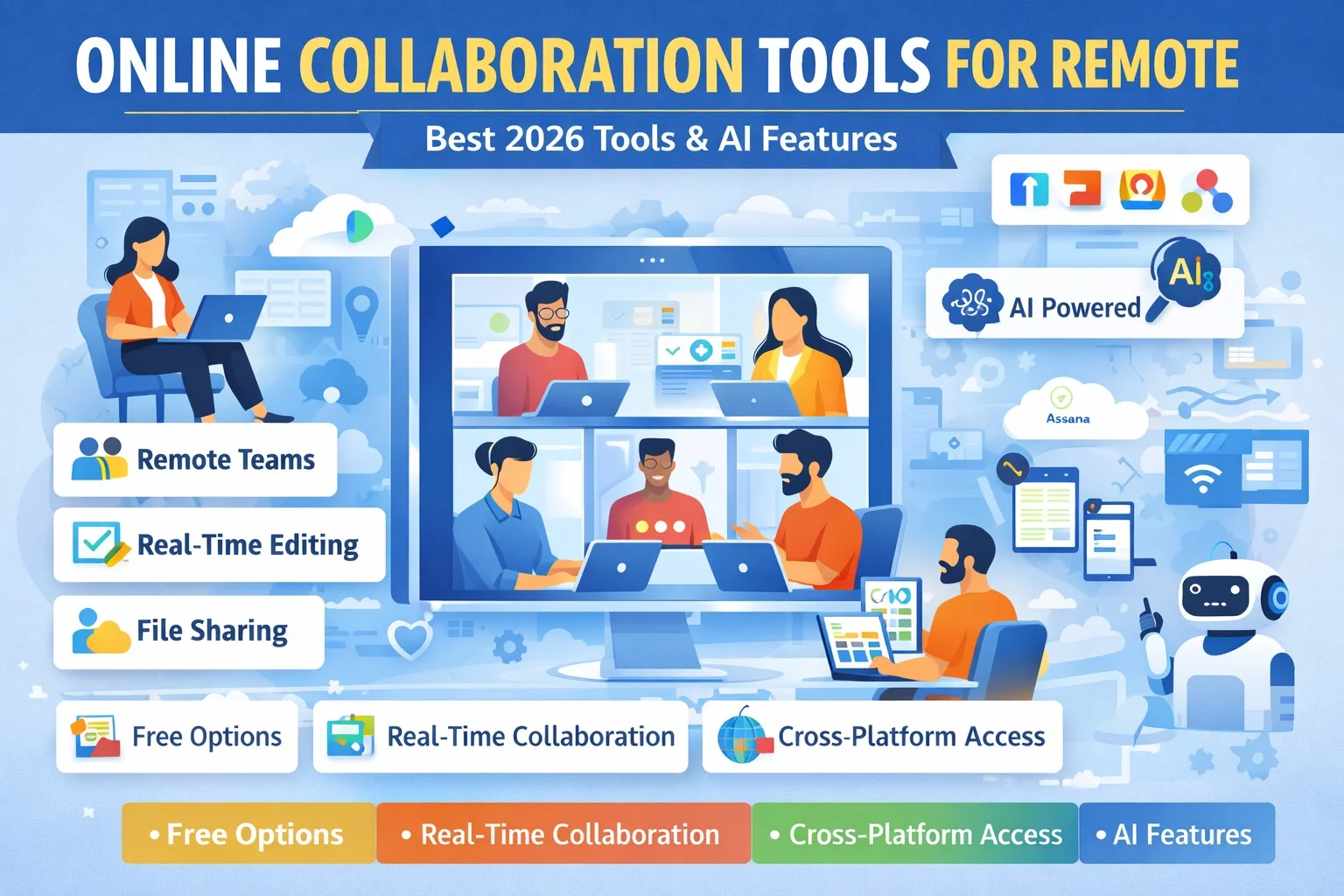
Remote work has become a standard practice for many organizations worldwide. While working remotely offers flexibility, it also presents challenges, such as maintaining effective communication, ensuring productivity, and coordinating tasks. This is where online collaboration tools come in. These tools allow teams to work together seamlessly, no matter where they are located. In this guide, we’ll explore the best online collaboration tools for remote work and answer the most common questions teams have.

1. Which online collaboration tools are best for remote teams?
The best collaboration tools for remote teams focus on communication, task management, and real-time collaboration. Some of the top options include:
- Slack: Slack is a messaging platform that allows teams to communicate in channels, share files, and integrate with other apps. It’s ideal for keeping team communication organized.
- Microsoft Teams: Teams combines chat, video conferencing, and file sharing in one platform. Its integration with Microsoft 365 makes it suitable for teams using Office apps.
- Zoom: Primarily a video conferencing tool, Zoom also offers chat, breakout rooms, and webinar capabilities, making it perfect for team meetings and presentations.
- Google Workspace (Docs, Sheets, Drive, Meet): Google’s suite of apps supports real-time document editing, file sharing, and video calls, allowing teams to collaborate efficiently.
- Trello / Asana: Though project management tools, they also serve as collaboration platforms with shared boards, tasks, and comments.
These tools ensure teams stay connected and maintain productivity, regardless of physical location.
2. Do collaboration tools support real-time editing and file sharing?
Yes, many collaboration tools allow real-time editing and file sharing:
- Google Workspace: Multiple users can edit documents, spreadsheets, and slides simultaneously while seeing others’ changes in real-time.
- Microsoft Teams: Teams integrates with Word, Excel, and PowerPoint, enabling real-time collaboration directly within the app.
- Notion: Allows collaborative editing of notes, wikis, and project boards, making it ideal for knowledge management and shared documentation.
- Slack & Zoom: While primarily for communication, Slack allows file sharing, and Zoom supports shared documents during meetings.
Real-time editing and file sharing reduce delays and eliminate confusion, ensuring everyone works on the latest version of a file.
3. Which free online collaboration tools are suitable for small businesses?
Small businesses often need cost-effective solutions that still offer robust features. Some free options include:
- Trello Free Plan: Supports unlimited boards and tasks for small teams, with basic automation and file attachments.
- Slack Free Plan: Offers 90-day message history and integration with up to 10 apps, perfect for small teams managing internal communication.
- Google Workspace Free Tools: Google Docs, Sheets, and Drive are free for individuals and small teams, allowing real-time collaboration and file sharing.
- Asana Free Plan: Allows up to 15 team members and provides task lists, boards, and calendars to organize work efficiently.
These free tools help small businesses maintain collaboration without needing expensive subscriptions.
4. Can collaboration tools integrate with project management software?
Yes, most collaboration tools integrate seamlessly with popular project management apps:
- Slack: Integrates with Asana, Trello, ClickUp, and Jira, allowing team members to receive task updates and notifications directly in channels.
- Microsoft Teams: Supports integration with Planner, Trello, and Asana, enabling teams to link project tasks with chat and video calls.
- Zoom: Can be linked to Asana, Trello, and Google Calendar for scheduling and task updates.
- Notion: Integrates with tools like Trello and Slack, combining task management with documentation and collaboration.
Integration ensures a smoother workflow by connecting communication with task tracking.
5. Are there AI-powered online collaboration tools?
Yes, AI is becoming a key feature in modern collaboration tools to improve productivity:
- Notion AI: Helps summarize documents, generate task suggestions, and provide smart writing assistance.
- Slack AI: Offers automated message summarization, task suggestions, and quick responses to recurring questions.
- Microsoft Teams Copilot: Uses AI to summarize meetings, suggest action items, and automate routine workflows.
- Figma AI: Assists in design collaboration by suggesting layouts, automating repetitive tasks, and generating design elements.
AI-powered tools save time, automate repetitive tasks, and allow teams to focus on high-priority work.
6. Which collaboration tools work across multiple devices and platforms?
Remote teams often use various devices, so multi-platform compatibility is essential:
- Slack: Available on Windows, Mac, iOS, Android, and Web.
- Microsoft Teams: Works on desktop, mobile, and browser platforms.
- Zoom: Fully functional on all major platforms including desktop, mobile, and tablets.
- Google Workspace: Accessible from any device with a browser, and mobile apps for Docs, Sheets, Drive, and Meet.
- Trello / Asana: Cross-platform apps that sync tasks and boards in real-time.
Multi-device support ensures team members can collaborate anytime, anywhere, without technical limitations.
7. How do free collaboration tools compare to paid versions?
Free collaboration tools provide many essential features, but paid versions offer advanced functionality:
- Limits on Users / Storage: Free plans often restrict the number of team members, projects, or storage capacity.
- Advanced Features: Paid versions include enhanced reporting, automation, integrations, and security features.
- Support: Free plans usually offer basic or community support, while paid plans provide dedicated support.
- Customization: Paid versions allow customization of workflows, dashboards, and branding.
Despite these differences, free tools are highly functional for small teams or businesses just starting with remote work.
Conclusion
Online collaboration tools are essential for remote teams, ensuring communication, task management, and productivity remain high. Tools like Slack, Microsoft Teams, Google Workspace, Trello, and Asana provide robust features for free or at low cost. AI-powered features further enhance productivity by automating repetitive tasks and providing actionable insights.
For small businesses, startups, and fully remote teams, these tools offer flexibility, real-time collaboration, and multi-platform access. Leveraging these collaboration tools can streamline workflows, increase team efficiency, and help remote teams succeed in 2026.