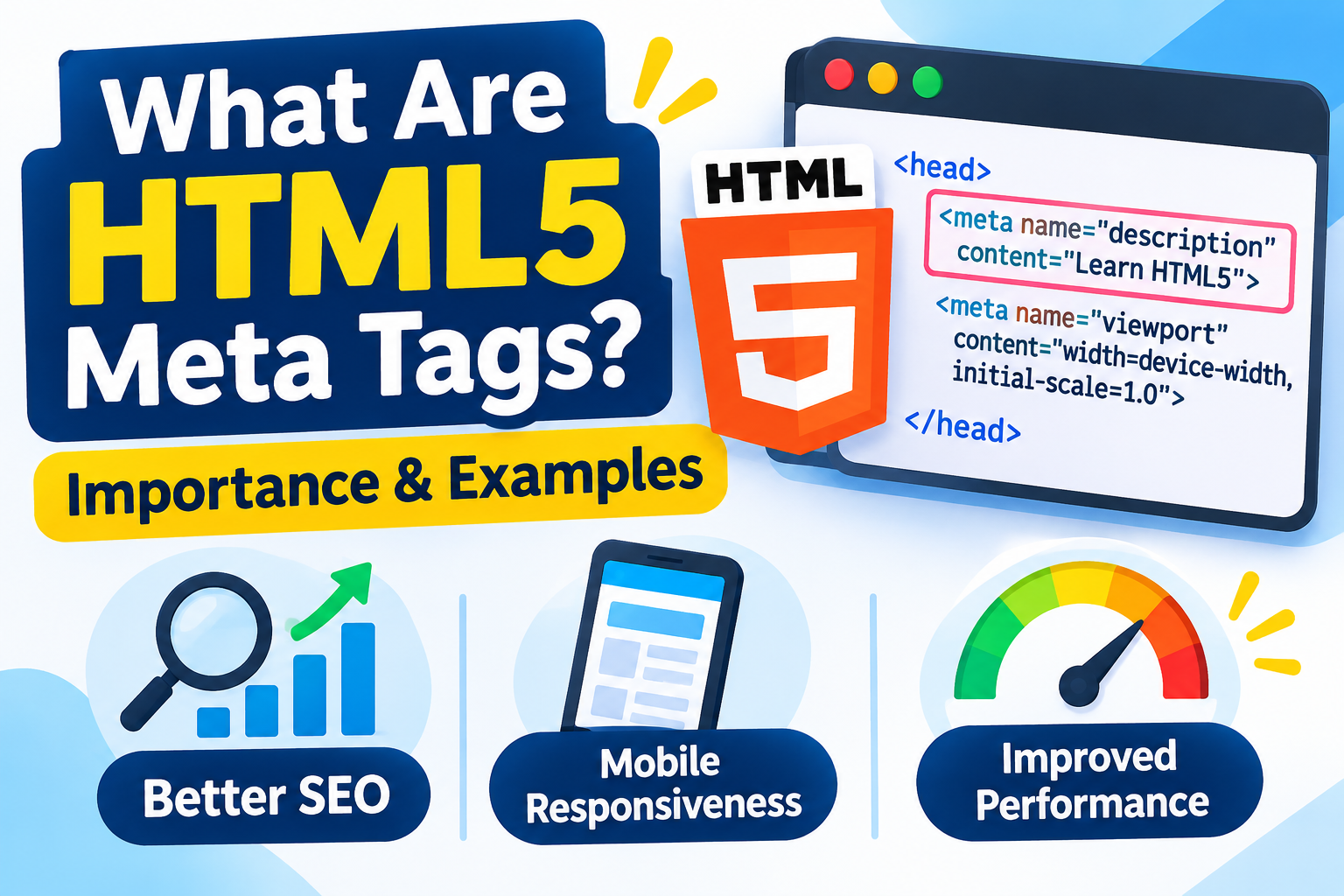
HTML5 meta tags are HTML elements that provide important information about a webpage to browsers, search engines, and other web services. They help define character encoding, mobile responsiveness, page descriptions, and search engine indexing instructions.
Introduction
When building a website, writing clean HTML code is only one part of creating a successful webpage. You also need to provide information that helps browsers understand your content and search engines interpret your pages correctly. This is where HTML5 meta tags become important.
Meta tags are placed inside the <head> section of an HTML document. They provide information about a webpage without displaying that information directly to visitors. From defining character encoding to controlling how search engines handle a page, different meta tags perform different functions.
Whether you are a beginner learning HTML5, a student working on a web development project, or a developer improving website performance, understanding HTML meta tags is an essential skill.
In this guide, you will learn what meta tags are, explore common HTML5 meta tag examples, understand their SEO importance, and discover how to use them correctly.
What Are HTML5 Meta Tags?
HTML5 meta tags are elements used to provide metadata, or additional information, about an HTML document. They help browsers and other services understand specific details about a webpage.
The <meta> element is written inside the <head> section of an HTML document. It does not display visible content on the webpage like headings, paragraphs, or images.
A basic HTML meta tag looks like this:
<meta name="description" content="Learn HTML5 meta tags and their importance for SEO and web development.">In this example:
<meta>defines the metadata element.name="description"identifies the type of metadata.contentprovides the actual information.
Different meta tags serve different purposes, depending on the information you want to communicate.
Why Are Meta Tags Important in HTML5?
Meta tags play an important role in website development because they provide useful information about webpages. Although not every meta tag directly affects search rankings, several improve browser compatibility, mobile presentation, and search engine communication.
Here are some important benefits:
1. Improve Search Engine Understanding
Meta descriptions provide search engines with a summary of webpage content. Google may use this information when generating search result snippets, helping users understand what a page offers.
2. Support Mobile-Friendly Websites
The viewport meta tag helps browsers display webpages according to the device’s screen width. This is important for creating responsive websites that work properly on smartphones, tablets, and desktops.
3. Define Character Encoding
The charset meta tag tells browsers which character encoding to use. UTF-8 supports a wide range of characters, symbols, and languages.
4. Control Search Engine Indexing
Robots meta tags can provide instructions about whether search engines should index a page or follow its links.
5. Improve Website Compatibility
Correct metadata helps browsers process webpages more consistently and understand important document settings.
10 Important HTML5 Meta Tags and Examples
Let’s explore some commonly used HTML meta tags with practical examples.
1. Meta Charset Tag
The charset meta tag defines the character encoding of an HTML document. UTF-8 is the recommended encoding for modern HTML pages.
<meta charset="UTF-8">It helps browsers display text, special characters, and symbols correctly.
2. Meta Description Tag
The meta description tag provides a short summary of a webpage. Search engines may use this description in search results.
<meta name="description" content="Explore HTML5 meta tags, their examples, and their importance for SEO and web development.">Write a unique, relevant description for each important webpage.
3. Meta Viewport Tag
The viewport meta tag helps browsers adjust webpage dimensions for different screen sizes.
<meta name="viewport" content="width=device-width, initial-scale=1.0">Without a properly configured viewport, websites may not display correctly on mobile devices.
4. Meta Robots Tag
The robots meta tag provides instructions to search engine crawlers.
<meta name="robots" content="index, follow">Common directives include:
index: Allows search engines to index the page.noindex: Requests that search engines do not index the page.follow: Allows crawlers to follow links.nofollow: Requests that crawlers do not follow links.
Use these directives carefully because incorrect settings can affect search visibility.
5. Meta Author Tag
The author meta tag identifies the person responsible for creating a webpage.
<meta name="author" content="John Smith">It can be useful for documenting content ownership, although it is not a direct Google ranking factor.
6. Meta Keywords Tag
The meta keywords tag was historically used to identify keywords related to webpage content.
<meta name="keywords" content="HTML5, meta tags, HTML SEO, web development">Important: Google Search does not use the meta keywords tag for indexing or ranking. You should focus on naturally using relevant keywords in your actual webpage content instead.
7. Meta Theme Color Tag
The theme-color meta tag suggests a color that supported browsers may use for browser interface elements.
<meta name="theme-color" content="#ffffff">It can help create a more consistent appearance between a website and the browser interface.
8. Meta Referrer Tag
The referrer meta tag controls how much referrer information is shared when users navigate from one page to another.
<meta name="referrer" content="strict-origin-when-cross-origin">It helps website developers manage referrer information and privacy.
9. Meta Refresh Tag
The meta refresh tag can refresh a webpage or redirect visitors after a specified time.
<meta http-equiv="refresh" content="5;url=https://example.com/">This example redirects visitors to another webpage after five seconds. However, server-side redirects are generally preferred for permanent URL changes.
10. Meta Content-Type Tag
The content-type meta tag specifies the document’s media type and character encoding using an HTTP-equivalent declaration.
<meta http-equiv="Content-Type" content="text/html; charset=UTF-8">For modern HTML5 documents, the simpler <meta charset="UTF-8"> declaration is generally preferred.
How to Use Meta Tags in HTML5
Adding meta tags to an HTML5 document is simple. You need to place the appropriate tags inside the <head> section.
Follow these steps:
Step 1: Create an HTML5 Document
Start with the HTML5 doctype declaration.
Step 2: Add the Head Section
Create the <head> element to hold your webpage metadata.
Step 3: Insert Relevant Meta Tags
Add charset, viewport, description, and other necessary meta tags.
Step 4: Write Your Webpage Content
Place your visible content inside the <body> section.
Here is a complete HTML5 example:
<!DOCTYPE html>
<html lang="en">
<head>
    <meta charset="UTF-8">
    <meta name="viewport" content="width=device-width, initial-scale=1.0">

    <title>HTML5 Meta Tags Explained</title>

    <meta name="description"
          content="Learn what HTML5 meta tags are, explore examples, and understand their importance for SEO and web development.">

    <meta name="author" content="ToolMentors">

    <meta name="robots" content="index, follow">

    <meta name="theme-color" content="#ffffff">
</head>

<body>

    <h1>What Are HTML5 Meta Tags?</h1>

    <p>
        HTML5 meta tags provide useful information
        about a webpage to browsers and search engines.
    </p>

</body>
</html>
This example demonstrates how different meta tags work together in a basic HTML5 document.
Best Practices for Using HTML5 Meta Tags
To get the most value from your metadata, follow these practical recommendations:
- Always declare UTF-8 character encoding.
- Add a viewport meta tag to support responsive layouts.
- Write unique and relevant meta descriptions for important pages.
- Use robots directives carefully to avoid accidental indexing problems.
- Place metadata inside a valid
<head>section. - Avoid adding unnecessary or unsupported meta tags.
- Do not rely on meta keywords for Google rankings.
- Check your webpage metadata using browser developer tools and Google Search Console.
Remember that meta tags alone cannot guarantee higher search rankings. Quality content, useful internal links, website performance, and a good user experience are also important.
Conclusion
HTML5 meta tags are an essential part of modern web development. They provide browsers and search engines with useful information about webpages, support mobile-friendly layouts, define character encoding, and help manage search engine indexing.
Understanding how to use meta descriptions, charset, viewport, and robots tags can help you create better-structured HTML5 websites.
If you are learning HTML5, practise adding different meta tags to your own projects. Explore more tutorials in our HTML5 Complete Guide for Beginners and discover additional web development resources on ToolMentors Blog.
You can also visit ToolMentors for more practical technology tutorials. If you find our educational content helpful, consider supporting our work through Buy Us a Cup of Coffee.
Frequently Asked Questions (FAQs)
1. What are meta tags in HTML5?
Meta tags are HTML elements that provide additional information about a webpage, such as its description, character encoding, and viewport settings.
2. Why are meta tags important for a website?
They help browsers process webpages, support responsive layouts, provide search engines with metadata, and control certain indexing instructions.
3. Do HTML5 meta tags help improve SEO?
Some meta tags support SEO. For example, meta descriptions can influence how search snippets appear, while robots tags can control indexing. However, meta tags do not automatically improve rankings.
4. Where should meta tags be placed in an HTML document?
Meta tags should generally be placed inside the <head> section of an HTML document.
5. What is the purpose of the meta description tag?
It provides a short summary of webpage content. Search engines may use it to generate descriptions in search results.
6. What does the meta charset tag do in HTML5?
It defines the character encoding used by the webpage. UTF-8 is the recommended encoding for HTML5 documents.
7. Why is the viewport meta tag important for responsive web design?
It tells the browser how to set the webpage’s viewport dimensions and initial scale, helping pages display properly on different devices.
8. What is the difference between a meta title and a meta description?
The page title is defined using the <title> element, while the meta description is defined using <meta name="description">. Both provide information about a webpage, but serve different purposes.
9. Do meta keywords still matter for SEO?
Google does not use the meta keywords tag for indexing or ranking. Website owners should focus on relevant content and natural keyword placement.
10. Can multiple meta tags be used on the same HTML page?
Yes. You can use multiple meta tags to provide different types of information, such as character encoding, description, viewport settings, and indexing instructions.