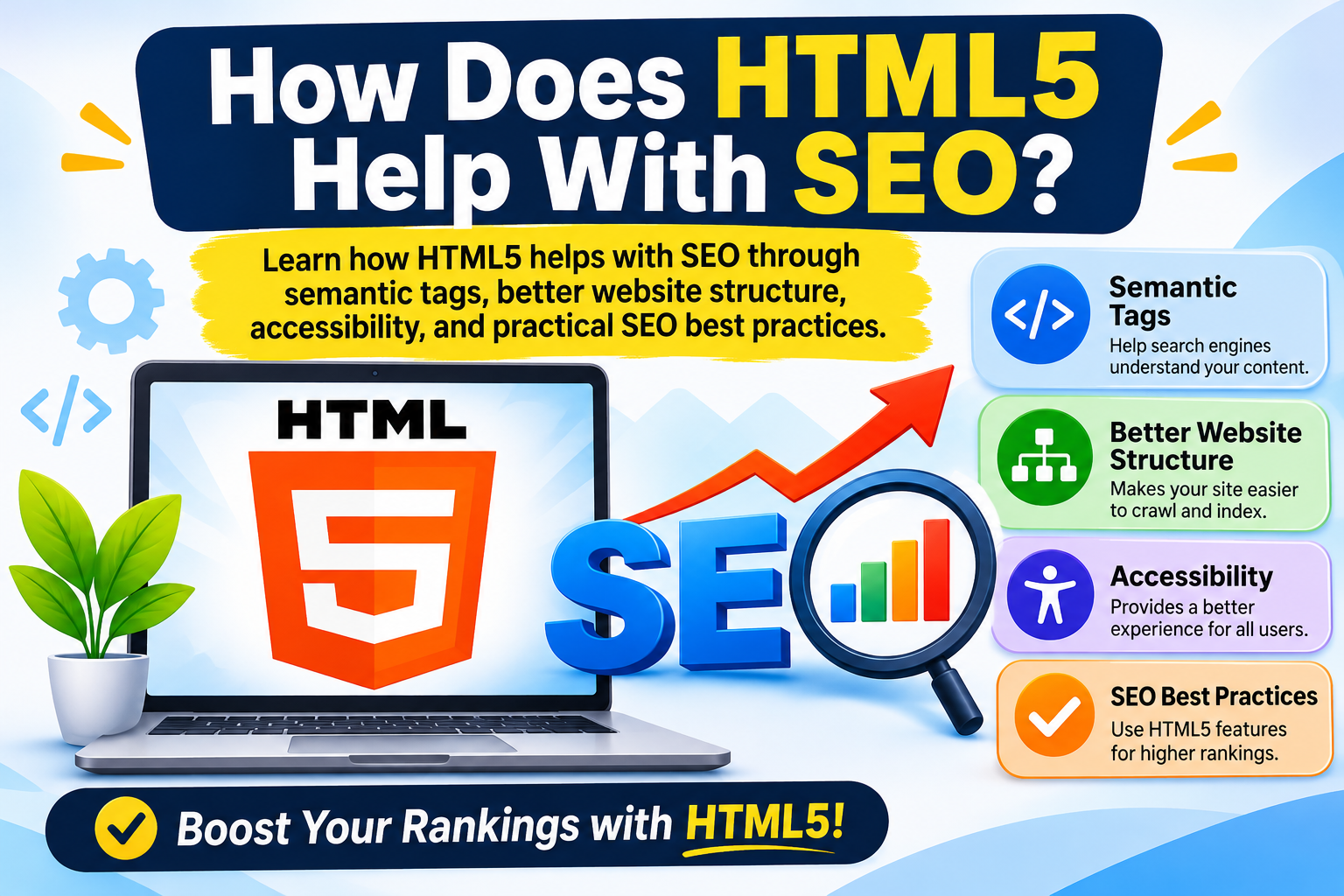
HTML5 helps with SEO by organizing website content through semantic elements such as <header>, <main>, <article>, <section>, and <footer>, making webpages easier to understand and navigate. Although HTML5 does not automatically improve Google rankings, using semantic HTML, accessible structures, descriptive headings, and crawlable links supports a well-organized, search-friendly website.
Introduction
Search engine optimization (SEO) is essential for improving a website’s visibility in search engine results. While keywords, backlinks, and high-quality content are important, your website’s HTML structure also plays a significant role in creating a better experience for visitors and helping search engines understand your pages.
HTML5 introduced semantic elements that give webpages a more meaningful structure. Instead of using generic containers for everything, developers can use specific tags to identify navigation menus, main content, articles, sidebars, and footer sections.
But how does HTML5 help with SEO, and why should website owners and developers care about it?
In this guide, you’ll discover the benefits of HTML5 SEO, important semantic elements, practical optimization techniques, and best practices for building SEO-friendly websites.
1. What Is HTML5 and Why Is It Important for SEO?
HTML5 is the modern version of HyperText Markup Language used to structure content on webpages. It provides elements that help developers organize text, images, navigation, multimedia, and other website components.
One important feature of HTML5 is semantic markup. Semantic HTML uses meaningful elements to describe the purpose of different content sections.
For example:
<header>identifies introductory content or a page header.<nav>defines navigation links.<main>identifies the primary content of a webpage.<article>represents independent content, such as a blog post.<section>groups related content.<aside>represents complementary content.<footer>identifies footer information.
These elements create a logical website structure that benefits accessibility and helps different technologies interpret webpage content.
For beginners, the HTML5 Complete Guide for Beginners provides a useful starting point for understanding HTML5 concepts.
2. How HTML5 Helps With SEO
HTML5 supports several SEO-friendly practices that improve content organization, accessibility, and website usability.
A. Semantic HTML Elements Improve Content Structure
Semantic elements help describe the purpose of different webpage sections. Instead of placing every element inside a generic <div>, developers can use meaningful HTML5 tags.
For example:
<header>
  <h1>HTML5 SEO Guide</h1>
</header>

<nav>
  <a href="/blog/">Blog</a>
</nav>

<main>
  <article>
    <h2>How HTML5 Helps SEO</h2>
    <p>Learn how semantic HTML supports
    better website structure.</p>
  </article>
</main>

<footer>
  <p>Copyright 2026 ToolMentors</p>
</footer>
This structure makes the webpage easier to understand and maintain. It also provides useful accessibility landmarks for assistive technologies.
B. Better Content Organization
HTML5 allows developers to divide webpages into meaningful sections. Well-organized content makes it easier for visitors to find information and navigate long articles.
For example, using <section> for related topics and <article> for independent blog content creates a logical document structure.
A clear structure also makes content easier to maintain as your website grows.
C. Improved Website Accessibility
Accessibility is an important part of building user-friendly websites. Semantic HTML helps screen readers identify navigation areas, main content, and other important sections.
For example, using a real <button> instead of a clickable <div> provides built-in keyboard functionality.
Accessible websites can provide better experiences for more visitors, supporting usability and engagement.
D. Search Engine-Friendly Content
Search engines need to understand the information presented on a webpage. Descriptive titles, visible text, meaningful headings, and useful links help communicate the subject of your content.
HTML5 provides a structure for presenting this information clearly. However, semantic tags alone do not guarantee indexing or higher rankings. Quality content and proper technical SEO remain essential.
3. Important HTML5 Tags for SEO
Understanding the most useful HTML5 tags can help developers create a better website structure.
| HTML5 Tag | Purpose |
|---|---|
<header> |
Defines introductory content |
<nav> |
Identifies navigation links |
<main> |
Contains the main page content |
<article> |
Represents independent content |
<section> |
Groups related content |
<aside> |
Contains complementary information |
<footer> |
Defines footer content |
Important tip: Use these elements according to their intended purpose. Do not add semantic tags simply to include more HTML5 elements in your code.
4. HTML5 Headings and SEO
Headings help organize website content into readable sections. HTML provides six heading levels, from <h1> to <h6>.
For SEO-friendly content:
- Use a descriptive H1 heading that explains the main topic.
- Use H2 headings for major sections.
- Use H3 headings for relevant subsections.
- Write headings that accurately describe the content.
- Avoid unnecessary keyword repetition.
For example, an article about HTML5 SEO might use:
- H1: How Does HTML5 Help With SEO?
- H2: What Is HTML5?
- H2: Benefits of HTML5 for SEO
- H3: Semantic HTML Elements
- H3: Website Accessibility
- H2: HTML5 SEO Best Practices
A logical heading hierarchy improves content navigation and accessibility. Remember that Google does not require a specific heading order as a direct ranking factor.
5. HTML5 Meta Tags and SEO
Meta tags provide information about a webpage to browsers and search engines. Some important elements include:
Title Tag: Defines the webpage title that can appear in search results.
Meta Description: Provides a short summary that may be displayed as the search result snippet.
Viewport Meta Tag: Helps webpages display correctly on different screen sizes.
Example:
<head>
  <title>How Does HTML5 Help With SEO?</title>

  <meta name="description"
  content="Discover how HTML5 semantic elements,
  accessibility, and website structure
  support SEO best practices.">

  <meta name="viewport"
  content="width=device-width, initial-scale=1.0">
</head>
Writing descriptive titles and useful meta descriptions helps users understand what your webpage offers before visiting it.
6. HTML5 SEO Best Practices for Better Website Optimization
Follow these practical HTML5 best practices to create an SEO-friendly website.
- Use semantic elements: Structure webpages with appropriate HTML5 elements.
- Write useful content: Publish original, relevant, and informative content that answers visitors’ questions.
- Optimize headings: Organize content with descriptive H1, H2, and H3 headings.
- Create descriptive URLs: Use readable URLs that explain the page topic.
- Add image alt text: Describe meaningful images using clear alternative text.
- Build internal links: Connect related pages using descriptive anchor text.
- Make websites mobile-friendly: Use responsive layouts and an appropriate viewport configuration.
- Improve page performance: Optimize images, scripts, and other resources to support a fast user experience.
- Use crawlable links: Create links with valid
<a>elements andhrefattributes. - Check your HTML: Identify invalid markup, broken links, and structural problems regularly.
Following these practices helps create a well-organized website that serves both visitors and search engines.
7. Benefits of HTML5 SEO for Students, Developers, and Freelancers
HTML5 SEO knowledge is valuable for anyone learning web development or building websites professionally.
For Students
Students can learn how semantic elements organize webpage content and how HTML structure supports accessibility and SEO. These skills provide a strong foundation for learning CSS, JavaScript, and web development.
For Web Developers
Developers can create maintainable website structures, improve accessibility, and build responsive webpages using modern HTML5 elements.
For Freelancers
Freelancers can offer better-structured websites to clients by combining HTML5 development with basic SEO practices. Understanding semantic HTML can also help when working on website redesigns, landing pages, and business websites.
8. Does HTML5 Automatically Improve Google Rankings?
No. HTML5 does not automatically increase search engine rankings.
Google considers many factors when evaluating webpages, including content relevance, usefulness, accessibility, links, and technical quality. Using HTML5 semantic elements is a good development practice, but it is not a guaranteed ranking advantage.
Think of HTML5 as a foundation for building a well-structured website. You still need valuable content, descriptive metadata, relevant internal links, mobile-friendly design, and a technically accessible website to support your SEO strategy.
9. Frequently Asked Questions About HTML5 and SEO
1. How does HTML5 help with SEO?
HTML5 supports SEO through semantic elements, organized content, accessible page structures, and meaningful website markup. These practices help create webpages that are easier to navigate and interpret.
2. Does HTML5 improve Google rankings?
HTML5 does not directly guarantee better Google rankings. However, good HTML structure and useful content support a technically sound website.
3. What are the most important HTML5 semantic elements for SEO?
Important elements include <header>, <nav>, <main>, <article>, <section>, <aside>, and <footer>.
4. How do HTML5 semantic tags help search engines understand website content?
Semantic tags describe the purpose of different webpage sections, creating a meaningful document structure that supports content interpretation.
5. Is semantic HTML better than using div tags for SEO?
Semantic HTML communicates the purpose of webpage elements more clearly than generic <div> containers. Both have valid uses, but semantic elements should be preferred when appropriate.
6. Does HTML5 improve website accessibility and SEO?
HTML5 semantic elements support accessibility by providing meaningful landmarks for assistive technologies. Better accessibility improves usability, although it does not guarantee higher rankings.
7. How does the HTML5 article tag help SEO?
The <article> element identifies independent content, such as blog posts and news articles. It helps organize webpage content but does not independently increase rankings.
8. What is the role of HTML5 headings in SEO?
HTML headings organize content into sections and subsections, helping readers navigate articles and understand their topics.
9. Are HTML5 meta tags important for search engine optimization?
Yes. Title tags and meta descriptions help communicate webpage topics and summaries. The viewport meta tag supports mobile-friendly presentation.
10. What are the best HTML5 SEO practices for beginners?
Beginners should use semantic elements correctly, write quality content, organize headings, add image alt text, create descriptive URLs, build internal links, and optimize mobile usability.
Conclusion
HTML5 plays an important role in building structured, accessible, and user-friendly websites. Semantic elements such as <header>, <main>, <article>, <section>, and <footer> help developers organize webpage content according to its purpose.
Although HTML5 alone cannot guarantee better Google rankings, combining semantic HTML with quality content, descriptive metadata, mobile-friendly design, and effective internal linking creates a stronger SEO foundation.
Whether you are a student, developer, or freelancer, learning HTML5 SEO best practices can help you build more professional websites and improve your web development skills.
Explore more practical tutorials on the ToolMentors Blog and continue learning with our HTML5 Complete Guide for Beginners.
If you find our tutorials helpful, you can also support ToolMentors and help us continue creating useful educational resources.