In today’s digital landscape, content creation is evolving at an unprecedented pace. Whether you’re an independent developer, social media marketer, video creator, educator, or business owner, producing high-quality audio narration has become essential rather than optional.
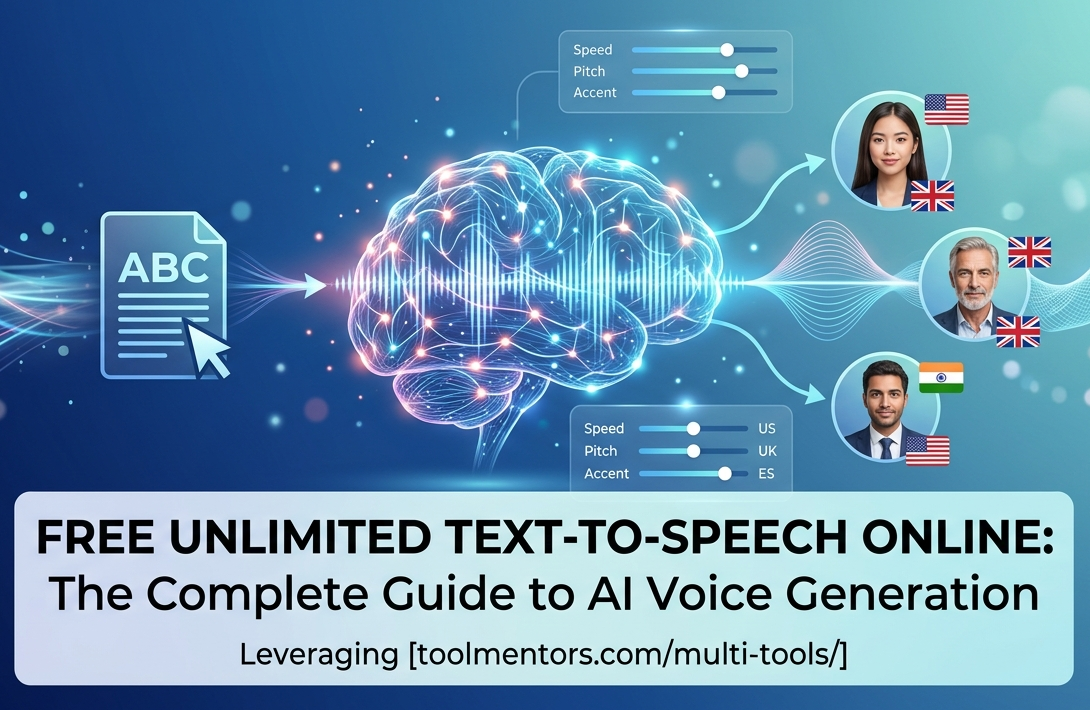
Hiring professional voice actors can be expensive, while setting up offline speech synthesis software often requires significant technical expertise. This is where free, web-based Text-to-Speech (TTS) tools provide an efficient and accessible solution.
Cloud-powered platforms, including those available through the ToolMentors Multi-Tools Hub, enable users to transform written text into natural-sounding speech within seconds. These tools simplify content production, helping creators generate audio for videos, e-learning courses, podcasts, presentations, and accessibility purposes without expensive software or complicated installations.
The Evolution of Text-to-Speech Technology
Earlier generations of TTS systems produced robotic and monotonous voices using basic concatenative synthesis techniques. Modern AI-powered Text-to-Speech engines rely on Neural Text-to-Speech (NTTS) technology, which leverages deep learning models to understand context, punctuation, grammar, and sentence structure.
As a result, today’s AI voices deliver smoother pronunciation, realistic pauses, natural intonation, and human-like expression, making them suitable for professional applications.
Why Choose Web-Based Text-to-Speech Tools?
Online TTS platforms eliminate the need for software installation and allow users to generate speech directly from their browsers. Multi-tool platforms further streamline workflows by combining various productivity features into a single interface.
Key Benefits
- Cost-Effective: Many online tools offer free access, making them ideal for startups, educators, freelancers, and independent creators.
- Multilingual Support: Users can generate speech in numerous languages and accents, including English (US, UK, Australia, and India), Spanish, French, German, Urdu, and Hindi.
- Fast Processing: Scripts can often be converted into downloadable audio files within seconds.
- Improved Accessibility: Audio versions of written content help visually impaired users and support auditory learning experiences.
- Browser-Based Convenience: No downloads or complicated setup processes are required.
Best Practices for Natural-Sounding AI Speech
Even advanced AI voice generators perform best when provided with well-structured text.
1. Use Proper Punctuation
Commas, periods, semicolons, and dashes help AI determine natural pauses and sentence rhythm.
2. Clarify Ambiguous Words
Words with multiple pronunciations or meanings should be written clearly within context to reduce pronunciation errors.
3. Keep Sentences Concise
Breaking long paragraphs into shorter sentences improves clarity and results in smoother voice synthesis.
4. Review Before Conversion
Reading your script aloud before generating audio can help identify awkward phrasing or pronunciation issues.
Frequently Asked Questions
Can I use online Text-to-Speech tools for free?
Many web-based platforms provide free access to standard AI voices. Some advanced features or premium voice models may require paid subscriptions.
Are there character limits?
Some services limit the number of characters per individual request, but users can process longer documents by dividing them into multiple sections.
Can I monetize AI-generated voiceovers?
Commercial usage depends on the licensing terms of the specific platform being used. Always review the provider’s usage policy before publishing monetized content.
What makes modern AI voices sound natural?
Unlike older concatenative systems, neural TTS models generate speech using deep learning techniques that account for grammar, context, and pronunciation patterns.
Which audio formats are commonly available?
Most online TTS platforms support MP3 downloads, while some also offer WAV or other high-quality formats.
Do these tools work on mobile devices?
Yes. Most browser-based Text-to-Speech platforms are compatible with modern mobile browsers on both Android and iOS devices.
Can I control voice speed and pitch?
Many services allow users to adjust speaking rate and pitch, while advanced platforms may also support SSML-based customization and emotional speech styles.
How is user privacy handled?
Privacy practices vary by provider. Users should avoid submitting confidential or sensitive information unless they have verified the platform’s data handling policies.
Can Text-to-Speech read code or mathematical formulas accurately?
Most standard TTS engines read code and equations literally, which may not produce natural results. Rewriting technical content into descriptive language generally improves output quality.
How can I fix pronunciation issues for brand names or uncommon words?
A common solution is to spell the word phonetically or separate syllables to guide the AI toward the desired pronunciation.
Feature Comparison
| Feature | Standard Free Tools | Premium Services |
|---|---|---|
| Cost | Free | Subscription or pay-per-use |
| Usage | Often generous or unlimited with per-request limits | Higher monthly quotas |
| Voice Options | Standard neural voices | Premium, emotional, or cloned voices |
| Output Formats | MP3, WebM | MP3, WAV, FLAC |
| Customization | Basic speed and pitch controls | Advanced SSML and voice customization |
Conclusion
Online Text-to-Speech technology has transformed the way creators produce audio content. Modern AI-powered solutions make it possible to generate high-quality narration quickly and affordably for educational materials, videos, podcasts, presentations, and accessibility initiatives.
By formatting text effectively and understanding the capabilities of neural speech synthesis, users can create professional-quality voiceovers without investing in expensive recording equipment or traditional voice production workflows.