
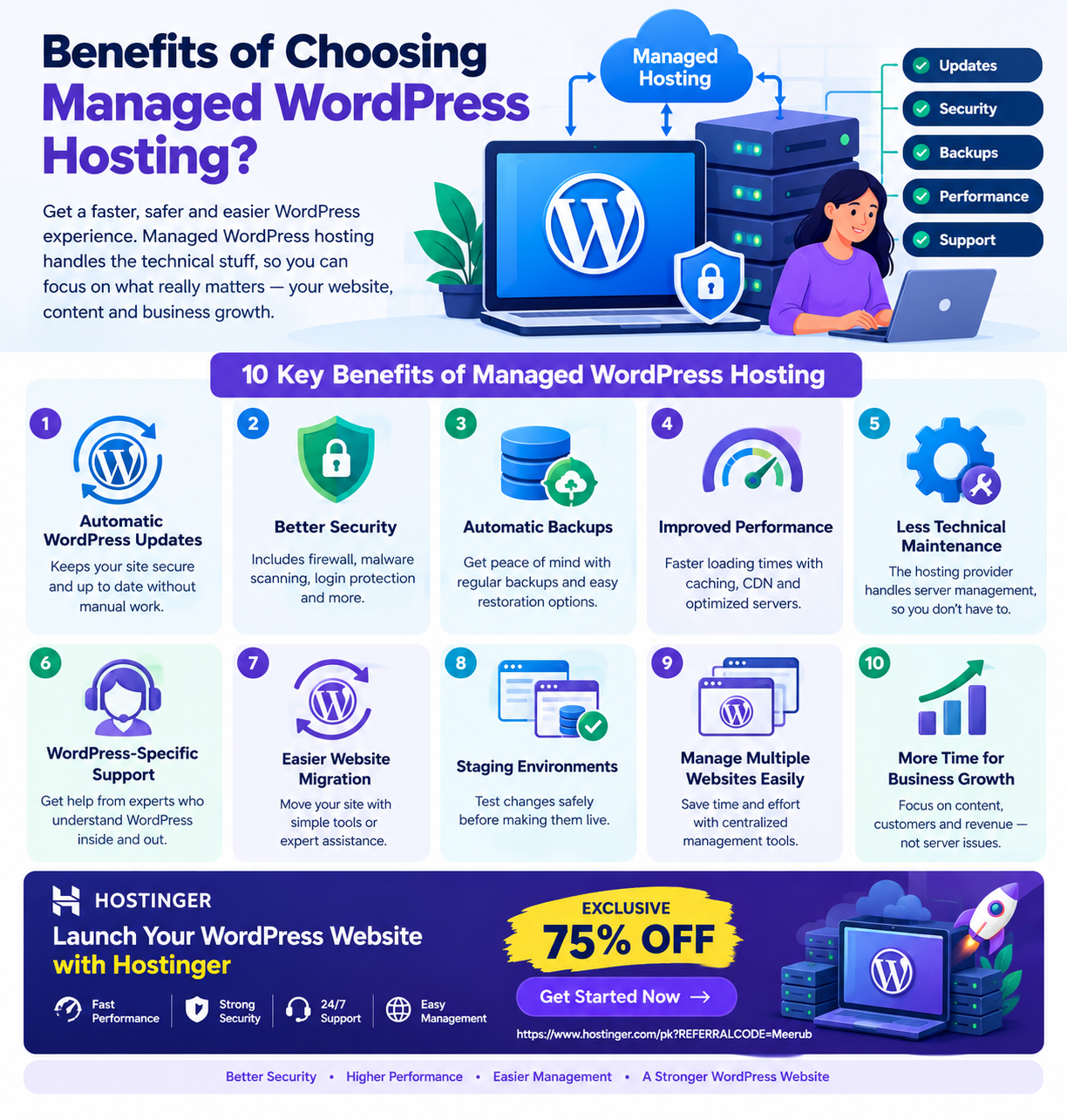
Managed WordPress hosting provides a WordPress-optimized environment where the hosting provider handles many technical tasks such as updates, security, backups, performance optimization, and server management.
It is ideal for website owners who want better reliability and easier WordPress management without spending time handling complex hosting and server-related tasks themselves.

What Is Managed WordPress Hosting?
Managed WordPress hosting is a specialized hosting service designed specifically for WordPress websites. Unlike basic hosting, where you are responsible for many technical tasks, managed hosting shifts a large portion of website maintenance and server management to the hosting provider.
The goal is simple: you focus on your website, content, customers, and business while the hosting provider takes care of much of the technical infrastructure.
A managed WordPress hosting service may include features such as:
- Automatic WordPress updates
- Automatic backups
- WordPress-focused security
- Performance optimization
- Server monitoring
- Malware detection
- SSL certificates
- WordPress migration tools
- Staging environments
- Caching
- WordPress-specific technical support
The exact features depend on the hosting company and plan, so always check the plan details before purchasing.
How Does Managed WordPress Hosting Work?
With traditional hosting, website owners often have to manage several technical responsibilities themselves.
With managed WordPress hosting, the process is more streamlined.
Step 1: Choose a Managed WordPress Hosting Plan
First, select a hosting plan according to your website’s requirements.
Consider:
- Number of websites
- Expected monthly visitors
- Storage requirements
- Performance needs
- Backup options
- Security features
- Customer support
- Available WordPress tools
For beginners and small businesses, a basic managed WordPress plan can often provide everything needed to get started.
Step 2: Install WordPress
Managed WordPress hosting usually makes WordPress installation straightforward.
Instead of manually downloading WordPress files, creating a database, configuring credentials, and uploading files through FTP, many providers provide an automated setup process.
This means you can get your website online much faster.
Step 3: Configure Your Website
After installation, you can:
- Select a WordPress theme.
- Configure your website settings.
- Create pages.
- Publish blog posts.
- Install essential plugins.
- Configure navigation.
- Add contact forms.
- Connect analytics and SEO tools.
The hosting environment handles many server-level tasks in the background.
Step 4: Let the Hosting Provider Handle Maintenance
This is where managed hosting becomes particularly useful.
Depending on your plan, the hosting provider may handle or assist with:
- WordPress updates
- Server monitoring
- Security monitoring
- Backups
- Caching
- Performance optimization
- Technical troubleshooting
You still need to maintain your website content, themes, plugins, and account settings, but many infrastructure-related responsibilities become easier.
10 Major Benefits of Managed WordPress Hosting
1. Automatic WordPress Updates
WordPress regularly releases updates for security, functionality, and performance improvements.
Keeping WordPress updated is important because outdated software can expose websites to known vulnerabilities.
Managed WordPress hosting can provide automated update functionality, reducing the chance that website owners forget important updates.
This is particularly useful for freelancers managing multiple client websites.
However, automatic updates should still be monitored because compatibility problems can occasionally occur between WordPress core, themes, and plugins.
2. Better Website Security
Security is one of the biggest benefits of choosing managed WordPress hosting.
A good managed hosting environment may provide multiple layers of protection, including:
- Server-level security
- Malware scanning
- Firewall protection
- Security monitoring
- Automatic updates
- Login protection
- SSL certificates
- Backup and recovery options
This doesn’t mean your website becomes completely immune to attacks.
Website owners should still:
- Use strong passwords.
- Enable two-factor authentication when available.
- Keep plugins updated.
- Avoid pirated themes and plugins.
- Remove unused plugins.
- Use reputable WordPress plugins.
Managed hosting simply reduces the amount of security-related work you need to handle yourself.
3. Automatic Backups
Imagine spending weeks creating blog posts, product pages, landing pages, and website designs—then accidentally losing your website data.
Regular backups provide an important recovery option.
Managed WordPress hosting plans may include automated backups that create copies of your website files and database.
Depending on the provider, you may be able to restore your website after:
- A failed update
- A plugin conflict
- Accidental deletion
- Website configuration problems
- Certain security incidents
Before choosing a plan, check how frequently backups are created and how long backup copies are retained.
4. Improved WordPress Performance
Website speed affects user experience and can influence search performance.
Managed WordPress hosting environments can include performance-focused technologies such as:
- Server-side caching
- Object caching
- CDN integration
- Optimized PHP configurations
- Database optimization
- Image optimization tools
A faster hosting environment can help pages load more efficiently.
However, hosting isn’t the only factor that determines website speed. A website can still be slow because of large images, excessive plugins, poorly optimized themes, third-party scripts, or inefficient code.
5. Less Technical Maintenance
This is perhaps the biggest benefit for non-technical website owners.
With unmanaged or basic hosting, you may need to spend time dealing with:
- Server configurations
- Updates
- Backups
- Performance settings
- Security issues
- Database problems
- Hosting configurations
Managed hosting reduces the technical workload.
Instead of spending several hours troubleshooting server-related problems, you can focus on activities that directly grow your website.
6. WordPress-Specific Support
Generic hosting support can help with hosting-related problems, but managed WordPress hosting often provides support that is more closely aligned with WordPress websites.
For example, you may need assistance with:
- WordPress installation
- Migration
- SSL configuration
- PHP settings
- WordPress errors
- Performance issues
- Database problems
Having knowledgeable support available can be especially valuable when you’re running a business website and cannot afford long periods of downtime.
7. Easier Website Migration
Moving an existing WordPress website from one hosting provider to another can sound complicated.
A typical manual migration can involve:
- Downloading website files.
- Exporting the database.
- Uploading files to the new server.
- Creating a new database.
- Importing database data.
- Updating configuration settings.
- Testing the website.
- Updating DNS records.
Managed WordPress hosting providers may offer migration tools or assisted migration services that simplify this process.
This can be particularly valuable for freelancers who regularly move client websites.
8. Staging and Testing Environments
Some managed WordPress hosting plans provide staging environments.
A staging website is essentially a testing copy of your live website.
Instead of installing a major plugin or changing your theme directly on your production website, you can test the change first.
For example:
Live Website → Create Staging Copy → Test Changes → Fix Problems → Publish Changes
This reduces the risk of breaking your live website.
Developers and freelancers can benefit significantly from staging because it creates a safer workflow for testing updates and customizations.
9. Easier Management for Multiple Websites
Freelancers and agencies often manage several WordPress websites simultaneously.
Managing five, ten, or twenty websites manually can quickly become time-consuming.
Managed WordPress hosting can simplify tasks such as:
- Website updates
- Backups
- Security monitoring
- Performance management
- WordPress installation
- Website migration
This allows freelancers to spend more time on client work instead of repetitive hosting maintenance.
10. More Time to Focus on Business Growth
Perhaps the most valuable benefit isn’t a technical feature at all—it’s time.
If you’re running a blog, online store, portfolio, agency website, or small business, your primary goal isn’t to become a server administrator.
Your time is better spent on:
- Creating useful content
- Improving SEO
- Getting new customers
- Building an email list
- Creating products
- Improving conversions
- Managing clients
- Growing your brand
Managed hosting handles more of the technical workload so you can concentrate on these activities.
Who Should Choose Managed WordPress Hosting?
Managed WordPress hosting can be an excellent choice for several types of users.
Students
Students who are learning WordPress can focus on:
- Website design
- Blogging
- SEO
- WordPress development
- Theme customization
- Plugin development
Instead of spending too much time configuring servers.
Freelancers
Freelancers can benefit from automated maintenance, backups, migration tools, and WordPress-focused support when managing client websites.
Small Businesses
Business owners usually don’t want to spend their working hours troubleshooting server problems. Managed hosting allows them to focus on customers and business operations.
Bloggers
Bloggers can spend more time creating high-quality content while the hosting environment handles many technical maintenance tasks.
Developers
Developers can benefit from staging environments, optimized infrastructure, backups, and easier website management.
Managed WordPress Hosting vs. Regular Shared Hosting
The difference can be summarized simply:
| Feature | Managed WordPress Hosting | Regular Shared Hosting |
|---|---|---|
| WordPress Optimization | Usually included | General-purpose |
| Automatic Updates | Often available | May require manual work |
| Backups | Often automated | Depends on provider/plan |
| Security | WordPress-focused options | General hosting security |
| Performance Tools | Often WordPress-focused | General server tools |
| Support | WordPress-oriented | General hosting support |
| Staging | Often available on suitable plans | May not be available |
| Ease of Management | Very high | Moderate to high |
| Flexibility | Mainly WordPress | Multiple technologies |
| Best For | WordPress-focused users | General website hosting |
The right option depends on your technical knowledge, website requirements, budget, and how much maintenance you want to handle yourself.
Why Hostinger Can Be a Practical Choice
If you want to build and manage a WordPress website without dealing with unnecessary technical complexity, Hostinger is worth considering.
A WordPress-focused hosting environment can help simplify the setup process while providing tools for website management, performance, security, backups, and maintenance.
A practical workflow can look like this:
Choose Hosting → Install WordPress → Configure Website → Secure Website → Enable Backups → Optimize Performance → Launch
Step 1: Select Your Hostinger Plan
Choose a plan based on the number of websites you need, expected traffic, storage requirements, and available WordPress features.
Step 2: Set Up WordPress
Use the simplified WordPress installation process to get your website running.
Step 3: Configure Security
Activate SSL, use strong administrator credentials, keep your software updated, and configure appropriate security features.
Step 4: Configure Backups
Make sure your website has a reliable backup strategy before making significant changes.
Step 5: Optimize Performance
Use caching, optimized images, a lightweight theme, and other available performance tools.
Step 6: Start Building
Once the technical foundation is ready, focus on your content, design, SEO, products, services, or portfolio.
Is Managed WordPress Hosting Worth It?
For many WordPress website owners, yes.
The value of managed WordPress hosting comes from more than just server space. You are paying for an easier management experience, WordPress-focused tools, automation, security features, performance optimization, backups, and support.
If you are technically experienced and enjoy managing every aspect of your hosting environment, regular hosting may be sufficient.
But if you want to spend less time managing infrastructure and more time growing your website, managed WordPress hosting can be a worthwhile investment.
Final Verdict
Managed WordPress hosting is designed to make running a WordPress website easier by handling or simplifying many technical responsibilities.
Its biggest benefits include:
- Automatic updates
- Improved security
- Automated backups
- Performance optimization
- WordPress-specific support
- Simpler migrations
- Staging environments
- Reduced technical maintenance
- Easier management of multiple websites
- More time for business and content growth
For students, freelancers, bloggers, developers, and small-business owners, managed WordPress hosting can provide a more convenient way to operate a professional website without becoming an expert in server administration.
If WordPress is the primary platform for your website and you value simplicity, automation, security, and performance, managed WordPress hosting is an option worth considering.
🚀 Get Started With Hostinger — Exclusive 75% OFF
Ready to launch or upgrade your WordPress website?
Choose a hosting environment that can help simplify WordPress management and give you more time to focus on your website, business, or freelance projects.
🎁 EXCLUSIVE 75% DISCOUNT
Get started with Hostinger using the exclusive 75% OFF offer:
👉 GET HOSTINGER WITH 75% OFF
Build your WordPress website. Spend less time on technical maintenance. Focus more on growing your online presence.

