
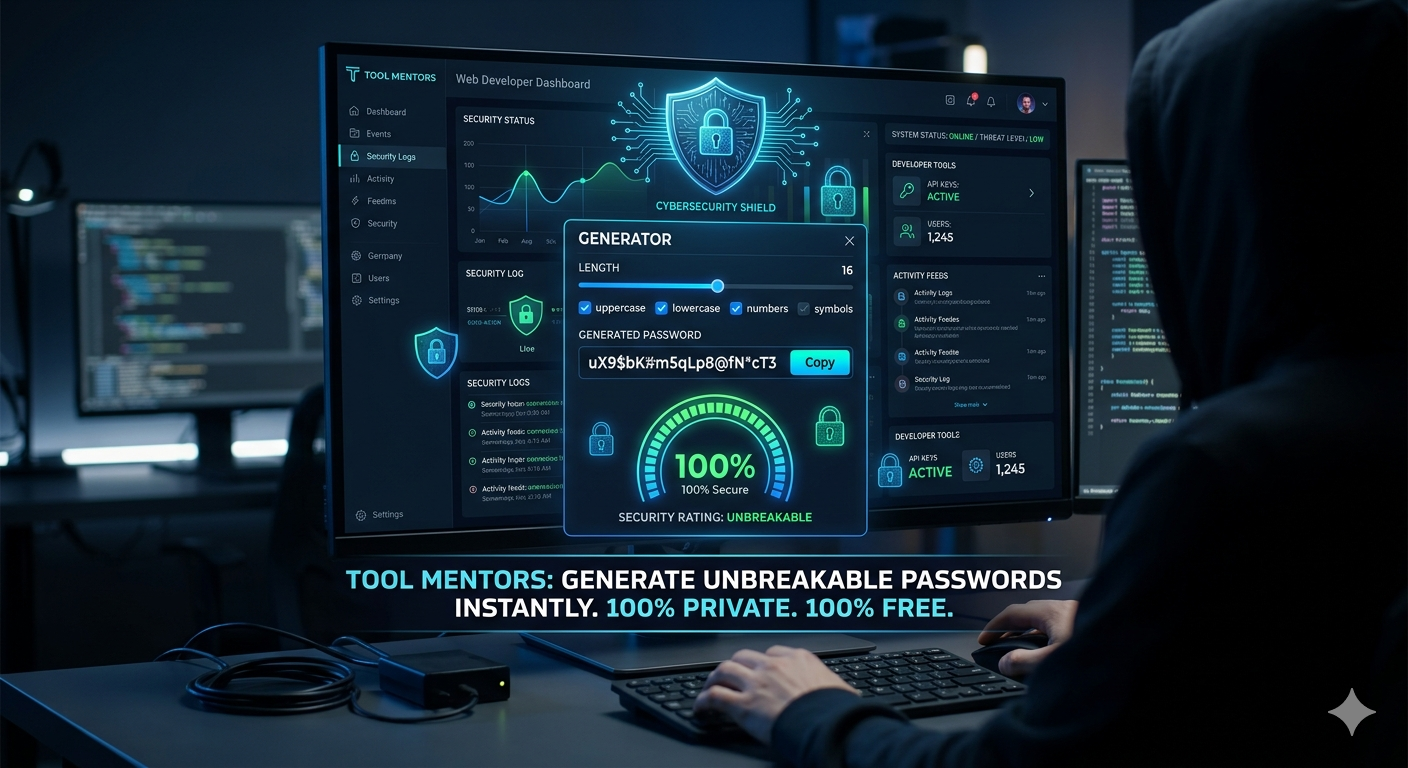
🔒 Introduction: Tool Mentors Password Generator
In today’s interconnected digital age, cybersecurity is no longer optional—it is a critical necessity. Weak or repetitive passwords (like names, birthdays, or sequential numbers) are the primary gateway for hackers, data breaches, and identity theft.
 To combat this growing threat, Tool Mentors features a state-of-the-art Password Generator Tool within its multi-tool ecosystem. Built on advanced cryptographic randomness algorithms, this tool enables users to generate complex, uncrackable passwords in a single click.
Whether you need a blend of uppercase letters, lowercase letters, numbers, or special symbols, the tool adapts entirely to your required length and criteria. Best of all, Tool Mentors operates with a strict zero-data-logging policy. Your generated passwords run entirely client-side (in your browser) and are never saved on our servers, ensuring absolute privacy and unmatched security.
Section 1: Basic Password Security & Tool Mentors
1. What defines a truly strong password? A strong password is one that is at least 12 characters long and consists of an unpredictable mix of uppercase letters, lowercase letters, numbers, and special symbols. The Tool Mentors Password Generator builds exactly these kinds of uncrackable combinations instantly.
2. I struggle to create complex passwords manually. What should I do? You don’t have to stress your brain trying to create one. Simply navigate to Tool Mentors, adjust your preferences, and let our intelligent algorithm generate a high-security password for you in under a second.
3. Is the Tool Mentors Password Generator completely free to use? Yes, absolutely! Tool Mentors provides this premium security tool 100% free of charge, with no hidden fees and no daily usage limits.
4. Do I need to create an account or sign up to use this tool? Not at all. Tool Mentors respects your time and privacy; you can generate secure passwords instantly without filling out any signup or registration forms.
5. How is a Tool Mentors password different from a standard password? Common passwords like “Password123” can be cracked by automated hacking scripts in milliseconds. Passwords generated by Tool Mentors feature high-entropy randomness, meaning even advanced supercomputers would take centuries to guess them.
Section 2: Customization & Technical Features
6. Can I choose the exact length of my password? Yes. Tool Mentors includes an intuitive length slider that allows you to easily customize your password length anywhere from 8 to over 50 characters.
7. Can I exclude specific characters if a website doesn’t accept them? Yes, the custom control checkboxes on Tool Mentors allow you to toggle numbers, symbols, uppercase, or lowercase letters on or off based on specific website requirements.
8. Are the passwords generated by Tool Mentors truly random? Yes, Tool Mentors utilizes mathematically randomized algorithms to ensure that every output is uniquely generated and free from predictable patterns.
9. Can I access this password tool on my smartphone? Definitely. The Tool Mentors platform is fully optimized for mobile devices, allowing you to generate secure passwords seamlessly on any Android, iOS, or iPadOS browser.
10. Can I generate readable but secure passwords? Yes, by tweaking the character toggles on Tool Mentors, you can adjust the balance of characters to make passwords that are easier to read while maintaining an elite layer of security.
Section 3: Privacy, Ethics & Security Concerns
11. Does Tool Mentors store my generated passwords on its database? Never. Tool Mentors is built on strict privacy frameworks. The generation process happens entirely within your web browser (client-side), meaning your data never touches our servers.
12. If hackers use advanced AI tools, can they crack a Tool Mentors password? No. AI models rely on recognizing patterns. Because Tool Mentors generates absolute mathematical randomness with zero patterns, AI tools cannot predict or deduce your password.
13. What is a Brute Force Attack, and how does this tool prevent it? A Brute Force Attack is when a hacker’s software guesses millions of combinations per second. Tool Mentors creates long, character-dense passwords that make the number of possible combinations so vast that brute force software fails completely.
14. Does Tool Mentors ensure my password hasn’t been leaked before? Because Tool Mentors relies on dynamic algorithmic generation, every password produced is completely fresh and highly unlikely to have ever appeared in a historical data breach or leak.
15. Is it safe to copy passwords to my clipboard from Tool Mentors? Yes, it is entirely safe. However, as a cybersecurity best practice, Tool Mentors recommends pasting your copied password immediately and clearing your clipboard afterward.
Section 4: Ideal Use Cases
16. Can I use these passwords for social media accounts like Facebook and Instagram? Yes, highly recommended! Social media accounts are prime targets for hackers. Protecting them with a Tool Mentors password dramatically reduces your risk of being compromised.
17. Is this tool secure enough for Crypto Wallets and Web3 accounts? Crypto assets require maximum security. Using the maximum character length on Tool Mentors gives your private keys and wallet access the ironclad security they need.
18. What kind of password should I generate for Online Banking? For financial accounts, turn on all options (Caps, Numbers, and Symbols) on Tool Mentors and generate a password of at least 16 characters for maximum protection.
19. How can I create a secure password for my home Wi-Fi router? To stop neighbors or unauthorized users from hijacking your bandwidth, use the Tool Mentors alphanumeric option to create a strong, un-guessable network key.
20. Is Tool Mentors suitable for corporate and business email security? Yes. Protecting proprietary business data requires enterprise-grade complexity. Teams and professionals worldwide trust Tool Mentors for rapid password deployment.
Section 5: Password Management & Best Practices
21. How can I remember such complex passwords? You don’t have to memorize them! Tool Mentors recommends generating your secure passwords here and then storing them in a dedicated, trusted password manager (like Bitwarden, 1Password, or LastPass).
22. How often should I update my critical passwords? Cybersecurity experts recommend changing your sensitive passwords every 3 to 6 months. You can always return to Tool Mentors to quickly refresh them.
23. Is it safe to reuse the same strong password across multiple websites? No, never reuse passwords. If one site gets breached, all your accounts are compromised. Use Tool Mentors to easily generate a unique password for every single account you own.
24. Does Tool Mentors suggest usernames alongside passwords? Currently, Tool Mentors focuses purely on providing premium, complex passwords to tackle the most critical pillar of cybersecurity.
25. What is a “Passphrase” and is it better than what Tool Mentors generates? A passphrase uses random words. While memorable, a character-dense random string from Tool Mentors provides superior mathematical entropy per character, making it tougher for software to crack.
Section 6: Comparison & Trust Parameters
26. Why should I use Tool Mentors over Google Chrome’s built-in password generator? Google Chrome syncs your passwords directly to the cloud, making them vulnerable if your Google account is compromised. Tool Mentors offers local browser execution with complete on-screen customization control.
27. What cryptographic principles back the Tool Mentors algorithm? Tool Mentors utilizes standard cryptographic web APIs that provide high-grade, non-deterministic random values, aligning with international tech security standards.
28. Do I need any coding or technical knowledge to use this tool? Not at all. Tool Mentors is built with an incredibly clean, minimalistic, and user-friendly interface that anyone can navigate instantly.
29. Has a password generated by Tool Mentors ever been cracked? The statistical probability of cracking a high-length password from Tool Mentors is in the trillions-to-one range, making a successful direct crack virtually impossible.
30. Is Tool Mentors faster than other online generators? Yes. Because Tool Mentors optimization strips away heavy scripts and trackers, the page loads instantly and generates passwords with zero lagging.
Section 7: Myths & Misconceptions
31. Are passwords with symbols actually safer? Yes. Adding symbols drastically expands the character set pool, multiplying the mathematical difficulty for hacking software. Tool Mentors makes utilizing symbols effortless.
32. Will Tool Mentors work if my internet cuts out mid-session? Yes! Once the Tool Mentors page is fully loaded in your browser tab, the code can execute and generate passwords locally even if you disconnect from the internet.
33. What else does Tool Mentors offer besides password generation? By visiting our /multi-tools/ directory, you will see that Tool Mentors acts as a comprehensive hub for a wide array of daily-use digital utilities.
34. Can I store my Tool Mentors passwords in a simple Notepad file? While convenient, unencrypted text files are unsafe if your device is stolen or infected. Pair your Tool Mentors passwords with an encrypted vault for perfect safety.
35. If I accidentally close the tab, can Tool Mentors recover my last password? No. Because Tool Mentors does not log or monitor user actions for privacy reasons, a closed tab means the password is gone forever. Be sure to copy it immediately!
Section 8: Advanced Cybersecurity Context
36. Does a strong password protect me against Phishing scams? A strong password won’t stop you from typing it into a fake website, but a unique Tool Mentors password ensures that even if one site is scammed, your other accounts remain perfectly secure.
37. What is password entropy, and how does Tool Mentors maximize it? Entropy measures a password’s unpredictability. Tool Mentors achieves maximum entropy by combining variable casing, numerical digits, and special characters unpredictably.
38. Can I use Tool Mentors to create a secure 4-digit or 6-digit ATM Pin? Yes. Simply set the slider to 4 or 6, turn off letters/symbols, leave only numbers active, and Tool Mentors will instantly generate a completely random PIN.
39. Is the framework behind Tool Mentors safe from malware injection? Yes. Tool Mentors is built using highly secure, clean web hosting practices, keeping the interface completely free from malicious scripts or third-party vulnerabilities.
40. Are there any intrusive ads or pop-ups when generating a password? No, Tool Mentors prioritizes clean user experiences, ensuring a smooth process entirely free from annoying redirects or malware risks.
Section 9: Specific Platform Management
41. Can I use this tool to create an administrator password for Windows or macOS? Yes, local computer operating systems require heavy protection. Generating an alphanumeric string via Tool Mentors is an excellent way to secure your machine.
42. How should I secure my WordPress website dashboard? WordPress dashboards are constantly targeted by botnets. Using Tool Mentors to deploy a 16+ character password blocks automated login attempts dead in their tracks.
43. Can Tool Mentors be used for educational cybersecurity training? Yes, instructors and students frequently utilize Tool Mentors to demonstrate how changing character criteria shifts password complexity in real time.
44. Can I export mass bulk passwords into a text file? Currently, Tool Mentors focuses on highly secure, individual string generation to ensure maximum code stability, with bulk variations arriving in future updates.
45. Will Google Chrome and Apple Keychain recognize Tool Mentors passwords? Yes, when you paste a Tool Mentors password into a registration field, your browser’s native password manager will automatically offer to save it for future use.
Section 10: Future Scope & Platform Reliability
46. Do I still need Two-Factor Authentication (2FA) if I use Tool Mentors? Yes. Security is best in layers. A strong Tool Mentors password is your primary line of defense, and 2FA acts as your excellent secondary lock.
47. Is Tool Mentors accessible globally? Yes. Backed by cloud servers, the Tool Mentors Multi-Tools page is optimized for lightning-fast loading speeds across the globe.
48. Can I use this tool to set up temporary guest passwords? Absolutely. If you have guests staying over, generate a quick, medium-length string via Tool Mentors and easily change it once they leave.
49. How regularly is the Tool Mentors multi-tool suite updated? Our technical development team actively monitors and refines Tool Mentors algorithms to keep pace with evolving modern security guidelines.
50. Why should I ultimately place my trust in Tool Mentors? The combination of a transparent zero-storage privacy policy, instant client-side execution, a diverse multi-tool dashboard, and free access makes Tool Mentors a premier, highly reliable hub for global internet users.

