
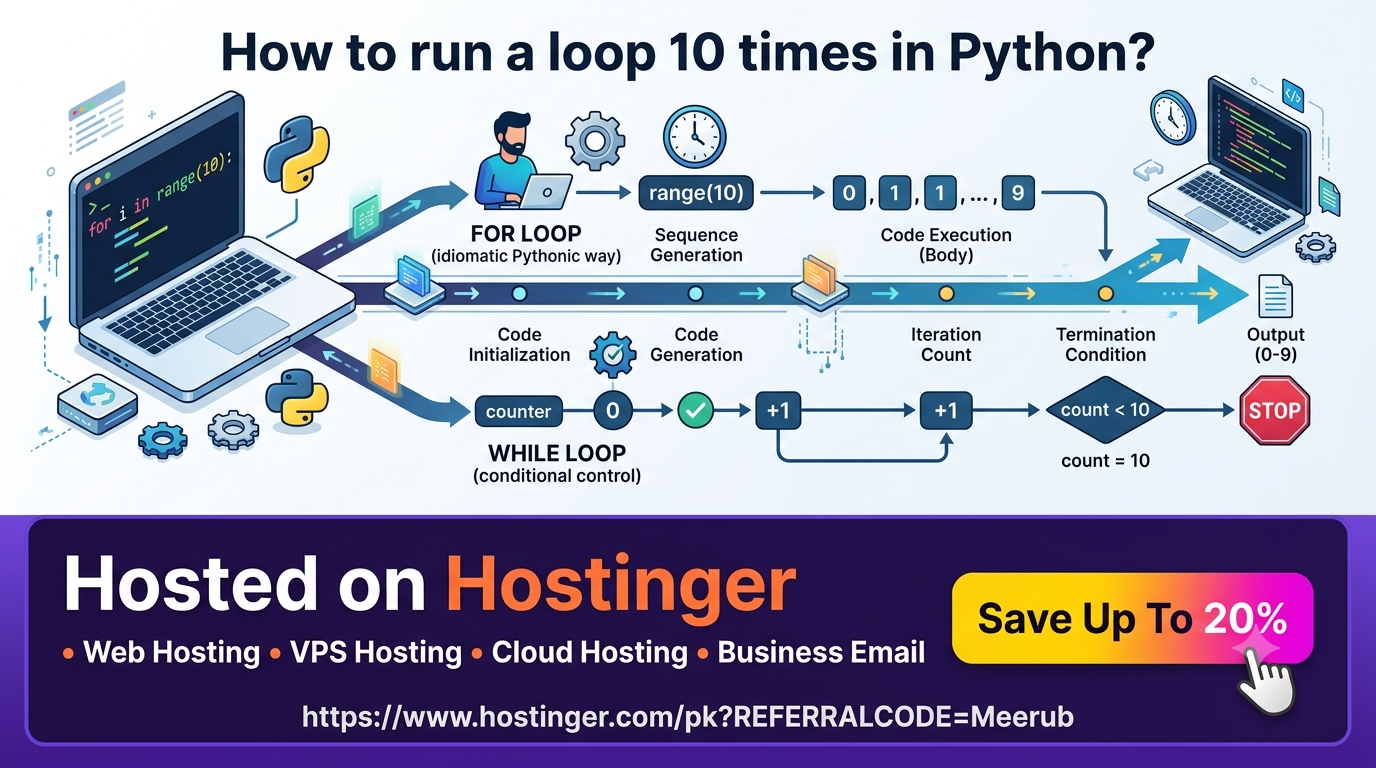
To run a loop 10 times in Python, the most efficient approach is using a for loop combined with the built-in range(10) function. Alternatively, you can use a while loop initialized with a counter variable that increments on each iteration until it reaches 10.
Mastering Repetitive Execution in Python
Looping is one of the foundational building blocks of programming. Whether you are building web applications, conducting data analysis, scraping web pages, or writing automation scripts, executing a block of code a specific number of times is a fundamental pattern you will use daily.
Python provides clear, readable syntax for handling repetitive control flow. Unlike languages that require verbose counter setup, Python’s iteration mechanisms are elegant and intuitive.
Method 1: The Standard for Loop with range()
The most common, idiomatic, and Pythonic way to run a loop exactly 10 times is using a for loop with the range() function.
Basic Syntax
for i in range(10):
    print(f"Iteration number: {i}")
How range(10) Works Under the Hood
The range() function generates a sequence of numbers. When passed a single integer argument like range(10), Python automatically generates sequence values starting from 0 up to (but not including) 10.
This means the values of i across the 10 iterations will be: 0, 1, 2, 3, 4, 5, 6, 7, 8, 9
Notice that while the sequence starts at 0, the total number of items generated is exactly 10.
Using 1-Based Indexing
If your task requires visual output or business logic that relies on 1-based counting (1 to 10 instead of 0 to 9), you can supply custom start and stop parameters to range(start, stop):
for i in range(1, 11):
    print(f"Step {i} of 10")
Note: The stop value (11) is exclusive, meaning execution stops as soon as the index hits 11.
Ignoring the Loop Index Variable
In scenarios where you simply want to execute a statement 10 times without needing the index number itself, standard Python convention dictates using an underscore _ as a placeholder variable name:
for _ in range(10):
    send_heartbeat_ping()
Method 2: The while Loop Approach
A while loop repeatedly executes code as long as a given boolean condition remains True. While less common for simple fixed counts than for loops, while loops offer flexibility when execution depends on runtime state.
Basic Syntax
count = 0
while count < 10:
    print(f"Current count: {count}")
    count += 1  # Crucial: Increment the counter
Key Considerations for while Loops
-
Initialization: You must define and set an initial variable (
count = 0) before starting the loop. -
Termination Condition: The condition (
count < 10) evaluates before every single run. -
Incrementing: You must explicitly update the counter (
count += 1) inside the body. Failing to update the counter results in an infinite loop, freezing your execution thread.
Method 3: One-Liners and Advanced Iteration Techniques
Python offers compact ways to perform repeated execution, especially when constructing lists or processing data collections.
1. List Comprehensions
If you want to construct a list containing 10 generated elements or function outputs:
# Create a list of 10 calculated values
squared_numbers = [x ** 2 for x in range(10)]
print(squared_numbers)  # [0, 1, 4, 9, 16, 25, 36, 49, 64, 81]
2. Functional Loops with itertools.repeat
When working with functional programming paradigms, the itertools module provides memory-efficient iteration tools:
import itertools

for _ in itertools.repeat(None, 10):
    process_queue_item()
Practical Real-World Scenarios for 10-Iteration Loops
Understanding loop fundamentals allows developers to solve complex real-world engineering challenges efficiently.
1. Automated API Retry Logic
When calling external services, transient network issues may cause temporary failures. A 10-iteration loop allows your application to retry failed connections with exponential backoff:
import time

def fetch_data_with_retry():
    for attempt in range(1, 11):
        try:
            print(f"Connecting to API (Attempt {attempt}/10)...")
            # Imagine an API call here
            response = make_api_request()
            if response.status_code == 200:
                return response.json()
        except Exception as e:
            print(f"Attempt {attempt} failed: {e}")
            time.sleep(2)  # Wait before retrying
    raise ConnectionError("Failed to fetch API data after 10 attempts.")
2. Web Scraping Paginated Data
When harvesting product listings across 10 catalog pages, loops structure your scraper URL patterns dynamically:
import requests

base_url = "https://example.com/products?page="

for page in range(1, 11):
    target_url = f"{base_url}{page}"
    response = requests.get(target_url)
    print(f"Scraped page {page}: Status {response.status_code}")
Real-World Benefits for Developers, Students, and Freelancers
Mastering loops provides tangible advantages across all experience levels:
-
For Students: Build core algorithmic logic, improve problem-solving agility, and write clean code that passes academic unit tests.
-
For Freelancers: Automate repetitive client deliverables—such as bulk processing client images, generating custom PDF reports, or parsing multi-page invoices—saving hours of manual effort.
-
For Software Engineers: Design robust batch jobs, retry queues, and background processing workers that handle high-throughput production data effortlessly.
Deploying Production Python Scripts and Loops on Hostinger VPS
Running Python scripts locally works well during testing, but production background workers—like automated scrapers, database maintenance loops, or scheduled API bots—require persistent 24/7 cloud server environments.
When you run intensive loops on local machines, power losses or internet drops kill your background processes. Deploying your scripts on a Hostinger Virtual Private Server (VPS) ensures your automated workloads execute reliably without interruption.
Why Choose Hostinger VPS for Python Workloads?
-
High Performance: Powered by high-speed NVMe storage and powerful AMD EPYC processors, Hostinger VPS handles thousands of loop operations per second with minimal latency.
-
Full Root Access: Install custom Python versions, system dependencies, virtual environments, and database engines without restrictions.
-
24/7 Reliability & High Uptime: Hostinger guarantees round-the-clock availability, keeping your background Python services active uninterrupted.
-
Seamless Scalability: Easily upgrade CPU cores, RAM, and storage as your automation pipelines expand.
Setting up a script on Hostinger takes just a few terminal commands:
# Connect to your Hostinger VPS via SSH
ssh root@your_vps_ip

# Clone your Python project repository
git clone https://github.com/your-username/python-automation.git

# Execute your script as a persistent background process using systemd or nohup
nohup python3 python-automation/script.py > output.log 2>&1 &
Common Pitfalls & Best Practices
To write clean, bug-free loops, keep these production standards in mind:
-
Avoid Off-By-One Errors: Always double-check whether your loop should start at
0or1, and verify if the upper bound is inclusive or exclusive. -
Do Not Modify Iteration Indexes Inside
forLoops: In Python, attempting to manually change the counter variable inside aforloop body (i = 5) will not affect the next loop step, asrange()automatically overwritesion each iteration. -
Use Early Exit (
break): If your condition is met before the 10th iteration, exit early usingbreakto save server computing resources:
for i in range(10):
    if item_found():
        print(f"Item discovered on step {i + 1}!")
        break
Boost Your Automation Projects with Hostinger
Ready to take your Python applications, automated scrapers, and web tools live with maximum performance and minimal latency? Upgrade your hosting infrastructure today.
Claim an EXCLUSIVE 20% DISCOUNT on Hostinger VPS and Web Hosting plans using the referral link below:
Get 20% OFF Hostinger Hosting Now
Use code Meerub at checkout to activate your 20% savings on top-tier cloud infrastructure.

