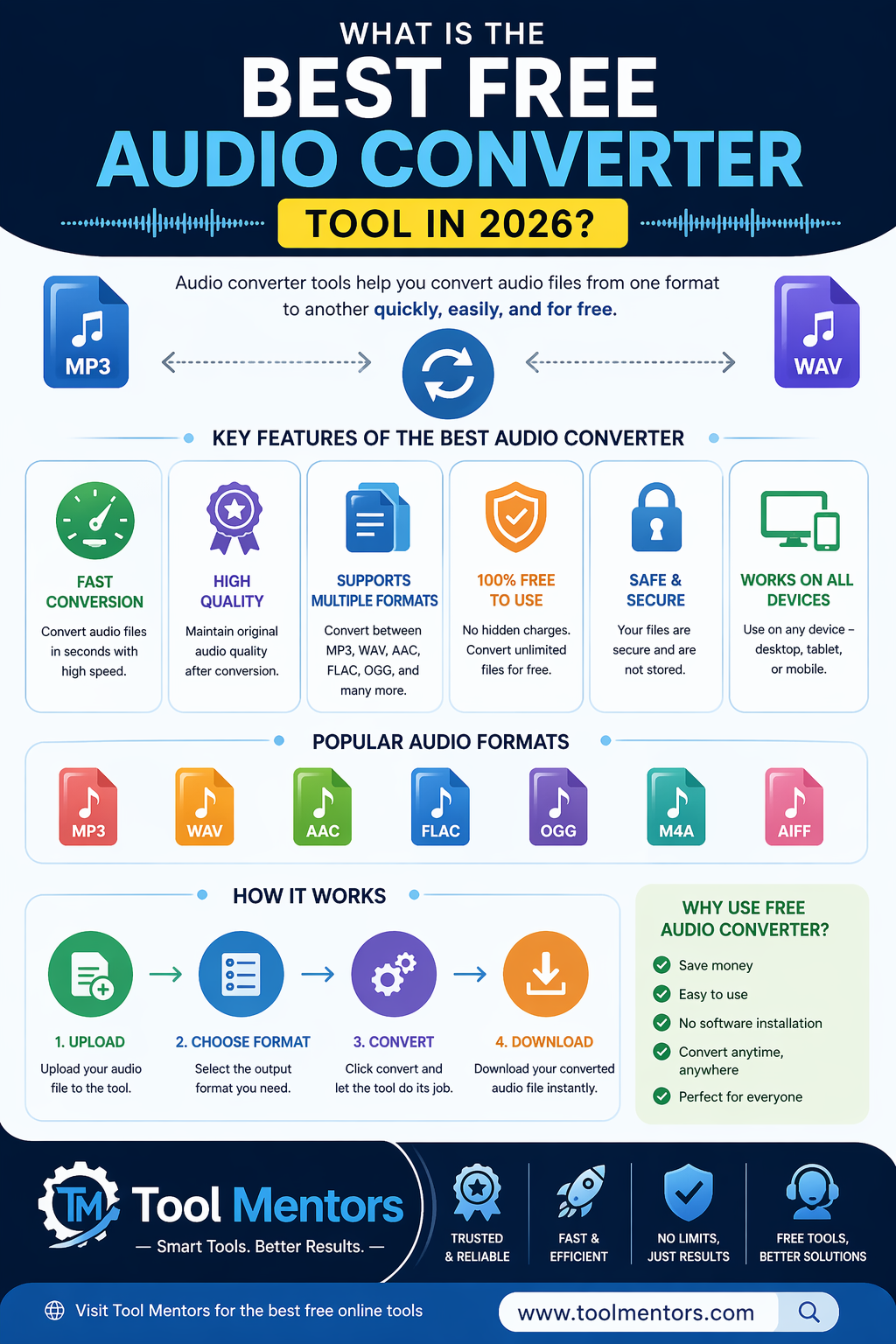
In 2026, the demand for high-quality audio files has increased significantly. Whether you are a podcaster, music creator, video editor, or casual user, choosing the best free audio converter tool is essential for maintaining sound quality and speed.
Modern now focus on AI-powered quality retention, fast processing speed, privacy protection, and multi-format support. This complete guide explains the best free audio converters in 2026, how to convert audio files online, and which formats deliver the best quality.
Top Recommendations: Best Free Audio Converter Tools in 2026
If you are searching for the best free audio converter, your choice depends on whether you prefer desktop software or online audio converter tools.
Best Overall Free Audio Converter (Desktop)
WaveSpeed Desktop
Why It’s Popular:
- Converts audio files locally
- No file size limits
- Faster conversion speed
- 100% privacy protection
Best For:
Windows and Mac users who convert large audio files or multiple files in batches.
Best Online Audio Converter Tool
CloudConvert or AudioConvert.ai
Why These Tools Stand Out:
- No installation required
- Supports 200+ audio formats
- Works on mobile and desktop browsers
- Allows fast MP3, WAV, and FLAC conversion
Best For:
Users looking for a free online audio converter with simple drag-and-drop features.
Best Professional Audio Converter Tool
FFmpeg (Open Source)
Why Professionals Use It:
- Extremely fast conversion
- Supports advanced settings
- Highly customizable
- Works with multiple audio formats
Best For:
Developers, editors, and professionals who need high-speed audio processing.
How to Convert Audio Files Online for Free
Using an online audio converter is simple and beginner-friendly.
Step-by-Step Process
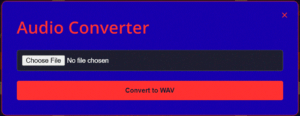
Step 1: Upload File
Drag your audio file (MP3, WAV, FLAC, or M4A) to a trusted website.
Step 2: Choose Output Format
Select the format you want (example: MP3 to WAV converter).
Step 3: Download Converted File
Click Convert, then download your new file instantly.
Can You Convert Audio Without Installing Software?
Yes. Most free online audio converters work directly in browsers like:
- Google Chrome
- Microsoft Edge
- Safari
- Firefox
They support both mobile devices and desktop computers.
Safe Online Audio Converters: Privacy and Security
A common question users ask is:
Are free audio converter tools safe to use?
In 2026, reliable tools include:
- 256-bit SSL encryption
- Automatic file deletion after 1–2 hours
- No personal data storage
Safe Audio Converter Tools
- WaveSpeed Online
- CloudConvert
- AudioConvert.ai
Tools to Avoid
Avoid websites that:
- Show excessive ads
- Require unnecessary email registration
- Redirect to suspicious downloads
Popular Audio Formats Explained (MP3, WAV, FLAC, M4A)
Understanding audio formats helps you maintain sound quality.
Lossy vs Lossless Audio Formats
| Format | Type | Best Use | Quality |
|---|---|---|---|
| MP3 | Lossy | Mobile, social media | Good |
| WAV | Uncompressed | Professional editing | Perfect |
| FLAC | Lossless | Music storage | Perfect |
| AAC | Lossy | Streaming platforms | Better than MP3 |
Format Conversion Guides
How to Convert MP3 to WAV Online
Choose WAV as the output format in any MP3 to WAV converter.
Note: File size increases but original quality stays the same.
How to Convert WAV to MP3 Without Losing Quality
Select 320 kbps bitrate, which provides the highest MP3 audio quality.
How to Convert M4A to MP3 Free
Use modern online audio converters that support browser-based conversion without software installation.
Audio Conversion Quality Settings Explained
Choosing the right bitrate improves sound quality.
Recommended Bitrate Settings
128 kbps
Best for podcasts and voice recordings.
192 kbps
Standard music quality.
320 kbps
Best for professional-quality audio playback.
Fastest Audio Converter Tools for Large Files
If you are converting large audio files (1GB or more), desktop tools work better than online tools.
Best Desktop Audio Converter Tools
- VLC Media Player
- HandBrake
- Audacity
These tools use your computer’s CPU and RAM to process files faster.
Best Audio Converter Apps for Mobile (Android & iPhone)
In 2026, many users convert audio directly from mobile devices.
Best Android Audio Converter Apps
- YTDLnis
- Media Human
Best iPhone Audio Conversion Method
Use the built-in Shortcuts App to create an automated audio conversion workflow.
How to Convert Video to Audio (MP4 to MP3)
One of the most searched topics is:
How to convert video to MP3 online?
Best Video to Audio Converter Tools
- Canva
- AudioConvert.ai
Steps to Convert MP4 to MP3
- Upload video file
- Select MP3 format
- Click convert
- Download audio file
Most modern tools extract audio without re-encoding, making the process very fast.
Best Audio Converter Checklist for 2026
Use this checklist before choosing a converter:
✔ For Privacy → Use desktop tools
✔ For Speed → Use FFmpeg
✔ For Large Files → Avoid online tools
✔ For Quality → Select custom bitrate settings
✔ For Convenience → Use browser-based tools
Pro Tips to Improve Audio Quality
If you want to reduce audio file size without losing quality, convert files to:
- OPUS format
- AAC format
These formats provide better sound quality than MP3 at smaller file sizes.
Conclusion: Choosing the Best Free Audio Converter Tool in 2026
The best free audio converter in 2026 is not just about converting formats — it is about speed, security, and audio quality.
For most users, a free online audio converter works perfectly. However, professionals benefit from using desktop audio conversion software for faster performance and better control.
Selecting the right audio converter tool ensures better sound quality, faster processing, and secure file handling.