
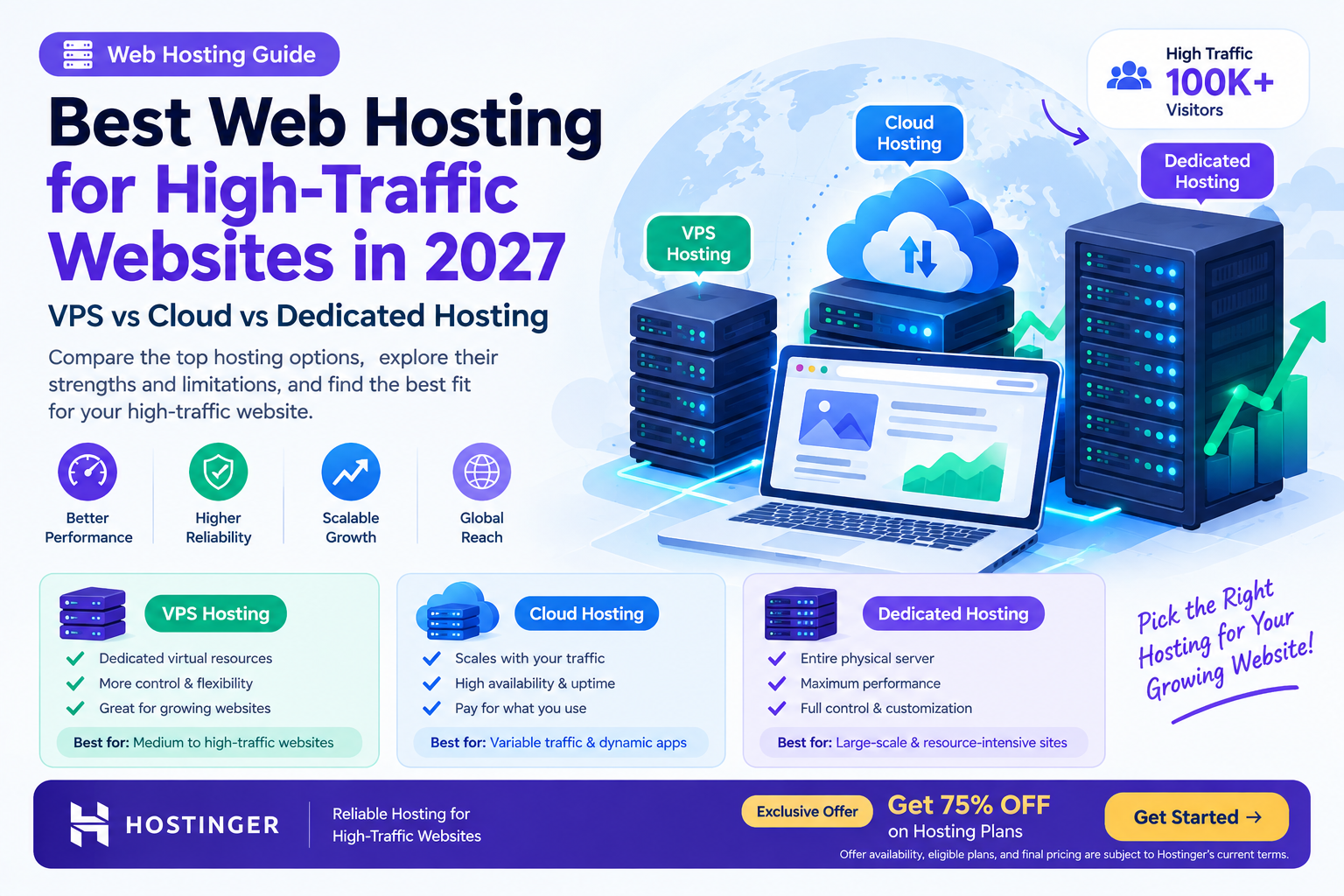
The best web hosting for high-traffic websites in 2027 depends on your traffic volume, performance requirements, budget, and scalability needs, with VPS, cloud, and dedicated hosting offering different levels of control and resources. Cloud hosting supports flexible scaling, VPS hosting provides dedicated virtual resources at a predictable cost, and dedicated hosting offers an entire physical server for demanding workloads.

What Is the Best Web Hosting for High-Traffic Websites?
When your website starts receiving thousands or even millions of visitors, choosing the right hosting infrastructure becomes essential. A hosting plan that works well for a small blog may struggle when traffic increases, especially if visitors arrive simultaneously.
High-traffic websites need enough processing power, memory, storage performance, and network capacity to handle incoming requests without becoming slow or unavailable.
For example, an e-commerce store running a major sale may experience a sudden increase in visitors. A news website may receive thousands of requests after publishing a breaking story. A SaaS application may need to serve users throughout the day while processing database queries and API requests.
In these situations, three hosting options are worth evaluating:
-
VPS hosting: A virtual private server with allocated resources and greater control than traditional shared hosting.
-
Cloud hosting: Hosting that uses cloud infrastructure and may support flexible resource scaling.
-
Dedicated hosting: A physical server allocated to one customer, offering extensive control over the server environment.
There is no single hosting solution that suits every high-traffic website. The right choice depends on how your website operates, whether traffic is predictable, and how much infrastructure management your team can handle.
VPS vs Cloud vs Dedicated Hosting: Quick Comparison
|
Feature |
VPS Hosting |
Cloud Hosting |
Dedicated Hosting |
|---|---|---|---|
|
Infrastructure |
Virtual server |
Cloud infrastructure |
Physical server |
|
Resource allocation |
Defined virtual resources |
Depends on provider and configuration |
Physical server resources |
|
Scalability |
Usually requires resizing or migration |
May support flexible scaling |
Often requires hardware upgrades |
|
Traffic handling |
Suitable for growing websites |
Useful for variable workloads |
Suitable for demanding, sustained workloads |
|
Management |
Managed or unmanaged options |
Managed or self-managed options |
Managed or unmanaged options |
|
Cost structure |
Often predictable |
May be usage-based or fixed |
Usually higher fixed cost |
|
Technical control |
High |
Varies by service |
Very high |
|
Best suited for |
Growing websites and applications |
Variable traffic and scalable applications |
Resource-intensive applications |
Important: Hosting providers use these terms differently. A cloud hosting plan may use fixed resources, while some VPS products run on cloud infrastructure. Always compare actual specifications and service terms rather than relying on the hosting label alone.
1. What Is VPS Hosting and When Should You Choose It?

VPS stands for Virtual Private Server. It is a hosting environment created by dividing a physical server into multiple virtual servers using virtualization technology.
Each VPS has an allocated amount of resources, such as CPU, RAM, and storage. This provides more isolation and control than traditional shared hosting, although the underlying physical hardware may still be shared.
How VPS Hosting Works
A hosting provider uses virtualization software to create separate virtual server environments on a physical machine.
Each VPS can run its own operating system and applications, depending on the provider’s configuration.
For example, a developer may use a VPS to run:
-
A WordPress website.
-
A Node.js application.
-
An Express.js API.
-
A custom PHP application.
-
A database or background processing service.
The VPS gives the developer more control over software installation, server configuration, and application deployment.
Benefits of VPS Hosting for High-Traffic Websites
VPS hosting can be suitable for websites that have outgrown shared hosting but do not need an entire physical server.
Key benefits include:
-
Allocated virtual resources.
-
Greater control over the server environment.
-
Support for custom software configurations.
-
More predictable resource planning with fixed plans.
-
Potentially lower costs than dedicated infrastructure.
For example, a content website receiving consistent traffic may benefit from a VPS with sufficient memory and CPU resources, combined with caching and a CDN.
Limitations of VPS Hosting
A VPS has finite resources. If your application exceeds its CPU, memory, or connection limits, performance may decline.
Scaling may require upgrading the VPS, restarting services, or migrating to a larger configuration, depending on the provider.
VPS hosting also requires technical knowledge if you choose an unmanaged plan. You may be responsible for operating system updates, firewall configuration, application deployment, and server monitoring.
Choose VPS hosting if: Your website has predictable traffic, needs more control than shared hosting, and can operate comfortably within a defined resource allocation.
2. What Is Cloud Hosting and Why Is It Useful for High Traffic?

Cloud hosting uses computing infrastructure made up of interconnected servers and other resources to run websites and applications.
Unlike a traditional single-server setup, some cloud hosting platforms allow workloads to use resources across a larger infrastructure. Depending on the service, you may be able to increase CPU, memory, or the number of application instances as traffic grows.
This makes cloud hosting particularly relevant for websites with unpredictable traffic patterns.
How Cloud Hosting Works
A typical cloud hosting setup may include:
-
An application running on one or more virtual machines or containers.
-
A load balancer distributing incoming requests.
-
Cloud storage for files and other data.
-
A managed or self-managed database.
-
Monitoring tools that track resource usage.
-
Scaling policies that add or remove resources when required.
For example, an online store might normally receive 2,000 daily visitors but experience a large increase during a seasonal promotion.
A properly configured cloud environment can add application capacity to handle increased demand, then reduce resources when traffic returns to normal.
However, cloud hosting does not automatically mean unlimited resources or automatic scaling. These capabilities depend on the specific hosting product and its configuration.
Benefits of Cloud Hosting
Cloud hosting offers several advantages for high-traffic websites:
-
Flexible scaling: Increase resources when website demand grows, where supported.
-
Traffic management: Distribute requests across multiple application instances.
-
Infrastructure flexibility: Deploy applications across different configurations.
-
Availability options: Some architectures can continue operating when an individual component fails.
-
Resource monitoring: Track usage and identify performance bottlenecks.
Cloud hosting can be useful for SaaS platforms, online stores, media websites, and applications with seasonal traffic.
Limitations of Cloud Hosting
Cloud hosting can become expensive if resources are not monitored carefully.
For example, an application that continuously creates additional servers during a traffic spike may generate unexpected charges.
Other limitations include:
-
Complex infrastructure configuration.
-
Additional costs for databases, storage, backups, and network traffic.
-
Potentially complicated security and access management.
-
Scaling delays or capacity limitations, depending on the platform.
Choose cloud hosting if: Your website experiences variable traffic, needs flexible infrastructure, or requires an architecture that can scale across multiple application instances.
3. What Is Dedicated Hosting and When Is It Necessary?

Dedicated hosting provides a physical server allocated to one customer.
Unlike VPS hosting, where multiple virtual servers may share the same physical machine, dedicated hosting gives your organization access to the server’s physical resources.
This can be useful for applications that require substantial computing capacity, specialized configurations, or greater control over the hardware environment.
How Dedicated Hosting Works
A hosting provider allocates a physical server to your website or application.
Depending on the service, you may receive control over:
-
CPU and memory configuration.
-
Operating system installation.
-
Storage devices and RAID configuration.
-
Firewall and networking settings.
-
Application runtime and server software.
For example, a large e-commerce business may use a dedicated server for a demanding database workload while running its frontend on separate infrastructure.
This separation can help allocate resources according to the application’s needs.
Benefits of Dedicated Hosting
Dedicated hosting offers:
-
Access to the server’s physical resources.
-
Extensive server-level configuration options.
-
Greater control over workload isolation.
-
Predictable hardware capacity.
-
Flexibility for specialized applications.
Dedicated servers can be useful for high-volume databases, resource-intensive applications, large online stores, and workloads that need substantial sustained computing capacity.
Limitations of Dedicated Hosting
Dedicated hosting can involve higher costs and greater management responsibilities.
If the server reaches its capacity, adding more resources may require hardware upgrades or migration.
A dedicated server is also not automatically more reliable than cloud hosting. Hardware failures can cause downtime unless redundancy, backups, and recovery systems are properly designed.
Choose dedicated hosting if: Your website requires substantial, sustained resources, specialized hardware configuration, or physical server isolation.
VPS vs Cloud vs Dedicated: Which Hosting Should You Choose?
The decision becomes easier when you evaluate your website’s traffic patterns, workload, and technical requirements.
Choose hosting based on your website’s needs
For growing websites with predictable traffic
Choose VPS when you need more control and allocated resources without managing an entire physical server.
For variable traffic and flexible scaling
Consider cloud infrastructure when demand changes significantly or your application needs multiple instances and scaling options.
For resource-intensive workloads
Consider a dedicated server when you need substantial physical resources, extensive configuration control, or a specialized server environment.
Hosting Recommendations by Website Type
|
Website Type |
Hosting to Evaluate |
|---|---|
|
Growing WordPress blog |
VPS or managed cloud hosting |
|
High-traffic news website |
Cloud hosting or a carefully sized VPS |
|
Large online store |
Scalable cloud infrastructure or dedicated servers |
|
SaaS application |
Cloud hosting or VPS-based architecture |
|
Large database workload |
Dedicated server or appropriately configured cloud database |
|
Developer portfolio |
Shared hosting or a small VPS, depending on requirements |
|
High-volume API platform |
Cloud infrastructure or multiple VPS instances |
These are starting points rather than fixed rules. A well-optimized VPS can outperform a poorly configured cloud setup, and a dedicated server can still become overloaded if the application is inefficient.
4. How to Choose the Right Hosting for High-Traffic Websites in 2027
Selecting hosting requires more than estimating the number of visitors your website receives.
You should understand how your application consumes resources and what happens when demand increases.
Step 1: Estimate Your Traffic and Peak Requests
Start by analyzing your website’s traffic data.
Look at:
-
Average daily and monthly visitors.
-
Peak concurrent visitors.
-
Requests per second during busy periods.
-
Page views per visitor.
-
Traffic from bots and automated services.
-
Seasonal or promotional traffic spikes.
Monthly visitors alone are not enough to estimate server capacity.
A website receiving 100,000 monthly visitors may use fewer resources than a website receiving 20,000 visitors if the first website serves mostly cached static pages while the second runs complex database queries.
Step 2: Identify Your Application’s Resource Requirements
Determine whether your website is primarily CPU-intensive, memory-intensive, storage-intensive, or database-intensive.
For example:
-
A static website may require relatively little application processing.
-
A WordPress website with complex plugins may require more CPU and memory.
-
A video platform may require substantial storage and bandwidth.
-
A SaaS application may depend heavily on database performance and API processing.
Use monitoring tools to understand your real workload instead of selecting a hosting plan based only on assumptions.
Step 3: Check Hosting Specifications
Compare the technical specifications of each hosting plan.
Important factors include:
-
CPU allocation and performance.
-
RAM capacity.
-
Storage type and available space.
-
Network throughput and bandwidth policies.
-
Concurrent connection limits.
-
Backup and recovery options.
-
Support for your programming language and database.
-
Server location and network connectivity.
For high-traffic websites, also check whether resource limits are fixed, shared, or adjustable.
Step 4: Evaluate Scalability and Availability
Determine what happens when traffic exceeds normal levels.
Ask your hosting provider:
-
Can I upgrade resources without migrating?
-
Does the service support automatic scaling?
-
Are load balancers available?
-
Can application instances run across multiple servers?
-
What happens if a server becomes unavailable?
-
Are backups stored separately from the main server?
A hosting plan with strong specifications may still be unsuitable if it cannot support your expected growth or recovery requirements.
Step 5: Test Before Moving Your Production Website
Before migrating a high-traffic website, test the new hosting environment.
Use load testing tools to simulate realistic user behavior and identify performance bottlenecks.
A basic process is:
-
Create a staging environment.
-
Copy representative website content and data.
-
Simulate expected traffic and peak request rates.
-
Monitor CPU, memory, response times, and database activity.
-
Identify bottlenecks and optimize the configuration.
-
Repeat testing after making changes.
Avoid conducting aggressive load tests against a production website without authorization and proper planning.
5. How to Improve High-Traffic Website Performance Beyond Hosting
Even powerful hosting cannot compensate for every performance problem. A complete optimization strategy should address the website itself.
Use a Content Delivery Network
A CDN delivers eligible cached resources from edge servers closer to visitors.
This can reduce delivery latency and decrease the number of requests reaching your origin server.
A CDN is especially useful for websites serving visitors across different countries.
Enable Appropriate Caching
Caching reduces repeated processing and resource delivery.
Consider:
-
Full-page caching for suitable pages.
-
Browser caching for static resources.
-
Object caching for database-intensive applications.
-
CDN caching for images, CSS, and JavaScript.
Make sure private or personalized information is not accidentally cached and served to other visitors.
Optimize Your Database
Slow database queries can affect website response times even when the server has plenty of available resources.
Review query performance, add indexes where appropriate, and monitor database connections.
For larger applications, consider separating database workloads from application servers when this provides a measurable benefit.
Use Load Balancing When Needed
A load balancer distributes incoming requests across multiple application instances.
This can help increase application capacity and reduce the risk of one application server becoming a bottleneck.
However, the application must be designed to work correctly across multiple instances. Sessions, file storage, and background jobs may require additional coordination.
Monitor Website Performance
Use monitoring tools to track:
-
Server resource utilization.
-
Response times.
-
Error rates.
-
Database performance.
-
Traffic patterns.
-
Uptime and availability.
Monitoring helps you identify when to optimize, upgrade, or scale your infrastructure before performance problems become major outages.
6. Hostinger Hosting: A Practical Starting Point for Growing Websites

If you are launching a website or growing an existing project, Hostinger is one hosting provider to consider.
Hostinger offers different hosting products, including VPS options for users who need more server control and resources.
For students, developers, and freelancers, hosting can provide a practical environment for learning server management, deploying applications, and running client websites.
How to Get Started with Hostinger
-
Identify your website’s technical requirements and expected traffic.
-
Compare available hosting plans and resource allocations.
-
Check support for your preferred CMS, programming language, and database.
-
Review backup, security, and server management features.
-
Select a plan that matches your current needs and expected growth.
-
Monitor resource usage and upgrade when your workload requires it.
Important: Hostinger’s available features, resource limits, and scaling options vary by product and plan. Verify the current specifications before purchasing. For applications requiring automatic multi-server scaling or complex load balancing, confirm that the chosen product supports your architecture.
Get Started with Hostinger — Exclusive 75% Discount Offer
Get 75% OFF Hosting Plans
Launch your website, build your portfolio, or grow your online business with a hosting plan that fits your project.

Offer availability, eligible plans, and final pricing are subject to Hostinger’s current terms.
Final Thoughts
Choosing the best web hosting for high-traffic websites in 2027 depends on your website’s workload, traffic patterns, scalability requirements, and budget.
VPS hosting provides allocated virtual resources and server control for growing websites. Cloud hosting can support flexible scaling and distributed application architectures. Dedicated hosting provides an entire physical server for demanding workloads.
Before making a decision, analyze your traffic, measure resource usage, compare hosting specifications, and test performance under realistic conditions.
The best hosting solution is the one that can handle your website’s real workload reliably, scale when needed, and remain manageable within your budget.

