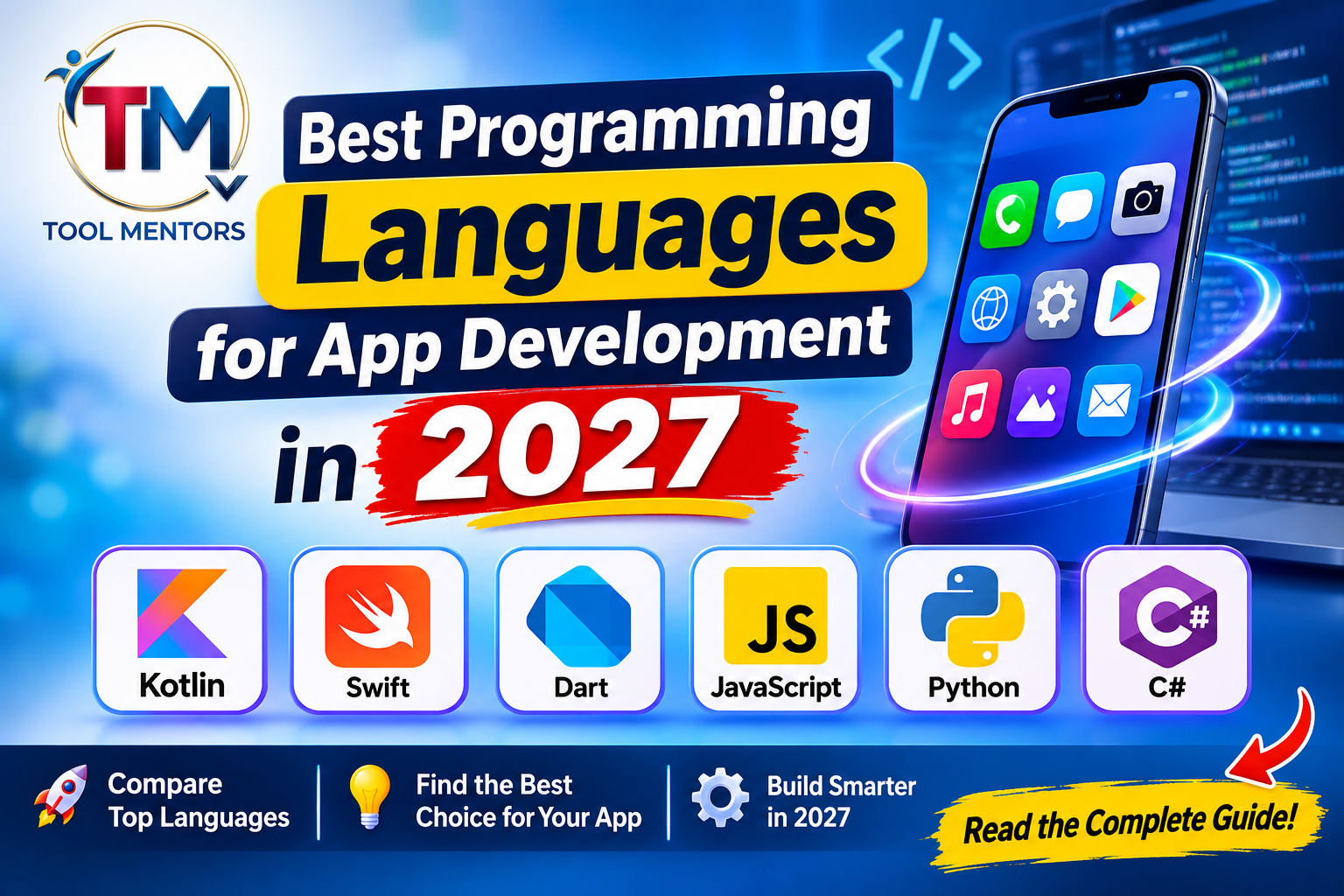
Mobile applications have become an essential part of everyday life. People use them for shopping, banking, education, communication, entertainment, healthcare, business management, and countless other activities. As smartphones and digital services continue evolving, the demand for reliable, secure, and high-performing applications remains important.
However, developing a successful application starts with an important decision: choosing the right programming language.
With so many technologies available, beginners and experienced developers often ask the same question:
Which programming language is best for app development in 2027?
The answer depends on the type of application you want to create, your target operating systems, development budget, performance requirements, and existing programming experience.
For example, Kotlin is an excellent choice for native Android applications, while Swift is designed for Apple’s platforms. Dart with Flutter and JavaScript or TypeScript with React Native are popular approaches for developing applications across multiple platforms.
Other languages, including Python, C#, Java, and C++, also play important roles in application development, particularly in backend systems, enterprise software, games, and specialized applications.
This guide from ToolMentors explores the best programming languages for app development in 2027, explains their features, compares their advantages and disadvantages, and provides practical examples to help you select the right technology for your next project.
What Is App Development?
App development is the process of planning, designing, programming, testing, deploying, and maintaining software applications.
Applications can run on different devices and operating systems, including:
-
Android smartphones and tablets.
-
iPhones and iPads.
-
Windows computers.
-
macOS devices.
-
Web browsers.
-
Smartwatches and other connected devices.
Developers use programming languages, frameworks, libraries, development environments, and software development kits (SDKs) to create these applications.
An application generally consists of several components.
Frontend Development
Frontend development focuses on everything users see and interact with inside an application.
Examples include:
-
Login and registration screens.
-
Navigation menus.
-
Buttons and forms.
-
Product listings.
-
Images and animations.
-
User dashboards.
-
Notifications and interactive elements.
SwiftUI, Jetpack Compose, Flutter, and React Native are examples of technologies used to build application interfaces.
Backend Development
Backend development handles the operations that happen behind an application’s interface.
Common responsibilities include:
-
User authentication.
-
Database management.
-
Payment processing.
-
API communication.
-
Business logic.
-
File storage.
-
Application security.
Python, JavaScript, TypeScript, Java, Go, and C# are commonly used for backend development.
Database Development
Databases store and organize application information.
For example, an online shopping application might store:
-
Customer accounts.
-
Product information.
-
Orders.
-
Payment records.
-
Shopping cart information.
-
Delivery details.
Developers may work with relational databases such as PostgreSQL and MySQL or document-oriented databases such as MongoDB.
Understanding these components helps beginners recognize that developing a mobile application involves more than selecting a programming language.
Native vs. Cross-Platform App Development
Before choosing a programming language, you should understand the two major approaches to mobile application development.
What Is Native App Development?
Native app development means creating an application specifically for a particular operating system.
For example:
-
Kotlin is commonly used for native Android development.
-
Swift is used for native Apple application development.
Native applications can interact directly with their operating systems and device capabilities.
Advantages of native development:
-
Strong access to device hardware and platform APIs.
-
Excellent integration with operating system features.
-
High-quality platform-specific user experiences.
-
Greater control over performance optimization.
-
Direct access to native development tools.
Disadvantages of native development:
-
Separate development work may be required for Android and iOS.
-
Development and maintenance costs can increase.
-
Teams may need developers with different technical skills.
-
Sharing application code between platforms is more limited.
Native development is particularly suitable for applications that require advanced hardware integration, complex background operations, or platform-specific functionality.
What Is Cross-Platform App Development?
Cross-platform development allows developers to create applications for multiple operating systems using a shared codebase.
For example, developers can use Flutter or React Native to build applications for both Android and iOS.
Advantages of cross-platform development:
-
Greater code reuse.
-
Faster development for multiple platforms.
-
Potentially lower development and maintenance costs.
-
Smaller development teams may support multiple operating systems.
-
Consistent application functionality across platforms.
Disadvantages of cross-platform development:
-
Some advanced device features require native integrations.
-
Platform-specific functionality may need additional implementation.
-
Framework updates and plugin compatibility require maintenance.
-
Complex applications may need platform-specific optimization.
Cross-platform development is particularly useful for startups, small businesses, and developers who want to release applications on multiple platforms.
Native vs. Cross-Platform Comparison
| Feature | Native Development | Cross-Platform Development |
|---|---|---|
| Development approach | Platform-specific | Shared codebase |
| Performance control | Excellent | Depends on framework and implementation |
| Code reuse | Limited | High |
| Development cost | Can be higher | Can be lower |
| Device integration | Direct | Through frameworks and native integrations |
| Maintenance | Separate platform work may be needed | More shared maintenance |
| Best for | Platform-specific applications | Multi-platform applications |
The best approach depends on your project’s requirements rather than the popularity of a particular technology.
10 Best Programming Languages for App Development in 2027
The following languages cover native mobile development, cross-platform applications, enterprise software, game development, and backend systems.
One important distinction: Flutter, React Native, and .NET MAUI are development frameworks, not programming languages. They are included alongside their associated languages to explain the complete development options.
1. Kotlin – Best Programming Language for Android App Development
Recommended for native Android applications
Kotlin is a modern, statically typed programming language developed by JetBrains. It has become one of the leading choices for Android application development.
Google officially supports Kotlin for Android development and promotes a Kotlin-first development approach.
Kotlin is designed to work seamlessly with Java, making it useful for both new Android applications and existing projects.
Key Features of Kotlin
-
Concise and readable syntax.
-
Null safety features.
-
Java interoperability.
-
Support for object-oriented and functional programming.
-
Coroutines for asynchronous operations.
-
Compatibility with Kotlin Multiplatform.
Advantages of Kotlin
1. Modern Android Development
Kotlin works with Android development tools and Jetpack Compose, allowing developers to create modern application interfaces.
2. Improved Code Readability
Its concise syntax reduces unnecessary boilerplate code and makes projects easier to maintain.
3. Java Compatibility
Developers can use existing Java libraries and gradually introduce Kotlin into older applications.
4. Asynchronous Programming
Kotlin coroutines simplify background operations, network requests, and other asynchronous tasks.
Disadvantages of Kotlin
-
Primarily associated with Android in traditional mobile development.
-
Developers may need additional tools for complete iOS development.
-
Learning advanced coroutine and architecture concepts takes practice.
-
Build configurations can become complicated in larger projects.
Best Use Cases
-
Android banking applications.
-
E-commerce applications.
-
Educational applications.
-
Business management applications.
-
Productivity tools.
-
Android applications using advanced device features.
Popular development tools: Android Studio, Jetpack Compose, Kotlin Multiplatform.
Verdict: Kotlin is one of the strongest choices for developers who want to specialize in native Android application development.
2. Swift – Best Language for iOS App Development
Recommended for iPhone, iPad, and Apple ecosystem applications
Swift is Apple’s modern programming language for developing applications across its platforms.
Introduced by Apple in 2014, Swift is designed to provide performance, safety, and modern programming features.
Developers commonly use Swift with Xcode, Apple’s integrated development environment, and SwiftUI or UIKit to build application interfaces.
Key Features of Swift
-
Modern and expressive syntax.
-
Strong type safety.
-
Automatic memory management.
-
Error-handling mechanisms.
-
Support for asynchronous programming.
-
Integration with Apple’s development ecosystem.
Advantages of Swift
1. Native Apple Integration
Swift provides direct access to Apple’s frameworks and platform capabilities.
2. Performance
Swift is compiled and offers strong performance for applications that need efficient execution.
3. Safety
Its type system and optional handling help prevent several common programming errors.
4. Modern Interface Development
SwiftUI makes it possible to create interactive interfaces using a declarative programming approach.
Disadvantages of Swift
-
Primarily focused on Apple platforms.
-
Native iOS development generally requires access to macOS and Xcode.
-
Separate Android development may require another technology.
-
Developers must learn Apple’s platform-specific development practices.
Best Use Cases
-
iPhone applications.
-
iPad applications.
-
Apple Watch applications.
-
Business productivity applications.
-
Healthcare applications.
-
Applications requiring advanced Apple ecosystem integration.
Popular development tools: Xcode, SwiftUI, UIKit.
Verdict: Swift is the preferred starting point for developers who want to build professional applications specifically for Apple’s ecosystem.
3. Dart – Best for Cross-Platform Development with Flutter
Recommended for shared Android and iOS application development
Dart is a programming language developed by Google. It is widely associated with Flutter, a framework that allows developers to build applications for multiple platforms using a shared codebase.
Flutter provides a collection of customizable widgets, development tools, and rendering capabilities.
Developers can use Dart to build interfaces and implement application functionality without maintaining entirely separate application codebases for Android and iOS.
Key Features of Dart
-
Object-oriented programming.
-
Strong typing.
-
Null safety.
-
Asynchronous programming.
-
Ahead-of-time and just-in-time compilation.
-
Integration with Flutter.
Advantages of Dart
1. Single Codebase
Developers can share a significant portion of application code between supported platforms.
2. Customizable Interfaces
Flutter offers extensive widget customization for building visually consistent application designs.
3. Hot Reload
Flutter’s hot reload feature helps developers see many code changes quickly during development.
4. Productive Development
Developers can build application screens, navigation, and interactive functionality using one development environment.
Disadvantages of Dart
-
Smaller general-purpose ecosystem than JavaScript.
-
Developers must learn Dart before becoming productive with Flutter.
-
Some device-specific functionality requires plugins or native code.
-
Flutter applications may require additional attention to binary size and platform integration.
Best Use Cases
-
Startup applications.
-
E-commerce applications.
-
Educational applications.
-
Booking platforms.
-
Business dashboards.
-
Cross-platform consumer applications.
Popular development tools: Flutter SDK, Android Studio, Visual Studio Code.
Verdict: Dart with Flutter is an excellent option for developers who want to build Android and iOS applications without maintaining two completely independent codebases.
4. JavaScript – Best for Flexible Application Development
Recommended for developers with web development experience
JavaScript is one of the most widely used programming languages in modern software development.
Although traditionally associated with websites, JavaScript can also power mobile applications through frameworks such as React Native and Ionic.
Developers who already understand HTML, CSS, and JavaScript may find mobile application development easier because they can build upon their existing knowledge.
Key Features of JavaScript
-
Dynamic typing.
-
Event-driven programming.
-
Asynchronous operations.
-
Extensive library ecosystem.
-
Browser compatibility.
-
Server-side development through Node.js.
Advantages of JavaScript
1. Versatile Development
JavaScript can be used for frontend development, backend development, and cross-platform mobile applications.
2. Large Ecosystem
Developers have access to numerous libraries, packages, and development tools.
3. Easier Transition for Web Developers
People familiar with JavaScript can learn React Native without starting from an entirely unfamiliar programming environment.
4. Backend Integration
Node.js allows developers to use JavaScript for server-side functionality and API development.
Disadvantages of JavaScript
-
Dynamic typing can introduce runtime errors.
-
Managing dependencies can become challenging.
-
Large projects require strong architectural practices.
-
Advanced native integrations may require additional knowledge.
Best Use Cases
-
Social networking applications.
-
E-commerce applications.
-
Messaging platforms.
-
Content management applications.
-
Cross-platform business applications.
Popular development tools: React Native, Expo, Ionic, Node.js.
Verdict: JavaScript is an excellent choice for developers who want flexibility across web, mobile, and backend development.
5. TypeScript – Best for Large and Maintainable Mobile Applications
Recommended for structured React Native projects
TypeScript is a programming language developed by Microsoft that extends JavaScript with static typing and additional development features.
It is particularly useful for large applications where code organization, maintainability, and predictable development are important.
TypeScript is commonly used with React Native to build applications for Android and iOS.
Key Features of TypeScript
-
Static type checking.
-
Interfaces and type aliases.
-
Generics.
-
Improved code organization.
-
JavaScript compatibility.
-
Better editor and development-tool integration.
Advantages of TypeScript
1. Better Error Detection
TypeScript identifies many type-related mistakes during development rather than waiting for application execution.
2. Maintainable Code
Interfaces and types help developers understand how different application components communicate.
3. Scalable Applications
TypeScript is useful when working with large development teams and complex application architectures.
4. JavaScript Ecosystem
Developers can continue using the JavaScript ecosystem while benefiting from additional type safety.
Disadvantages of TypeScript
-
Requires learning additional type-system concepts.
-
Compilation adds another development step.
-
Type definitions for some third-party packages may be incomplete.
-
It does not eliminate every runtime error.
Best Use Cases
-
Enterprise mobile applications.
-
Financial applications.
-
Large e-commerce platforms.
-
Business management software.
-
Applications maintained by multiple developers.
Popular development tools: React Native, Expo, Node.js, Visual Studio Code.
Verdict: TypeScript is a strong choice for developers building scalable applications, particularly when working with React Native.
6. Python – Best for Backend Services and AI-Powered Applications
Recommended for backend development, automation, and AI integration
Python is a beginner-friendly programming language known for its readable syntax and extensive ecosystem.
Although it is not the mainstream choice for native Android or iOS application interfaces, it plays an important role in mobile application backends.
Developers can use Python to create APIs, process application data, implement business logic, and integrate machine learning functionality.
Frameworks such as Django, Flask, and FastAPI help developers build backend services.
Key Features of Python
-
Simple and readable syntax.
-
Extensive libraries.
-
Object-oriented programming.
-
Automation capabilities.
-
Data processing.
-
Machine learning integration.
Advantages of Python
1. Beginner-Friendly
Python is relatively easy to read and understand, making it suitable for new programmers.
2. Strong Backend Ecosystem
Developers can create APIs and backend services for mobile applications.
3. AI and Machine Learning
Python has a mature ecosystem for artificial intelligence, data analysis, and machine learning.
4. Rapid Development
Its syntax and development frameworks support quick prototyping and implementation.
Disadvantages of Python
-
Not the standard choice for native mobile interfaces.
-
Execution speed may be lower than compiled alternatives for certain workloads.
-
Mobile deployment options are less mainstream.
-
Memory and performance optimization may require additional attention.
Best Use Cases
-
AI-powered mobile applications.
-
Recommendation systems.
-
Chatbot backends.
-
Data processing applications.
-
Authentication services.
-
Application APIs.
Popular development tools: Django, Flask, FastAPI, Kivy.
Verdict: Python is particularly valuable when your mobile application requires intelligent backend services, automation, or data processing.
7. C# – Best for Microsoft Ecosystem and Enterprise Applications
Recommended for .NET developers
C# is a modern, object-oriented programming language developed by Microsoft.
It is widely used in enterprise software, desktop applications, backend systems, and game development.
For mobile development, C# works with .NET MAUI, which supports building applications for Android, iOS, macOS, and Windows using a shared project structure.
Key Features of C#
-
Strong typing.
-
Object-oriented programming.
-
Automatic memory management.
-
Asynchronous programming.
-
.NET ecosystem integration.
-
Extensive development libraries.
Advantages of C#
1. Strong Enterprise Support
C# is suitable for business applications that integrate with Microsoft technologies.
2. Code Reusability
.NET MAUI allows developers to share application logic and other project components across supported platforms.
3. Productivity
Visual Studio provides debugging, code completion, testing, and project management capabilities.
4. Game Development
C# is widely used with Unity for creating mobile games.
Disadvantages of C#
-
Some mobile frameworks have smaller ecosystems than major alternatives.
-
Advanced platform-specific features may require native integration.
-
Developers need to understand the .NET environment.
-
Framework updates and compatibility require ongoing maintenance.
Best Use Cases
-
Enterprise applications.
-
Business management applications.
-
Internal company software.
-
Mobile games.
-
Microsoft ecosystem applications.
Popular development tools: Visual Studio, .NET MAUI, Unity.
Verdict: C# is a practical choice for developers who already work with Microsoft technologies or want to build games using Unity.
8. Java – Best for Existing Android Applications and Enterprise Systems
Recommended for legacy Android projects and enterprise development
Java is a mature, object-oriented programming language that has been used in Android development for many years.
Although Kotlin is Google’s preferred language for modern Android development, Java remains supported and is still important for maintaining existing Android applications.
Java is also widely used in enterprise software, backend systems, and large-scale applications.
Key Features of Java
-
Platform independence through the Java Virtual Machine.
-
Object-oriented programming.
-
Strong typing.
-
Automatic memory management.
-
Extensive libraries.
-
Mature development ecosystem.
Advantages of Java
1. Established Ecosystem
Java has extensive libraries, frameworks, learning materials, and developer resources.
2. Android Compatibility
Developers can maintain existing Android projects written in Java.
3. Enterprise Development
Java is widely used for large backend systems and business applications.
4. Strong Community
Its long history provides access to extensive technical knowledge and development support.
Disadvantages of Java
-
More verbose syntax compared with Kotlin.
-
Modern Android projects may benefit from Kotlin-first tooling.
-
Managing large Java applications requires good architecture.
-
Developers may encounter older patterns in legacy codebases.
Best Use Cases
-
Existing Android applications.
-
Enterprise software.
-
Banking systems.
-
Backend applications.
-
Business management platforms.
Popular development tools: Android Studio, Java Development Kit, Spring Boot.
Verdict: Java remains valuable for Android maintenance and enterprise software, although Kotlin is generally the better starting point for new native Android projects.
9. C++ – Best for High-Performance Applications and Games
Recommended for performance-intensive software
C++ is a powerful programming language that provides developers with low-level memory management capabilities and control over system resources.
It is particularly important in performance-intensive software, game engines, graphics applications, and specialized mobile development components.
Although most ordinary mobile application interfaces are built with higher-level languages, C++ can support demanding application functionality.
Key Features of C++
-
High execution performance.
-
Manual and automatic memory management options.
-
Object-oriented programming.
-
Low-level system access.
-
Extensive standard library.
-
Support for complex software architectures.
Advantages of C++
1. Performance
C++ is suitable for applications that require efficient execution and resource control.
2. Game Development
It is used extensively in game engines and graphics-intensive applications.
3. Memory Management
Developers have significant control over memory allocation and resource management.
4. Native Integration
C++ can be integrated into mobile applications through technologies such as Android NDK.
Disadvantages of C++
-
More difficult for beginners.
-
Manual memory management can introduce bugs.
-
Development and debugging may be complex.
-
It is generally unnecessary for ordinary mobile application interfaces.
Best Use Cases
-
Mobile games.
-
Graphics applications.
-
Real-time processing.
-
Multimedia applications.
-
Specialized performance-intensive components.
Popular development tools: Unreal Engine, Android NDK, CMake.
Verdict: C++ is best suited to developers working on advanced software, game engines, and applications with demanding performance requirements.
10. Go – Best for Scalable Backend Applications
Recommended for backend services and distributed systems
Go, also known as Golang, is an open-source programming language developed at Google.
It is designed to support simple syntax, efficient execution, and concurrent programming.
Go is not a mainstream choice for building native mobile application interfaces. However, it is useful for developing the backend infrastructure that mobile applications depend on.
Key Features of Go
-
Simple syntax.
-
Compiled execution.
-
Goroutines for concurrency.
-
Built-in networking support.
-
Static typing.
-
Efficient backend development.
Advantages of Go
1. Concurrency Support
Goroutines make it easier to manage many concurrent tasks.
2. Backend Performance
Go is suitable for building APIs and network services.
3. Deployment
Go applications can be compiled into standalone binaries for supported platforms.
4. Simplicity
Its relatively small language feature set makes code easier to understand and maintain.
Disadvantages of Go
-
Limited mainstream native mobile UI development options.
-
Smaller mobile development ecosystem.
-
Some application requirements may need additional technologies.
-
Developers must understand concurrency and backend architecture.
Best Use Cases
-
Mobile application APIs.
-
Cloud-based services.
-
Real-time backend systems.
-
Microservices.
-
Distributed applications.
Popular development tools: Go toolchain, Gin, Fiber.
Verdict: Go is a strong option for developers who want to build reliable, scalable backend services for mobile applications.
Comparison of the Best App Development Programming Languages
Choosing between programming languages becomes easier when you compare their platform support, development ecosystems, strengths, and limitations.
The following table summarizes the ten options discussed above.
| Language | Primary application | Development technology | Best suited for |
|---|---|---|---|
| Kotlin | Android | Jetpack Compose | Native Android apps |
| Swift | Apple platforms | SwiftUI | Native iOS apps |
| Dart | Cross-platform | Flutter | Android and iOS apps |
| JavaScript | Cross-platform | React Native, Ionic | Web and mobile apps |
| TypeScript | Cross-platform | React Native | Scalable mobile apps |
| Python | Backend | Django, FastAPI | AI and API services |
| C# | Cross-platform | .NET MAUI, Unity | Enterprise apps and games |
| Java | Android and backend | Android SDK, Spring Boot | Legacy Android and enterprise |
| C++ | Specialized mobile components | Android NDK, Unreal Engine | Games and performance-intensive software |
| Go | Backend | Gin, Fiber | Scalable application services |
Important: This comparison identifies typical development uses, not an absolute ranking. A language’s suitability depends on the application architecture and the requirements of the project.
Best Programming Language for Different Types of Applications
There is no universal winner when choosing a programming language. Different applications require different development approaches.
Here are practical recommendations based on common project requirements.
Best Language for Android Applications
Kotlin is generally the strongest starting point for new native Android applications.
It integrates with Android Studio and Jetpack Compose and provides access to Android platform features.
Java is also relevant when working with existing Android applications.
Choose Kotlin when developing:
-
Android shopping applications.
-
Mobile banking applications.
-
Educational platforms.
-
Business applications.
-
Productivity tools.
Best Language for iOS Applications
Swift is the preferred choice for native iOS development.
It works with Apple’s development ecosystem and provides access to platform-specific APIs and frameworks.
SwiftUI is particularly useful for building modern interfaces.
Choose Swift when developing:
-
iPhone applications.
-
iPad applications.
-
Apple Watch applications.
-
Applications using Apple-specific capabilities.
Best Language for Android and iOS Applications
If your goal is to release one application on both Android and iOS, consider these technologies:
Dart with Flutter: Suitable for applications requiring a shared codebase and highly customizable interfaces.
TypeScript with React Native: Suitable for developers familiar with JavaScript, React, and web development.
Kotlin Multiplatform: Suitable for sharing business logic between platforms while retaining the option of native interfaces.
The right option depends on your team’s existing skills and the complexity of your application.
Best Language for AI-Powered Mobile Applications
Python is an excellent option for backend services that integrate artificial intelligence and machine learning.
For example, consider an educational application that recommends learning materials based on student performance.
The mobile interface could use Flutter or React Native, while Python handles recommendation algorithms and data processing on the backend.
This approach allows developers to use different technologies for different responsibilities.
Best Language for Mobile Games
C# and C++ are important choices in mobile game development.
C# is widely used with Unity, while C++ is commonly associated with Unreal Engine and performance-intensive game systems.
Your choice depends on:
-
Game complexity.
-
Graphics requirements.
-
Target devices.
-
Game engine.
-
Available development skills.
For ordinary business applications, learning C++ specifically for mobile interfaces is usually unnecessary.
Flutter vs. React Native: Which Is Better in 2027?
Flutter and React Native are two major cross-platform development options.
Although both support Android and iOS development, their architectures and programming approaches differ.
Flutter
Flutter uses Dart and provides its own widget system and rendering approach.
Its advantages include:
-
Consistent interface design.
-
Extensive widget customization.
-
Hot reload.
-
Shared application code.
-
Support for multiple platforms.
Flutter is particularly attractive when developers want control over application appearance across different devices.
React Native
React Native uses JavaScript or TypeScript and the React programming model.
Its advantages include:
-
Reuse of JavaScript and React knowledge.
-
Integration with native platform components.
-
A large JavaScript ecosystem.
-
Shared development across mobile platforms.
-
Integration with web-oriented development skills.
React Native is particularly suitable for teams that already develop applications using React.
Flutter vs. React Native Comparison
| Feature | Flutter | React Native |
|---|---|---|
| Programming language | Dart | JavaScript or TypeScript |
| Developer | Meta and community | |
| Interface approach | Flutter widgets | React components and native platform integration |
| Code reuse | High | High |
| Hot reload | Yes | Fast refresh |
| Custom UI | Extensive control | Flexible native-oriented approach |
| Learning requirement | Dart and Flutter | JavaScript/TypeScript and React |
| Ideal audience | New cross-platform developers | Existing React developers |
Which should you choose?
Choose Flutter if you prefer Dart and want a consistent, highly customizable interface.
Choose React Native if you already know JavaScript or React and want to extend those skills into mobile development.
Neither framework is automatically better for every project.
Important Tools and Frameworks for App Development in 2027
A programming language is only one part of an application development environment.
Developers also need tools for writing code, designing interfaces, managing dependencies, testing applications, and preparing releases.
Here are some important technologies to understand.
1. Android Studio
Android Studio is Google’s official integrated development environment for Android applications.
It supports Kotlin and Java and provides features such as:
-
Code editing.
-
Debugging.
-
Application emulators.
-
Performance profiling.
-
Gradle build management.
-
Jetpack Compose development tools.
2. Xcode
Xcode is Apple’s development environment for creating applications across its platforms.
It provides:
-
Swift and Objective-C development.
-
SwiftUI previews.
-
iOS simulators.
-
Debugging tools.
-
Application testing.
-
Build and distribution capabilities.
Developers generally need a compatible Mac environment to build and distribute native iOS applications using Xcode.
3. Flutter SDK
Flutter provides tools for developing applications using Dart.
Its ecosystem includes:
-
UI widgets.
-
Navigation tools.
-
State management options.
-
Platform integrations.
-
Testing support.
-
Development and build tools.
4. React Native
React Native allows developers to create mobile applications using JavaScript or TypeScript and React.
Expo is a popular development platform that simplifies many React Native workflows.
5. Visual Studio
Visual Studio is a development environment used for C#, .NET, desktop applications, and other software projects.
It is especially useful for developers working within the Microsoft ecosystem.
How to Choose the Right Programming Language for Your App
Selecting a language should be based on your project’s technical requirements rather than trends alone.
Use the following steps to make a practical decision.
Step 1: Identify Your Target Platform
First, determine where your application needs to run.
Ask yourself:
-
Do I need an Android application?
-
Do I need an iPhone application?
-
Do I need both Android and iOS?
-
Do I also need a web application?
-
Does my project need desktop support?
For Android-only projects, Kotlin is a strong starting point.
For iOS-only projects, consider Swift.
For both platforms, evaluate Flutter and React Native.
Step 2: Understand Your Application Requirements
Different applications have different technical requirements.
For example:
| Application Type | Suggested Technology |
|---|---|
| Online shopping app | Flutter or React Native |
| Banking app | Kotlin or Swift |
| Educational app | Flutter or React Native |
| AI-powered app | Flutter/React Native with Python backend |
| Mobile game | C# with Unity or C++ with Unreal |
| Business application | Kotlin, Swift, Flutter, or .NET MAUI |
| Real-time messaging app | Native or cross-platform frontend with a suitable backend |
These are starting recommendations rather than fixed technical rules.
Step 3: Evaluate Your Existing Skills
Your current programming knowledge can significantly influence development time.
For example:
-
If you know Java, Kotlin may be easier to learn.
-
If you know JavaScript, React Native is a natural progression.
-
If you know React, TypeScript with React Native may be suitable.
-
If you know C#, Unity and .NET MAUI are worth exploring.
-
If you are completely new, begin with programming fundamentals before selecting a framework.
Step 4: Consider Performance and Scalability
Think about how your application will behave when users, data, and functionality increase.
Consider:
-
Memory usage.
-
Application startup time.
-
Network performance.
-
Database efficiency.
-
Background operations.
-
Security requirements.
-
Future maintenance.
For demanding applications, native development may provide more direct control over platform-specific behavior.
For standard forms, feeds, booking systems, and shopping applications, well-designed cross-platform solutions can be entirely suitable.
Step 5: Evaluate Development and Maintenance Costs
Development cost is influenced by much more than programming language selection.
Consider:
-
Developer availability.
-
Existing team expertise.
-
Platform requirements.
-
Testing requirements.
-
Third-party integrations.
-
Application complexity.
-
Long-term maintenance.
A shared codebase can reduce duplicated development effort, but it does not eliminate platform-specific testing and maintenance.
Step 6: Build a Small Prototype
Before committing to a complete technology stack, build a small working version of your application.
For example, create a basic application containing:
-
A welcome screen.
-
A registration screen.
-
A login screen.
-
A dashboard.
-
A simple data retrieval feature.
Test the prototype on the intended devices.
This will help identify technical limitations before you invest heavily in development.
Practical Coding Examples for Beginners
The best way to understand programming languages is to see how they work in practical situations.
Let’s explore a few simple examples.
Example 1: Kotlin Button Click
The following Jetpack Compose example creates a button that updates a text message when clicked.
@Composable
fun WelcomeScreen() {
    var message by remember {
        mutableStateOf("Welcome to my app!")
    }

    Column {
        Text(text = message)

        Button(
            onClick = {
                message = "Button clicked!"
            }
        ) {
            Text("Click Me")
        }
    }
}
How it works:
-
@Composableidentifies a Compose UI function. -
rememberpreserves state during recomposition. -
mutableStateOfstores the current message. -
Buttoncreates an interactive button. -
onClickdefines what happens when the button is pressed.
Example 2: SwiftUI Button
Swift provides a declarative approach to building interfaces with SwiftUI.
import SwiftUI

struct WelcomeView: View {

    @State private var message = "Welcome!"

    var body: some View {
        VStack {
            Text(message)

            Button("Click Me") {
                message = "Button clicked!"
            }
        }
    }
}
How it works:
-
Viewrepresents an interface component. -
@Statestores information that can change. -
VStackarranges elements vertically. -
Buttonresponds to user interaction. -
The message updates when the button is pressed.
Example 3: Flutter Button Using Dart
Flutter provides widgets for building interactive interfaces.
import 'package:flutter/material.dart';

class WelcomeScreen extends StatefulWidget {
  const WelcomeScreen({super.key});

  @override
  State<WelcomeScreen> createState() =>
      _WelcomeScreenState();
}

class _WelcomeScreenState extends State<WelcomeScreen> {
  String message = "Welcome!";

  @override
  Widget build(BuildContext context) {
    return Scaffold(
      body: Center(
        child: Column(
          mainAxisAlignment: MainAxisAlignment.center,
          children: [
            Text(message),

            ElevatedButton(
              onPressed: () {
                setState(() {
                  message = "Button clicked!";
                });
              },
              child: const Text("Click Me"),
            ),
          ],
        ),
      ),
    );
  }
}
How it works:
-
StatefulWidgetcreates an interface with changeable state. -
messagestores the displayed text. -
ElevatedButtoncreates an interactive button. -
onPressedhandles user interaction. -
setState()tells Flutter to rebuild the affected interface.
Example 4: React Native Button Using TypeScript
React Native allows developers to build mobile interfaces using React components.
import React, { useState } from 'react';

import {
  View,
  Text,
  Button
} from 'react-native';

export default function WelcomeScreen() {
  const [message, setMessage] =
    useState<string>('Welcome!');

  return (
    <View>
      <Text>{message}</Text>

      <Button
        title="Click Me"
        onPress={() =>
          setMessage('Button clicked!')
        }
      />
    </View>
  );
}
How it works:
-
useStatemanages the message. -
Viewcreates a layout container. -
Textdisplays content. -
Buttoncreates an interactive control. -
onPresshandles the button action.
These examples demonstrate that different programming languages can implement similar application functionality using different development approaches.
How to Start Learning App Development as a Beginner
If you are new to programming, trying to learn ten languages simultaneously is not a productive strategy.
Instead, choose one development path and build your knowledge gradually.
Stage 1: Learn Programming Fundamentals
Start by understanding:
-
Variables and data types.
-
Operators.
-
Conditional statements.
-
Loops.
-
Functions.
-
Arrays and collections.
-
Object-oriented programming.
-
Error handling.
These concepts are useful across almost every programming language.
Stage 2: Select One Programming Language
Choose according to your goal.
| Your Goal | Start Learning |
|---|---|
| Android development | Kotlin |
| iOS development | Swift |
| Android and iOS development | Dart |
| Mobile development using React | JavaScript or TypeScript |
| AI-powered applications | Python |
| Enterprise and game development | C# |
Avoid switching languages every few days.
Build a strong foundation in one technology first.
Stage 3: Learn the Relevant Framework
After understanding the language, learn the framework or development toolkit associated with it.
For example:
-
Kotlin with Jetpack Compose.
-
Swift with SwiftUI.
-
Dart with Flutter.
-
TypeScript with React Native.
-
C# with .NET MAUI.
Understanding both the language and its development framework will make you more productive.
Stage 4: Build Your First Application
Start with a manageable project.
Good beginner projects include:
-
Calculator application.
-
To-do list application.
-
Notes application.
-
Weather application.
-
Personal expense tracker.
-
Basic shopping application.
These projects introduce important concepts such as navigation, user input, state management, and data storage.
Stage 5: Learn APIs and Database Integration
Real-world applications frequently communicate with external services.
Learn how to:
-
Send HTTP requests.
-
Receive JSON responses.
-
Connect to APIs.
-
Store information.
-
Authenticate users.
-
Handle network errors.
-
Manage application data.
Stage 6: Test and Publish Your Application
Testing is an essential part of professional development.
Check your application for:
-
Interface problems.
-
Crashes.
-
Incorrect calculations.
-
Slow loading.
-
Network failures.
-
Security weaknesses.
-
Device compatibility.
Once your application is ready, learn the relevant app-store submission and distribution processes.
Common App Development Mistakes and How to Avoid Them
Even experienced developers can make mistakes when selecting technologies or designing application architecture.
Understanding these problems early can save time and development costs.
1. Choosing a Language Only Because It Is Popular
A popular programming language is not necessarily the best choice for every application.
Solution: Evaluate platform requirements, application functionality, available developers, and long-term maintenance before making a decision.
2. Learning Multiple Languages Simultaneously
Beginners sometimes try to learn Kotlin, Swift, Python, JavaScript, and C# together.
This can make it difficult to develop practical programming skills.
Solution: Select one language and complete a real application before moving to another technology.
3. Ignoring Application Security
Applications often manage personal information, authentication credentials, and sensitive business data.
Solution: Follow secure development practices, validate inputs, protect authentication tokens, and use encrypted communication.
4. Neglecting Application Performance
Slow loading, excessive memory usage, and inefficient network requests can negatively affect user experience.
Solution: Profile your application, optimize resource usage, reduce unnecessary operations, and test on actual devices.
5. Selecting Frameworks Without Checking Their Ecosystem
A framework may look attractive but lack support for a device feature your application requires.
Solution: Review plugin availability, platform compatibility, release activity, and integration requirements before choosing a framework.
6. Skipping Testing
An application that works on one developer’s device may fail on other devices.
Solution: Test different screen sizes, operating system versions, network conditions, and user scenarios.
Best Practices for Professional App Development
Successful application development requires more than writing functional code.
Professional developers should follow established engineering practices to create secure, maintainable, and reliable applications.
Use Clean Code and Proper Architecture
Organize your application into logical components.
Avoid placing every operation inside a single large file.
Separate responsibilities such as:
-
User interface.
-
Business logic.
-
Data management.
-
Network communication.
-
Authentication.
-
Configuration.
This makes applications easier to understand, test, and maintain.
Implement Secure Authentication
Authentication verifies the identity of application users.
Use established authentication mechanisms rather than creating insecure password-management systems.
Important practices include:
-
Secure password handling.
-
Token-based authentication where appropriate.
-
HTTPS communication.
-
Session management.
-
Proper authorization checks.
-
Secure storage of sensitive information.
Never store passwords in plain text or hardcode private API credentials inside a publicly distributed application.
Optimize Application Performance
Performance affects how quickly users can interact with your application.
Consider:
-
Efficient image loading.
-
Appropriate caching.
-
Optimized database queries.
-
Background processing.
-
Network request management.
-
Memory usage.
-
Smooth interface rendering.
Measure performance instead of relying only on assumptions.
Use Version Control
Version control helps developers track code changes and collaborate effectively.
Git is widely used for:
-
Tracking development history.
-
Managing branches.
-
Reviewing changes.
-
Collaborating with other developers.
-
Recovering previous versions.
Write Automated Tests
Testing helps identify problems before they reach users.
Important testing approaches include:
-
Unit testing.
-
Integration testing.
-
UI testing.
-
API testing.
-
Performance testing.
-
Security testing.
Automated testing becomes particularly valuable as applications become larger.
Advanced App Development Concepts to Learn in 2027
Once you understand programming fundamentals and application development, consider expanding your knowledge with advanced concepts.
1. Kotlin Multiplatform
Kotlin Multiplatform allows developers to share code across multiple platforms, including Android and iOS.
It can be used to share business logic while keeping platform-specific interfaces where necessary.
This is useful when teams want code reuse without abandoning native development approaches.
2. Advanced State Management
State management controls how application data changes and how interfaces respond to those changes.
For example, an e-commerce application needs to manage:
-
Shopping cart contents.
-
User login status.
-
Product information.
-
Checkout progress.
-
Payment status.
As applications become more complex, appropriate state management improves code organization and predictability.
3. Cloud-Based Application Architecture
Modern applications often depend on cloud infrastructure.
Cloud services can support:
-
Authentication.
-
Database storage.
-
File uploads.
-
Notifications.
-
Application APIs.
-
Analytics.
-
Automated deployment.
Developers should understand how mobile applications communicate securely with cloud services.
4. Artificial Intelligence Integration
AI-powered functionality is becoming increasingly relevant to application development.
Examples include:
-
Personalized recommendations.
-
Intelligent search.
-
Language translation.
-
Image recognition.
-
Voice assistants.
-
Predictive analytics.
A mobile application can combine a native or cross-platform interface with backend AI services.
Python is especially useful for developing many of these backend capabilities.
5. Continuous Integration and Continuous Deployment
CI/CD refers to automated processes used to build, test, and deliver software.
These processes help development teams:
-
Detect errors earlier.
-
Run automated tests.
-
Build application packages.
-
Manage releases.
-
Improve collaboration.
-
Reduce repetitive deployment work.
Learning CI/CD is valuable for developers who want to work on professional software projects.
Relevant ToolMentors Programming and Development Guides
App development involves several related skills, including backend programming, API development, web technologies, automation, and server deployment.
ToolMentors provides practical programming and technical tutorials that can help you strengthen these supporting skills.
Here are four relevant guides:
-
Which Language Is Best for Web Scraping? Python vs Node.js vs Go – Understand how different programming languages handle data extraction and automation.
-
Is Express.js Frontend or Backend? – Learn how Express.js supports backend development and API architecture.
-
How to Run a Python Script on a Web Server – Explore how to deploy Python scripts and backend applications.
-
Is Python or JavaScript Better for Web Scraping? – Compare Python and JavaScript for practical development tasks.
These tutorials complement mobile application development by introducing programming concepts and backend technologies used in real-world software projects.
13. 20 Frequently Asked Questions About Best Programming Languages for App Development in 2027
1. Which programming language is best for app development in 2027?
The best programming language depends on your application requirements. Kotlin is an excellent choice for native Android development, while Swift is preferred for native iOS applications. Dart with Flutter and TypeScript with React Native are strong cross-platform options. Python is particularly useful for backend services and AI-powered applications.
2. Which programming language is best for Android app development?
Kotlin is generally the best starting point for new native Android applications. It is officially supported by Google and integrates with Android Studio and Jetpack Compose. Java remains relevant for maintaining existing applications and working with established Android projects.
3. Which programming language is best for iOS app development?
Swift is the preferred programming language for modern native iOS development. It integrates with Apple’s development tools, including Xcode and SwiftUI. Developers can use Swift to create applications for iPhones, iPads, Apple Watches, and other Apple platforms.
4. Can I develop Android and iOS apps using one programming language?
Yes. Cross-platform technologies allow developers to share application code between Android and iOS. Dart with Flutter and JavaScript or TypeScript with React Native are popular options. Kotlin Multiplatform is another approach that allows developers to share business logic while retaining native interfaces when needed.
5. Is Flutter better than React Native in 2027?
Neither framework is universally better. Flutter is suitable for developers who prefer Dart and want extensive control over interface design. React Native is attractive for developers who already understand JavaScript, TypeScript, or React. Your application requirements, team experience, and available libraries should influence the decision.
6. Is Kotlin easier to learn than Java?
Kotlin is often considered easier to read and write because it offers more concise syntax and built-in null safety. Developers familiar with Java can generally transition to Kotlin without starting from scratch. However, beginners should understand programming fundamentals before learning advanced Android development concepts.
7. Is Swift only used for iPhone applications?
No. Swift supports development across Apple’s ecosystem, including iPhone, iPad, Mac, Apple Watch, Apple TV, and other supported platforms. It can also run on Linux and has uses beyond Apple’s operating systems, although its strongest development ecosystem remains associated with Apple.
8. Can I build mobile applications using Python?
Yes, Python can be used for certain mobile application projects through frameworks such as Kivy. However, it is more commonly used for backend services, APIs, automation, and artificial intelligence. For mainstream native Android and iOS interfaces, Kotlin, Swift, Flutter, and React Native are generally more practical choices.
9. Which programming language is easiest for beginners in app development?
The easiest language depends on your background and goals. Python is beginner-friendly for learning programming fundamentals, while JavaScript is a practical starting point for people interested in web and mobile development. Beginners interested specifically in Android or iOS should consider Kotlin or Swift.
10. How long does it take to learn mobile app development?
Learning basic programming and creating a simple mobile application may take several weeks or months, depending on your study schedule. Developing professional skills generally requires more time because you must understand application architecture, databases, APIs, testing, security, and deployment. Consistent hands-on practice is essential.
11. Do I need to learn HTML and CSS for mobile app development?
Not always. Native Android developers primarily use Kotlin and Android development technologies, while native iOS developers use Swift and Apple’s interface frameworks. However, HTML and CSS are useful for developers working with web-based mobile technologies, Ionic, or web application development.
12. Which programming language is best for cross-platform app development?
Dart with Flutter and JavaScript or TypeScript with React Native are leading cross-platform options. Flutter provides a customizable widget-based development approach, while React Native allows developers to use React and JavaScript knowledge. Kotlin Multiplatform is another option for teams interested in sharing application logic.
13. Is Java still useful for Android app development in 2027?
Yes. Java remains supported within Android development and is important for maintaining existing applications. It is also widely used in enterprise software and backend systems. However, Kotlin is generally the preferred starting point for developers creating new native Android applications.
14. Which programming language is best for developing mobile games?
C# with Unity and C++ with Unreal Engine are important technologies for mobile game development. C# is useful for many 2D and 3D games, while C++ provides greater low-level control for demanding game systems. The best choice depends on graphics requirements, game complexity, and the selected engine.
15. What is the difference between a programming language and a framework?
A programming language defines the syntax and rules used to write software instructions. A framework provides reusable tools, libraries, and structures for building applications. For example, Dart is the language used with Flutter, while JavaScript or TypeScript can be used with React Native.
16. Can I develop an app without learning programming?
Yes, no-code and low-code platforms allow people to create certain applications using visual interfaces and prebuilt components. However, complex applications may require custom programming for advanced functionality, integrations, security, and performance. Learning programming provides greater flexibility when developing and maintaining sophisticated applications.
17. Which programming language is best for AI-powered mobile applications?
Python is an excellent choice for developing AI and machine learning backend services. However, the mobile interface can be built using Kotlin, Swift, Flutter, or React Native. This combination allows developers to provide AI-powered features without requiring the entire mobile application to be written in Python.
18. Do I need a powerful computer for mobile app development?
You need a computer that meets the requirements of your development environment. Android Studio and emulators can require substantial memory and processing resources. Native iOS development using Xcode generally requires a compatible Mac. A physical Android device can also help reduce reliance on resource-intensive emulators.
19. What should I consider before choosing a mobile app development language?
Consider your target platforms, application complexity, performance requirements, development budget, available developers, framework ecosystem, and long-term maintenance needs. You should also evaluate security requirements and third-party integrations. Building a small prototype before selecting your final technology stack can help identify potential limitations.
20. Which programming language should I learn first to become a professional app developer?
Choose a language that supports your intended career path. Learn Kotlin for Android development, Swift for iOS development, Dart for Flutter, or TypeScript for React Native. Start with programming fundamentals, build practical projects, learn APIs and databases, and gradually develop professional testing and deployment skills.
14. Conclusion: Choosing the Best Programming Language for App Development in 2027
Choosing the best programming language for app development in 2027 requires understanding your goals, application requirements, and preferred development environment.
There is no single language that is perfect for every application. Each technology offers different capabilities, development approaches, and opportunities.
Here is a final summary:
-
Kotlin: An excellent choice for native Android applications.
-
Swift: The preferred choice for native iOS and Apple ecosystem development.
-
Dart: A strong option for cross-platform applications using Flutter.
-
JavaScript: Useful for developers interested in web and mobile application development.
-
TypeScript: Particularly valuable for structured and scalable React Native projects.
-
Python: Excellent for backend services, automation, and AI integration.
-
C#: Suitable for enterprise applications, .NET development, and mobile games.
-
Java: Important for existing Android applications and enterprise systems.
-
C++: Useful for performance-intensive software and advanced game development.
-
Go: A practical option for scalable backend infrastructure.
If you are a beginner, avoid trying to master every language at once. Choose one technology based on your intended application, learn its fundamentals, and gradually develop practical skills.
If you want to create Android applications, start with Kotlin. If you are interested in Apple’s ecosystem, learn Swift. If your goal is to develop applications for both Android and iOS, explore Flutter or React Native.
Most importantly, focus on building real applications rather than learning programming concepts only through theory.
Your first calculator, notes application, or shopping application may be simple, but each project will help you understand the development process and prepare you for more advanced software engineering challenges.
15. Final Call to Action
Start Learning and Building with ToolMentors!
Technology continues evolving, and developers need practical knowledge to stay competitive.
Whether you are learning your first programming language, exploring mobile application development, improving your backend skills, or building professional software projects, continuous learning is essential.
At ToolMentors, our goal is to make technical education easier through practical programming tutorials, development guides, useful online tools, and technology resources.
Explore more educational content and discover useful tools to support your learning journey.
Visit ToolMentors today:
Explore ToolMentors – Programming Tutorials and Free Online Tools

One Comment