1. What Is App Development?
App development is the process of designing, creating, testing, deploying, and maintaining software applications for mobile devices, computers, tablets, and web browsers.
An application allows users to perform specific tasks through an interactive interface. For example, a banking app helps customers manage financial activities, while an educational app provides lessons, quizzes, and learning resources.
The development process involves several technical and creative activities:
-
Planning: Identifying the application’s purpose, audience, and required features.
-
UI/UX design: Creating the visual layout and user experience.
-
Frontend development: Building the screens and interactive elements users see.
-
Backend development: Developing server-side functionality, business logic, and APIs.
-
Database management: Storing and organizing application information.
-
Testing: Identifying bugs, compatibility issues, and security weaknesses.
-
Deployment: Making the application available to users.
-
Maintenance: Fixing problems, improving performance, and introducing new features.
Different development approaches use different technologies to complete these activities.
For example, native Android development commonly uses Kotlin, while native iOS development uses Swift. Web applications generally use HTML, CSS, and JavaScript. Cross-platform frameworks allow developers to reuse substantial portions of their code across different operating systems.
2. Understanding the Four Main Types of App Development
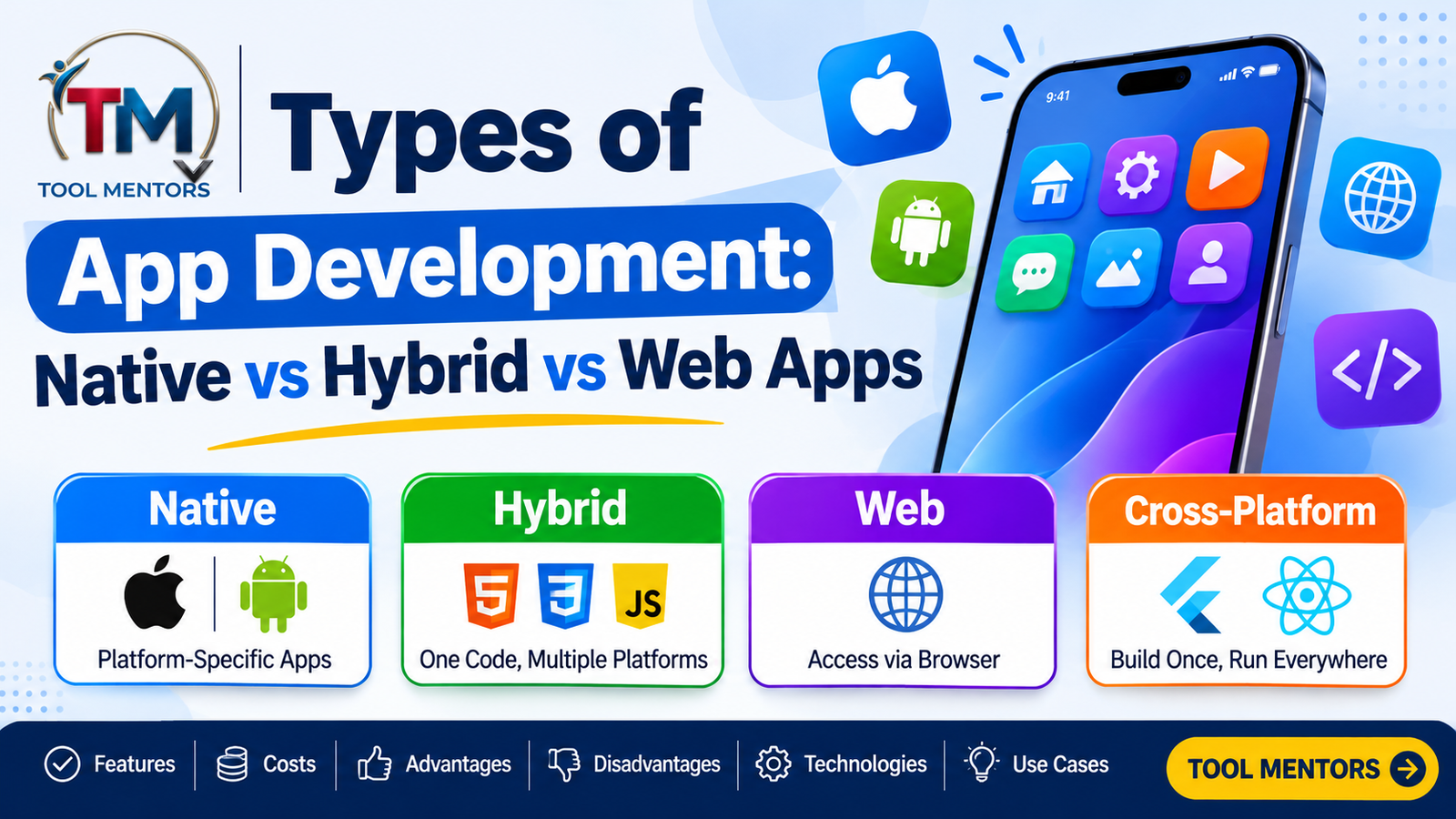
The four major approaches are native, hybrid, web, and cross-platform development. Although they can sometimes share programming languages or technologies, their architectures and methods of delivering applications are different.
2.1 Native App Development
Native app development involves creating an application specifically for one operating system using its official programming languages, development tools, and software development kits (SDKs).
For example:
-
Android applications commonly use Kotlin and Java.
-
iOS applications commonly use Swift and Objective-C.
-
Android development commonly uses Android Studio.
-
iOS development commonly uses Xcode.
Native applications are designed to work closely with their target operating systems. They can access device capabilities through platform APIs and provide interfaces that follow the operating system’s design conventions.
How native app development works
Suppose a company wants to create a fitness application for Android and iPhone users.
Using native development, developers generally create two platform-specific applications:
-
An Android application using Kotlin or Java.
-
An iOS application using Swift or Objective-C.
Each application has its own development environment, interface implementation, testing process, and release workflow. However, both applications can communicate with the same backend server and database.
Advantages of native app development
-
Excellent performance for demanding applications.
-
Direct access to operating system features and device hardware.
-
Smooth animations and responsive interfaces.
-
Strong support for platform-specific functionality.
-
Better control over platform-specific security and performance optimization.
-
Easier adoption of newly introduced operating system features.
Disadvantages of native app development
-
Separate development efforts for Android and iOS.
-
Higher development and maintenance expenses when supporting multiple platforms.
-
Requirement for platform-specific expertise.
-
More duplicated work across application versions.
-
Potentially longer development timelines.
Best use cases
Native development is particularly suitable for:
-
Mobile games with complex graphics.
-
Banking and financial applications.
-
Healthcare applications requiring specialized device integration.
-
Augmented reality applications.
-
Applications using advanced camera functionality.
-
Software requiring intensive background processing.
For example, a professional mobile video-editing application may benefit from native development because it requires efficient graphics processing, media handling, and access to device hardware.
2.2 Hybrid App Development
Hybrid app development combines web technologies with a native application container.
Developers build the application’s interface and much of its functionality using HTML, CSS, and JavaScript. The web application is then packaged inside a native shell that runs through an embedded browser component, commonly called a WebView.
This allows the application to be distributed through mobile app stores while reusing much of its code across platforms.
How hybrid app development works
A hybrid application generally follows these steps:
-
Developers create the interface using HTML and CSS.
-
JavaScript handles application logic and interactions.
-
The application is placed inside a native container.
-
Plugins or bridges provide access to supported device features.
-
The packaged application can be distributed through supported app stores.
For example, a small business may develop a customer-support application using web technologies and package it for Android and iOS.
The business can reuse much of the interface and application logic instead of building two completely separate applications.
Popular hybrid development technologies
-
Ionic
-
Apache Cordova
-
Capacitor
-
HTML
-
CSS
-
JavaScript
Advantages of hybrid app development
-
Reuses web development skills.
-
Allows significant code sharing.
-
Can reduce development time.
-
Supports distribution as installable mobile applications.
-
Provides access to selected native device features through plugins.
-
Can be suitable for relatively simple applications.
Disadvantages of hybrid app development
-
WebView-based rendering can introduce performance limitations.
-
Complex animations may require additional optimization.
-
Access to certain hardware features depends on plugins.
-
Plugin compatibility can create maintenance challenges.
-
User interfaces may not feel completely native.
-
Performance can vary across devices and operating systems.
Best use cases
Hybrid development can be appropriate for:
-
Business applications.
-
Internal employee tools.
-
Customer-support applications.
-
Content-based applications.
-
Simple shopping applications.
-
Minimum viable products (MVPs).
An MVP is an early version of a product containing only the essential features needed to test an idea with real users.
For instance, a startup could develop a basic appointment-booking application using Ionic and Capacitor to test its business concept before investing in more extensive development.
2.3 Web App Development
Web app development involves creating applications that users access through web browsers instead of installing traditional applications directly from an app store.
These applications use web technologies such as HTML, CSS, and JavaScript and commonly communicate with backend servers through APIs.
A web application can work across desktops, laptops, tablets, and smartphones, provided the device has a compatible browser and internet or other required network access.
How web app development works
A typical web application includes three main components:
-
Frontend: The user interface built using HTML, CSS, JavaScript, and frontend frameworks.
-
Backend: Server-side functionality that processes requests and handles business logic.
-
Database: A storage system that manages application information.
For example, an online project-management system may allow users to create tasks, assign responsibilities, upload documents, and monitor progress directly through their browsers.
Users do not necessarily need to download anything from Google Play or Apple’s App Store.
Types of web applications
Web applications can be divided into several categories.
-
Static web applications: Display mostly fixed content and have limited dynamic functionality.
-
Dynamic web applications: Generate or update content based on user actions and server data.
-
Single-page applications (SPAs): Update portions of a page without requiring a complete browser-page reload for every interaction.
-
Progressive Web Apps (PWAs): Use modern web capabilities to provide an installable, app-like experience with features such as caching and, where supported, offline access.
Popular web development technologies
-
HTML5
-
CSS3
-
JavaScript
-
TypeScript
-
React
-
Angular
-
Vue.js
-
Node.js
-
PHP
-
Python
Advantages of web app development
-
Accessible through web browsers.
-
No traditional app-store installation is required.
-
One web application can support multiple device types.
-
Updates can be deployed centrally.
-
Easier distribution through web addresses.
-
Responsive layouts can adapt to different screen sizes.
-
Can integrate with existing web services and databases.
Disadvantages of web app development
-
Some features depend on browser capabilities.
-
Hardware access may be more restricted than in native applications.
-
Performance can be limited for demanding graphics-intensive tasks.
-
Offline functionality requires additional implementation.
-
Browser compatibility must be tested.
-
Users may have a less integrated experience than with traditional mobile applications.
Best use cases
Web applications are useful for:
-
Online learning platforms.
-
Business management dashboards.
-
E-commerce websites.
-
Customer relationship management systems.
-
Project-management software.
-
Online booking systems.
-
Document-management platforms.
For example, an educational platform can provide video lessons, student accounts, quizzes, and course-management tools through a responsive web application.
2.4 Cross-Platform App Development
Cross-platform app development involves building applications for multiple operating systems using a shared codebase.
Instead of developing entirely separate applications for Android and iOS, developers use frameworks that allow them to reuse a significant portion of the application’s logic and, depending on the framework, its user interface.
How cross-platform app development works
A cross-platform project typically follows this process:
-
Developers select a suitable cross-platform framework.
-
They create shared application logic and interface components.
-
The framework builds or runs platform-specific application versions.
-
Developers integrate platform-specific functionality when necessary.
-
Applications are tested on Android and iOS.
-
The completed versions are released through their respective distribution channels.
Popular cross-platform frameworks
-
Flutter
-
React Native
-
.NET MAUI
-
Kotlin Multiplatform
These technologies do not all work in exactly the same way. Flutter uses its own rendering approach, React Native renders native user interface components, and Kotlin Multiplatform allows developers to choose how much application code to share.
Advantages of cross-platform app development
-
Reuses code across supported platforms.
-
Reduces duplicated development work.
-
Can shorten development timelines.
-
Simplifies many maintenance activities.
-
Allows teams to target multiple operating systems.
-
Supports integration with native platform features.
-
Can provide strong performance for many business and consumer applications.
Disadvantages of cross-platform app development
-
Some features require platform-specific code.
-
Framework updates can affect compatibility.
-
Certain plugins may have limitations.
-
Debugging platform-specific problems can be challenging.
-
Advanced native functionality may require additional expertise.
-
Performance and interface behavior depend on the framework and implementation.
Best use cases
Cross-platform development is suitable for:
-
E-commerce applications.
-
Social networking applications.
-
Educational apps.
-
Productivity applications.
-
Business management software.
-
Delivery and booking platforms.
-
Customer-service applications.
For example, an online shopping business can use Flutter or React Native to build Android and iOS applications while sharing substantial parts of its shopping, account-management, and order-processing functionality.
3. Native vs Hybrid vs Web vs Cross-Platform App Development
Understanding the differences between these approaches helps developers and businesses select the right technology.
The following table compares their main characteristics.
| Feature | Native | Hybrid | Web | Cross-platform |
|---|---|---|---|---|
| Development approach | Platform-specific | Web technologies in native shell | Browser-based | Shared codebase |
| Main languages | Kotlin, Swift | HTML, CSS, JavaScript | HTML, CSS, JavaScript | Depends on framework |
| Installation | App store | Usually app store | Browser access | App store |
| Performance | Excellent when optimized | Depends on WebView | Depends on browser and application | Often close to native for suitable workloads |
| Code reuse | Limited between platforms | High | High | High |
| Hardware access | Direct platform APIs | Plugins and bridges | Browser-supported APIs | Plugins and native APIs |
| Maintenance | Platform-specific | Shared code with plugin maintenance | Centralized deployment | Shared code with platform-specific maintenance |
| Development cost | Often higher for multiple platforms | Can be lower | Often lower for browser-based products | Often lower than separate native apps |
| Offline support | Supported when implemented | Supported when implemented | Requires additional features | Supported when implemented |
No approach is automatically the best. The right choice depends on functionality, performance requirements, budget, development expertise, and the devices your target audience uses.
4. What Is the Difference Between Hybrid and Cross-Platform App Development?
Hybrid and cross-platform development are sometimes treated as identical approaches because both can reuse code across multiple operating systems. However, they use different technologies and rendering methods.
Understanding this distinction is important when selecting a development framework.
4.1 Hybrid App Architecture
Hybrid applications generally run their interface inside an embedded web browser called a WebView.
The interface is created using web technologies, and a native container provides the application package and access to selected device functionality.
For example, an Ionic application can use HTML, CSS, and JavaScript to display its interface while Capacitor provides access to supported native device features.
4.2 Cross-Platform App Architecture
Cross-platform applications use frameworks that allow developers to share code across operating systems.
However, the way interfaces are displayed depends on the framework.
For example:
-
Flutter renders its interface using its own rendering system.
-
React Native uses native platform components.
-
Kotlin Multiplatform can share business logic while retaining separate native interfaces.
This flexibility allows developers to choose how much functionality should be shared and how much should remain platform-specific.
4.3 Key Differences
| Comparison | Hybrid development | Cross-platform development |
|---|---|---|
| Interface technology | WebView | Framework-dependent |
| Main languages | HTML, CSS, JavaScript | Dart, JavaScript, Kotlin, C# |
| Rendering | Embedded browser | Native components or framework rendering |
| Code reuse | High | High |
| Native integration | Plugins and bridges | Plugins, bridges, native modules |
| Performance | Depends on WebView and workload | Depends on framework and workload |
| Customization | Often web-oriented | Varies by framework |
| Suitable projects | Content-driven and simpler apps | Business and consumer mobile applications |
Which approach should you choose?
Choose hybrid development when you already have web development expertise, want to reuse an existing web application, and do not need demanding native functionality.
Choose cross-platform development when you want to build a more integrated mobile experience for multiple operating systems while sharing application logic and potentially interface components.
5. What Are Progressive Web Apps (PWAs)?
Progressive Web Apps are web applications that use modern browser technologies to provide an experience similar to traditional mobile applications.
They can be accessed through a web browser and, on supported platforms, installed on a device’s home screen.
Unlike traditional web applications, PWAs can offer additional capabilities such as offline access, caching, installation, and push notifications where supported.
5.1 Important PWA Technologies
A progressive web application generally uses three important technologies.
HTML, CSS, and JavaScript
These technologies create the application’s structure, design, and interactive functionality.
Service Workers
A service worker is a JavaScript file that operates separately from the main browser page. It can intercept network requests, manage caching, and support offline functionality.
Web App Manifest
A web app manifest is a configuration file that provides information such as the application’s name, icons, display mode, and preferred starting URL.
5.2 Advantages of Progressive Web Apps
-
Users can access applications through a browser.
-
Installation is supported on compatible platforms.
-
Caching can improve loading performance.
-
Selected features can work offline.
-
Updates can be deployed through the web.
-
A single web codebase can support different devices.
5.3 Limitations of Progressive Web Apps
-
Some device features are unavailable or restricted.
-
Browser support varies across platforms.
-
Push notifications and background capabilities differ by operating system.
-
Hardware-intensive functionality may be difficult to implement.
-
Certain app-store distribution options require additional packaging.
5.4 When Should You Choose a PWA?
PWAs are particularly useful for:
-
News and content platforms.
-
Online shopping websites.
-
Educational applications.
-
Business dashboards.
-
Travel information platforms.
-
Lightweight productivity tools.
For example, an online educational platform could provide students with access to lessons and selected learning materials through a PWA, even when their internet connection is temporarily unavailable.
6. Popular Programming Languages Used in App Development
Programming languages are the foundation of application development. Different development approaches require different languages, depending on the operating system, framework, and project requirements.
6.1 Kotlin
Kotlin is a modern programming language widely used for native Android development.
It provides features such as null safety, concise syntax, and interoperability with Java.
Common uses:
-
Android mobile applications.
-
Business applications.
-
Applications integrating Android APIs.
-
Shared application logic through Kotlin Multiplatform.
6.2 Swift
Swift is Apple’s programming language for developing software across its platforms, including iOS, iPadOS, macOS, and watchOS.
Common uses:
-
iPhone applications.
-
iPad applications.
-
Apple ecosystem software.
-
Applications using Apple’s platform APIs.
6.3 Java
Java is a widely used object-oriented programming language with a long history in Android and backend development.
Common uses:
-
Android applications.
-
Enterprise software.
-
Backend development.
-
Application programming interfaces.
6.4 JavaScript
JavaScript is a programming language used to create interactive websites and applications.
Common uses:
-
Web applications.
-
Hybrid mobile applications.
-
React Native development.
-
Backend applications using Node.js.
6.5 Dart
Common uses:
-
Android applications.
-
iOS applications.
-
Web applications.
-
Desktop applications.
6.6 C#
C# is a programming language commonly used within the Microsoft development ecosystem.
Common uses:
-
.NET MAUI applications.
-
Windows applications.
-
Enterprise software.
-
Backend development.
6.7 Programming Language Comparison
| Language | Common development approach | Popular tools |
|---|---|---|
| Kotlin | Native and multiplatform | Android Studio |
| Swift | Native | Xcode |
| Java | Native and backend | Android Studio, IntelliJ IDEA |
| JavaScript | Web, hybrid, cross-platform | Visual Studio Code |
| Dart | Cross-platform | Flutter SDK |
| C# | Cross-platform and desktop | Visual Studio |
Beginners should select a language based on the type of application they want to create rather than trying to learn every language simultaneously.
7. Best Frameworks and Tools for Different Types of App Development
Frameworks provide reusable components, libraries, development tools, and structures that simplify application development.
Choosing an appropriate framework can improve productivity and reduce unnecessary development work.
7.1 Flutter
Flutter is a cross-platform framework that uses Dart and provides a rich collection of interface components.
Important features:
-
Shared application code.
-
Customizable user interfaces.
-
Hot reload for faster development.
-
Support for Android and iOS.
-
Support for additional platforms.
Flutter is suitable for businesses that want consistent application interfaces across multiple operating systems.
7.2 React Native
React Native allows developers to create mobile applications using JavaScript or TypeScript and React.
Important features:
-
Reusable components.
-
Native user interface elements.
-
JavaScript and TypeScript support.
-
Integration with native platform functionality.
-
Development workflows supported by Expo.
It is especially useful for teams that already have experience with React and web development.
7.3 Ionic
Ionic is a framework for building mobile and web applications using familiar web technologies.
Important features:
-
HTML, CSS, and JavaScript.
-
Integration with Angular, React, and Vue.
-
WebView-based mobile application architecture.
-
Capacitor integration.
-
Reusable web components.
7.4 .NET MAUI
.NET MAUI enables developers to create applications for multiple platforms using C# and .NET.
It is useful for developers already familiar with Microsoft technologies.
7.5 Android Studio
Android Studio is the official integrated development environment (IDE) for Android application development.
It includes tools for:
-
Writing and managing code.
-
Testing applications.
-
Running Android emulators.
-
Debugging application errors.
-
Building application packages.
7.6 Xcode
Xcode is Apple’s development environment for building applications for its operating systems.
It provides a code editor, simulators, debugging tools, and application-building capabilities.
7.7 Visual Studio Code
Visual Studio Code is a popular code editor used in web, hybrid, and cross-platform development workflows.
Developers can extend it with language support, debugging features, formatting tools, and framework extensions.
8. How to Choose the Right Type of App Development
Selecting the correct development approach is one of the most important decisions in an application project.
Instead of choosing a framework simply because it is popular, evaluate the actual needs of your application.
Step 1: Identify Your Application’s Purpose
Start by defining what the application will do.
Ask yourself:
-
Is it an educational application?
-
Will it provide online shopping functionality?
-
Does it require real-time communication?
-
Will users need access to device hardware?
-
Does it need to work without an internet connection?
A simple information platform may work well as a web application, while a demanding mobile game may require native development.
Step 2: Understand Your Target Audience
Identify which devices and operating systems your users prefer.
For example:
-
If your audience primarily uses Android, native Android development may be suitable.
-
If you need to reach Android and iOS users, cross-platform development may be more efficient.
-
If users mainly access your service through desktop browsers, web development may be the better choice.
Step 3: Evaluate Your Budget
Different approaches require different amounts of development and maintenance effort.
Consider the cost of:
-
Developer salaries or freelance services.
-
UI/UX design.
-
Backend development.
-
Testing and debugging.
-
Cloud infrastructure.
-
Updates and maintenance.
Do not choose an approach based on initial development expenses alone. Long-term maintenance costs also matter.
Step 4: Evaluate Performance Requirements
Determine how much processing power your application needs.
Native development may be preferable for applications that require:
-
Advanced graphics.
-
Intensive video processing.
-
Complex animations.
-
Real-time hardware interactions.
For ordinary business applications, modern cross-platform frameworks may provide sufficient performance.
Step 5: Select a Suitable Framework
Choose a framework that matches your team’s knowledge and project requirements.
For example:
-
Kotlin for native Android development.
-
Swift for native iOS development.
-
Flutter for shared interface development.
-
React Native for React-based mobile development.
-
Ionic for web technology-based applications.
-
React or Vue for web applications.
Step 6: Build and Test an MVP
Before investing heavily in a complete product, create a minimum viable product.
Include only essential functionality, such as:
-
User registration.
-
Login and authentication.
-
Main application interface.
-
Core features.
-
Basic data management.
Test the application with real users and use their feedback to improve the product.
Step 7: Plan Long-Term Maintenance
Consider how the application will evolve.
Your development approach should support:
-
Security updates.
-
Operating system compatibility.
-
Performance improvements.
-
New functionality.
-
Database changes.
-
Future expansion.
A development approach that is inexpensive initially may become expensive if it is difficult to maintain.
9. Real-World Examples of App Development Approaches
Practical examples make it easier to understand when each development approach is useful.
| Application example | Suitable approach | Reason |
|---|---|---|
| Advanced mobile game | Native | Intensive graphics and performance requirements |
| Online shopping app | Cross-platform | Shared development for Android and iOS |
| Internal business tool | Hybrid | Reuse of web development skills |
| Online learning platform | Web or PWA | Browser-based accessibility |
| Mobile banking application | Native or cross-platform | Security, reliability, and platform integration |
| Content publishing platform | Web or PWA | Easy access and centralized updates |
| Fitness tracking application | Native or cross-platform | Sensors and health-related device integration |
These are recommendations rather than fixed rules. A particular product can use a different architecture depending on its features and technical requirements.
Example: Building an Educational Application
Imagine a company wants to create an educational application that provides video lessons, quizzes, student accounts, and course progress tracking.
A possible architecture could include:
-
Frontend: Flutter for the mobile applications.
-
Backend: A server-side application for user accounts and course management.
-
Database: A relational database for students, courses, and quiz results.
-
Authentication: Secure login and account-management functionality.
-
Media storage: A suitable storage service for educational videos and learning resources.
-
APIs: Communication between the mobile application and backend.
This architecture allows developers to share much of the mobile application code while maintaining centralized course and student information.
10. Practical Development Example: Creating a Simple Web Application
To understand the difference between a web application and other approaches, consider a basic task-management application.
The following example uses HTML, CSS, and JavaScript to create a simple interactive task list.
Step 1: Create an HTML file
Create a file named index.html.
<!DOCTYPE html>
<html lang="en">
<head>
    <meta charset="UTF-8">
    <meta name="viewport"
          content="width=device-width, initial-scale=1.0">
    <title>Task Manager</title>
</head>
<body>

    <h1>My Task Manager</h1>

    <input
        type="text"
        id="taskInput"
        placeholder="Enter a task"
    >

    <button onclick="addTask()">
        Add Task
    </button>

    <ul id="taskList"></ul>

    <script src="script.js"></script>

</body>
</html>
Step 2: Create the JavaScript file
Create another file named script.js.
function addTask() {
    const input = document.getElementById("taskInput");
    const taskList = document.getElementById("taskList");

    const task = input.value.trim();

    if (task === "") {
        alert("Please enter a task.");
        return;
    }

    const listItem = document.createElement("li");

    listItem.textContent = task;

    taskList.appendChild(listItem);

    input.value = "";
}
Step 3: Run the application
-
Save both files in the same folder.
-
Open
index.htmlin a web browser. -
Enter a task in the input field.
-
Click the Add Task button.
-
Check that the task appears in the list.
What does this example demonstrate?
-
HTML creates the application structure.
-
JavaScript handles user interactions.
-
The browser displays the application.
-
No native Android or iOS application is required.
This is a simple browser-based application, not a complete production-ready mobile app. It does not include a backend, user authentication, or persistent database storage.
11. App Development Costs: What Should You Expect?
Application development costs depend on several factors. There is no universal price for native, hybrid, web, or cross-platform development.
A simple application with a few screens requires significantly less work than a complex platform with real-time communication, payment processing, and advanced integrations.
11.1 Factors That Affect Development Costs
Application complexity
The number of features, screens, integrations, and workflows affects the amount of development work required.
Development approach
Native applications targeting multiple platforms often require more separate implementation work. Shared-code approaches can reduce duplication, although platform-specific development may still be necessary.
UI/UX design
Custom interfaces, animations, and accessibility requirements can increase design and implementation effort.
Backend infrastructure
Applications that require accounts, databases, APIs, file storage, and real-time synchronization need additional backend development.
Security requirements
Sensitive applications may require additional authentication, authorization, encryption, auditing, and security testing.
Maintenance
Operating system updates, bug fixes, infrastructure changes, and new features create ongoing expenses.
11.2 General Cost Comparison
| Development approach | Relative initial development effort | Maintenance considerations |
|---|---|---|
| Native | Often higher for multiple platforms | Separate platform updates |
| Hybrid | Often moderate | Web code and plugin compatibility |
| Web | Varies with functionality | Centralized deployment and browser compatibility |
| Cross-platform | Often moderate | Shared code and platform-specific maintenance |
These are general comparisons, not fixed price estimates. Actual costs depend on the team, project scope, location, complexity, and technology choices.
11.3 How to Reduce Development Costs
Businesses can control expenses through practical planning.
-
Start with essential features.
-
Use established frameworks.
-
Avoid unnecessary custom functionality.
-
Reuse suitable components.
-
Test early to identify problems.
-
Plan database and backend architecture carefully.
-
Prioritize maintainable code.
-
Monitor application performance after launch.
A well-planned project can avoid expensive redesigns and unnecessary development work.
12. Common Mistakes to Avoid in App Development
Even experienced developers can make mistakes when selecting technologies or designing application architecture.
Understanding these problems helps prevent unnecessary costs and technical difficulties.
12.1 Choosing a Framework Without Research
A popular framework is not automatically suitable for every application.
Solution: Compare the framework’s capabilities with your performance, hardware, security, and maintenance requirements.
12.2 Ignoring User Experience
An application can have technically impressive features but still fail if users cannot navigate it easily.
Solution: Create clear navigation, consistent layouts, readable typography, and intuitive interactions.
12.3 Neglecting Security
Weak authentication, exposed API keys, and insecure data storage can put users at risk.
Solution: Follow secure development practices and test authentication, authorization, network communication, and data handling.
12.4 Not Testing on Different Devices
An application may work perfectly on one device but fail on another because of screen dimensions, operating system versions, or hardware differences.
Solution: Test on different screen sizes, operating systems, and device configurations.
12.5 Building Too Many Features Initially
Adding every possible feature to the first release can increase complexity and delay deployment.
Solution: Start with an MVP and prioritize features based on actual user requirements.
12.6 Ignoring Performance Optimization
Slow loading, excessive memory usage, and unnecessary network requests can create a poor user experience.
Solution: Optimize images, reduce unnecessary processing, cache appropriate data, and monitor application performance.
13. Best Practices for Successful App Development
Following good development practices improves application quality, reliability, and maintainability.
13.1 Use a Clear Application Architecture
Organize the application into logical components.
Common architectural responsibilities include:
-
User interface.
-
Business logic.
-
Data access.
-
Network communication.
-
Authentication.
-
Error handling.
Separating responsibilities makes the application easier to test and maintain.
13.2 Write Clean and Maintainable Code
Use meaningful variable names, reusable functions, consistent formatting, and appropriate project organization.
Avoid duplicating code unnecessarily.
13.3 Implement Responsive Design
Applications should work properly on different screen sizes.
For web applications, responsive layouts help provide a consistent experience on mobile phones, tablets, and desktops.
13.4 Use Version Control
Version control systems help developers track code changes and collaborate effectively.
Git is commonly used to manage application development projects.
13.5 Automate Testing Where Appropriate
Automated tests can identify problems before they reach users.
Consider:
-
Unit testing.
-
Integration testing.
-
UI testing.
-
API testing.
-
Regression testing.
13.6 Monitor Application Performance
After deployment, monitor:
-
Application crashes.
-
Loading times.
-
API response times.
-
Memory consumption.
-
Network errors.
-
User-reported problems.
Use monitoring information to prioritize improvements.
14. Security and Performance Considerations
Security and performance should be considered from the beginning of application development rather than added only before launch.
14.1 Application Security
Important security practices include:
-
Use secure authentication.
-
Apply authorization checks to protected resources.
-
Encrypt sensitive information during transmission.
-
Store credentials securely.
-
Avoid exposing private API keys in application code.
-
Validate user input.
-
Keep dependencies updated.
-
Protect backend APIs.
-
Follow appropriate data privacy requirements.
Sensitive information should not be stored in plain text or exposed through unnecessary application logs.
14.2 Performance Optimization
Performance depends on application architecture, coding practices, device capabilities, network conditions, and backend infrastructure.
Useful optimization techniques include:
Image optimization: Use appropriately sized images and modern image formats where supported.
Efficient API communication: Avoid unnecessary requests and retrieve only the information required.
Caching: Store appropriate data locally to reduce repeated network requests.
Background processing: Avoid blocking the user interface with expensive operations.
Database optimization: Use appropriate indexes and efficient queries.
Code optimization: Identify performance bottlenecks through profiling instead of making assumptions.
14.3 Offline Functionality
Offline functionality is important for applications that users may access without a reliable internet connection.
Developers can implement:
-
Local data storage.
-
Cached resources.
-
Offline content access.
-
Background synchronization.
-
Conflict-resolution mechanisms.
For example, an educational application can allow students to download learning materials and access them when connectivity is unavailable.
15. How to Deploy and Maintain Your Application
Development does not end when an application is completed. It must be deployed, monitored, updated, and maintained to provide a reliable user experience.
15.1 Deploying Web Applications
Web applications require a hosting environment where their frontend files and backend services can operate.
Depending on the architecture, developers may need:
-
Web hosting or cloud infrastructure.
-
A domain name.
-
Database hosting.
-
SSL certificates.
-
Backend server configuration.
-
Deployment automation.
For a deeper understanding, explore ToolMentors’ guide on what web hosting is and how it works.
Students can also explore free hosting options for development projects.
15.2 Deploying Mobile Applications
Native, hybrid, and cross-platform applications generally require platform-specific build and distribution processes.
Typical deployment steps include:
-
Generate the application build.
-
Test the release version.
-
Configure application permissions.
-
Prepare application icons and screenshots.
-
Complete the required store information.
-
Submit the application for review where required.
-
Release the application to users.
15.3 Maintaining Backend Services
Mobile and web applications frequently depend on backend services for authentication, data processing, and database communication.
Developers can use backend technologies such as Node.js and Express.js to build APIs and server-side functionality.
ToolMentors also provides a practical explanation in its guide on whether Express.js is frontend or backend.
15.4 Ongoing Maintenance Checklist
16. Future Trends in App Development
Application development continues to evolve as programming technologies, devices, and user expectations change.
Understanding emerging trends can help developers prepare for future projects.
16.1 Artificial Intelligence Integration
Artificial intelligence is increasingly being incorporated into applications.
Common examples include:
-
AI-powered customer support.
-
Personalized recommendations.
-
Voice assistants.
-
Image recognition.
-
Predictive analytics.
-
Automated content processing.
Developers can integrate cloud-based AI services or use supported on-device machine learning technologies.
16.2 Internet of Things (IoT) Applications
IoT applications communicate with connected devices such as smart watches, sensors, home appliances, and industrial equipment.
For example, a smart-home application can allow users to monitor connected devices and control selected functions through their smartphones.
16.3 Augmented Reality Applications
Augmented reality (AR) combines digital information with real-world surroundings.
Applications can use AR for:
-
Interactive education.
-
Virtual product previews.
-
Navigation.
-
Gaming.
-
Architecture visualization.
These applications often require specialized graphics and hardware integration.
16.4 Cloud-Based Application Architecture
Cloud services allow applications to use remote computing resources, databases, storage, and APIs.
Cloud-based architectures can support:
-
Application scalability.
-
Centralized data management.
-
Remote access.
-
Distributed services.
-
Automated infrastructure management.
16.5 Low-Code and No-Code Development
Low-code and no-code platforms help users create applications using visual development environments and prebuilt components.
They can be useful for prototypes, internal business tools, and simple workflows.
However, highly specialized applications may still require traditional programming and custom software development.
20 Frequently Asked Questions About Types of App Development
1. What are the four main types of app development?
The four main types of app development are native, hybrid, web, and cross-platform development. Native applications are designed for specific operating systems, hybrid applications combine web technologies with native containers, web applications run through browsers, and cross-platform applications reuse code across multiple operating systems.
2. What is the difference between native and hybrid app development?
Native app development uses platform-specific languages and tools, such as Kotlin for Android and Swift for iOS. Hybrid development uses web technologies such as HTML, CSS, and JavaScript inside a native application container. Native applications generally offer better direct hardware integration, while hybrid applications can reduce duplicated development work.
3. Is native app development better than cross-platform development?
Neither approach is universally better. Native development is often preferable for demanding applications requiring specialized hardware access, platform-specific interfaces, and intensive processing. Cross-platform development is useful when businesses want to support Android and iOS with shared code and reduce duplicated development and maintenance efforts.
4. What is cross-platform mobile app development?
Cross-platform mobile app development is the process of creating applications that operate on multiple operating systems using a shared codebase. Frameworks such as Flutter and React Native help developers reuse application logic and interface components. This approach can reduce development time while providing a consistent experience across supported devices.
5. What is the difference between a web app and a mobile app?
A web application is accessed through a browser, while a traditional mobile application is installed on a device through an application package or app store. Web applications are convenient for browser-based access, whereas mobile applications can provide deeper operating system integration, installation, and access to supported device hardware.
6. Which programming language is best for app development?
The best programming language depends on your development goals. Kotlin is commonly used for Android applications, Swift for iOS applications, Dart for Flutter, JavaScript for web and React Native development, and C# for .NET MAUI. Beginners should select a language based on the framework and application they want to build.
7. Is Flutter native or cross-platform?
Flutter is a cross-platform application development framework. It uses Dart and allows developers to create applications for multiple operating systems from a shared codebase. Flutter uses its own rendering system to display interfaces rather than relying entirely on standard native interface components, while still supporting platform-specific integrations.
8. What is the difference between Flutter and React Native?
Flutter uses Dart and its own rendering approach to create application interfaces. React Native uses JavaScript or TypeScript and renders native platform components. Both support cross-platform development, but their programming languages, rendering systems, libraries, and development workflows differ. The appropriate choice depends on project requirements and developer expertise.
9. What is hybrid app development used for?
Hybrid app development is commonly used for applications that can benefit from web technologies and shared code. Examples include internal business tools, customer-support applications, content platforms, and simple mobile products. It can be especially useful when a team already has HTML, CSS, and JavaScript development experience.
10. Are progressive web apps the same as hybrid apps?
No. Progressive Web Apps are browser-based applications that use modern web technologies to provide app-like experiences, including installation and selected offline features. Hybrid applications are packaged inside native containers and commonly use embedded WebViews. Both can reuse web technologies, but their deployment and application architectures differ.
11. Which type of app development is cheapest?
There is no fixed cheapest option because costs depend on application complexity, functionality, design, backend requirements, and maintenance. A simple web application can be relatively affordable, while hybrid and cross-platform development can reduce duplicated mobile development work. Native development may require greater investment when targeting multiple platforms.
12. How long does it take to develop a mobile application?
Development time depends on the application’s features, complexity, team size, and technology. A basic application may take considerably less time than a sophisticated platform involving authentication, payment processing, real-time communication, and backend integrations. Native applications targeting multiple platforms may also require additional implementation and testing.
13. Can one codebase work for Android and iOS?
Yes. Cross-platform frameworks such as Flutter and React Native allow developers to share substantial portions of application code between Android and iOS. Kotlin Multiplatform can also share selected application logic while maintaining native interfaces. However, platform-specific features and integrations may still require separate code.
14. Which app development framework is best for beginners?
Flutter, React Native, and Ionic are popular options, but the best framework depends on your existing programming knowledge. Beginners familiar with JavaScript may find React Native or Ionic approachable, while those interested in Dart can explore Flutter. Learning programming fundamentals before selecting a framework makes the process easier.
15. Can web applications work without an internet connection?
Some web applications can work offline when developers implement suitable caching and local storage. Progressive Web Apps can use service workers to manage resources and support selected offline functionality. However, features requiring live server communication, updated database information, or cloud services may remain unavailable without connectivity.
16. What tools are needed for mobile app development?
Common mobile development tools include Android Studio, Xcode, Visual Studio Code, Flutter SDK, and React Native development tools. Developers may also need version control, testing frameworks, API development tools, database systems, and deployment services. The exact tools depend on the operating systems and frameworks selected.
17. Is cross-platform app development good for startups?
Cross-platform development can be a practical choice for startups because it allows teams to build applications for multiple operating systems while reusing code. It can reduce duplicated development work and help businesses launch an MVP sooner. However, startups should evaluate performance, integrations, scalability, and long-term maintenance before choosing a framework.
18. Which type of application is best for high performance?
Native applications are generally a strong choice for workloads requiring intensive graphics processing, specialized hardware integration, or highly optimized platform-specific functionality. However, modern cross-platform frameworks can also provide excellent performance for many applications. Actual results depend on architecture, implementation quality, device capabilities, and workload.
19. How can developers secure mobile applications?
Developers should implement secure authentication, authorization, encryption, input validation, protected API communication, and secure credential storage. They should also keep dependencies updated and avoid exposing sensitive information in application code. Regular security testing and backend protection are important for native, hybrid, and cross-platform applications.
20. How do I choose between native, hybrid, web, and cross-platform development?
Start by evaluating your application requirements, target audience, budget, performance expectations, and device compatibility needs. Choose native development for specialized platform functionality, hybrid development for web-based mobile applications, web development for browser accessibility, and cross-platform development when you want shared code across mobile operating systems.
17. Conclusion: Which Type of App Development Should You Choose?
Understanding the different types of app development is essential for anyone planning to build a mobile or web application. Native, hybrid, web, and cross-platform development each offer different advantages, limitations, technologies, and opportunities.
Native app development is suitable for applications requiring high performance, specialized hardware integration, and platform-specific functionality. It provides extensive control but can require separate development efforts for Android and iOS.
Hybrid app development combines web technologies with native application containers. It can be a practical option for simpler mobile applications, particularly when developers want to reuse existing web development skills.
Web app development provides browser-based access without requiring traditional mobile application installation. It is useful for educational platforms, business dashboards, e-commerce systems, and other services that need to work across different devices.
Cross-platform app development allows developers to reuse code across operating systems. Frameworks such as Flutter, React Native, and Kotlin Multiplatform provide different ways to share application functionality while supporting multiple platforms.
There is no single development approach that works best for every project. Your decision should be based on functionality, performance requirements, available resources, developer expertise, user expectations, and long-term maintenance.
If you are a beginner, start by learning programming fundamentals and understanding how frontend, backend, and database technologies work together. Then choose a development approach and build a small practical project.
For students, developers, freelancers, and technology enthusiasts, learning these concepts provides a strong foundation for building modern applications.
18. Final Call to Action
Are you interested in learning more about application development, programming, web development, and modern technology?
Explore ToolMentors for educational guides, practical tutorials, developer resources, and useful online tools that can help you improve your technical skills.
Visit the ToolMentors Blog to discover more technology tutorials and step-by-step learning resources.
Start learning, practice with real projects, and continue developing the skills needed to build useful applications.