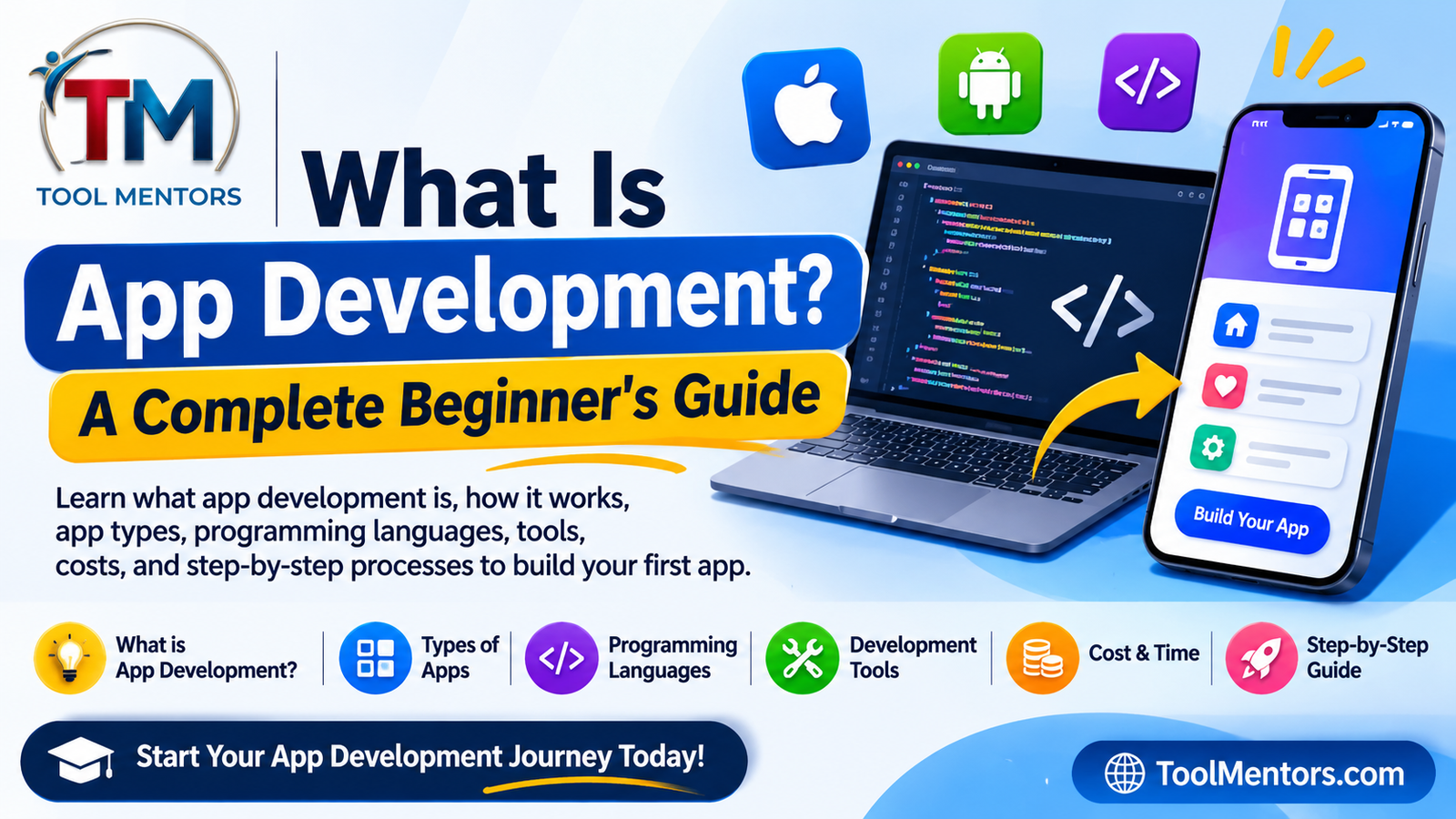
What Is App Development?
App development refers to the complete process of creating software applications for smartphones, tablets, computers, and web browsers.
An application, commonly called an app, is a software program designed to perform particular functions. For example, a calculator app performs mathematical calculations, a banking app manages financial activities, and an educational app provides lessons and learning resources.
Developers use programming languages, frameworks, development environments, and other technologies to transform an idea into a working application.
App development involves more than writing code. It includes understanding user requirements, planning features, designing interfaces, developing functionality, connecting databases, testing performance, and releasing updates.
Consider an example of a simple shopping application.
A developer might need to create:
-
A registration and login system.
-
A product browsing interface.
-
Product search and filtering.
-
Shopping cart functionality.
-
Online payment integration.
-
Order tracking.
-
Customer notifications.
Each feature requires careful planning and development to ensure that the application works correctly.
The main objective of app development is to create useful, reliable, secure, and easy-to-use software that solves a particular problem.
Why Is App Development Important?
Applications have changed how individuals and organizations interact with digital technology. Businesses use applications to improve customer experiences, automate processes, and deliver services more efficiently.
Here are some important reasons app development matters.
1. Improves User Convenience
Applications allow users to access services directly from their devices.
For example, customers can order food, transfer money, book appointments, and attend online classes without visiting physical locations.
2. Supports Business Growth
Companies can use applications to connect with customers, promote products, manage orders, and improve customer relationships.
An e-commerce company, for instance, can develop a shopping app that makes purchasing products easier.
3. Creates Career Opportunities
App development offers opportunities in several professional fields, including:
-
Android development.
-
iOS development.
-
Cross-platform development.
-
Backend development.
-
Mobile application testing.
-
UI/UX design.
-
Software engineering.
4. Encourages Innovation
Developers can use applications to introduce new solutions in education, healthcare, transportation, finance, entertainment, and other industries.
For example, a student could develop an educational application that helps learners practice programming through interactive exercises.
5. Automates Everyday Activities
Applications can reduce manual work by automating repetitive tasks.
Examples include appointment scheduling, inventory tracking, automatic notifications, document management, and customer support.
What Are the Different Types of App Development?
Before starting a project, developers must understand which type of application they want to build.
Different application types use different technologies, development environments, and programming approaches.
The most common types include native app development, cross-platform app development, web app development, and hybrid app development.
1. Native App Development
Native app development involves creating applications specifically for a particular operating system.
For example, Android applications and iOS applications are developed using technologies designed for their respective platforms.
Common Android technologies:
-
Kotlin.
-
Java.
-
Android Studio.
-
Jetpack Compose.
Common iOS technologies:
-
Swift.
-
SwiftUI.
-
Xcode.
-
UIKit.
Native applications can integrate closely with device features, such as cameras, location services, sensors, and notifications.
Example: A mobile banking application developed separately for Android and iOS.
Advantages:
-
Strong platform integration.
-
Access to platform-specific APIs.
-
Good performance when properly implemented.
-
Greater control over platform-specific user experiences.
Disadvantages:
-
Separate development work may be required for Android and iOS.
-
Maintaining multiple codebases can increase costs.
-
Developers may need different technical skills for each platform.
2. Cross-Platform App Development
Cross-platform development allows developers to build applications for multiple operating systems using a shared codebase or shared development approach.
Instead of developing every feature independently for Android and iOS, developers can reuse significant portions of their code.
Popular technologies include:
-
Flutter.
-
React Native.
-
.NET MAUI.
Example: A shopping application that runs on both Android and iOS using Flutter.
Advantages:
-
Code reuse across platforms.
-
Potentially lower development costs.
-
Easier maintenance for shared functionality.
-
Faster development for suitable projects.
Disadvantages:
-
Some platform-specific features require additional implementation.
-
Third-party library compatibility can vary.
-
Performance and user experience depend on architecture and implementation.
Cross-platform development is particularly useful for startups and businesses that want to reach users on multiple mobile platforms.
3. Web App Development
Web application development involves creating applications that users access through web browsers.
Unlike traditional installed mobile applications, web apps can often be accessed through a URL without requiring installation.
Common technologies include:
-
HTML.
-
CSS.
-
JavaScript.
-
React.
-
Angular.
-
Vue.js.
-
Backend frameworks and databases.
Examples:
-
Online banking portals.
-
Project management dashboards.
-
Online document editors.
-
Learning management systems.
-
Customer relationship management platforms.
Progressive Web Apps (PWAs) extend web applications with capabilities such as installation, offline experiences, and certain device integrations, depending on browser and platform support. MDN explains these capabilities in its Progressive Web Apps guide.
4. Hybrid App Development
Hybrid applications combine web technologies with a native application container.
Developers typically use HTML, CSS, and JavaScript to build the interface and application functionality, then package the application for mobile platforms using an appropriate framework or runtime.
Common technologies include:
-
Ionic.
-
Capacitor.
-
Apache Cordova.
Example: A business application built using web technologies and distributed as an Android and iOS application.
Advantages:
-
Reuse of web development skills.
-
Shared application code.
-
Access to selected native device capabilities through plugins.
-
Suitable for many business applications.
Disadvantages:
-
Some complex interactions may require native development.
-
Plugin compatibility must be checked.
-
Performance depends on application requirements and implementation.
Native vs Cross-Platform vs Web vs Hybrid Apps
| Feature | Native | Cross-Platform | Web | Hybrid |
|---|---|---|---|---|
| Main target | Specific OS | Multiple platforms | Browsers | Mobile platforms |
| Code reuse | Usually limited across OSs | High | High | High |
| Installation | App store or supported distribution | App store or supported distribution | Usually optional | Usually installed |
| Device integration | Strong | Framework-dependent | Browser-dependent | Plugin-dependent |
| Technologies | Swift, Kotlin | Flutter, React Native | HTML, CSS, JS | Ionic, Capacitor |
| Best for | Platform-specific experiences | Multiple mobile platforms | Browser-based services | Web-based mobile apps |
There is no universally best development approach. The right choice depends on the application’s requirements, available budget, target audience, performance needs, and long-term maintenance plans.
How Does the App Development Process Work?
App development follows a series of stages that transform an idea into a functioning product.
Although development methods vary between teams, most professional projects include the following steps.
Step 1: Identify the App Idea and Requirements
Every successful application starts with a clear purpose.
Before writing code, developers should identify the problem their application will solve and the people who will use it.
Ask yourself:
-
What problem will the application solve?
-
Who is the target audience?
-
What features will users need?
-
Which platforms should the application support?
-
What makes the application useful compared with alternatives?
Practical example:
Suppose you want to create a student task management application.
Its main purpose could be helping students organize assignments, manage deadlines, and track their study progress.
Initial requirements might include:
-
Add new tasks.
-
Set assignment deadlines.
-
Mark completed tasks.
-
View pending assignments.
-
Receive reminders.
Clearly defined requirements prevent unnecessary features and reduce confusion during development.
Step 2: Research and Plan the Application
After identifying the idea, research similar applications and understand the expectations of your target audience.
Study competing products to identify their strengths, weaknesses, and missing features.
Next, prepare a basic development plan.
Include:
-
Application objectives.
-
Target users.
-
Required features.
-
Development platform.
-
Technology stack.
-
Estimated budget.
-
Project timeline.
You should also define a Minimum Viable Product (MVP).
An MVP is an initial version containing the essential features needed to test whether the application solves its intended problem.
For example, the first version of a task management app might only support task creation, editing, deletion, and completion.
Advanced features such as calendar synchronization and collaborative task sharing can be introduced later.
Step 3: Design the User Interface and User Experience
UI stands for User Interface, while UX stands for User Experience.
UI focuses on how the application looks, including buttons, colors, typography, icons, navigation, and screen layouts.
UX focuses on how users interact with the application and whether they can complete tasks easily.
-
Figma.
-
Adobe XD.
-
Sketch.
-
Pen and paper for initial wireframes.
Start with simple wireframes that demonstrate how users will move between screens.
For a task management app, the interface might include:
-
Welcome screen.
-
Login screen.
-
Dashboard.
-
Add task screen.
-
Task details screen.
-
Settings screen.
Good UI/UX design makes an application easier to understand and use.
It is also important to consider accessibility, including readable text, sufficient contrast, meaningful labels, and support for assistive technologies.
Step 4: Choose Programming Languages and Frameworks
The next stage involves selecting the technologies required to build the application.
The choice depends on the target platform and project requirements.
For example:
| Development Goal | Language or Framework |
|---|---|
| Android applications | Kotlin |
| iOS applications | Swift |
| Cross-platform mobile apps | Flutter |
| Cross-platform mobile apps | React Native |
| Web applications | JavaScript |
| Backend development | Python, Java, Node.js |
| Database management | PostgreSQL, MySQL, SQLite |
Beginners should avoid learning too many technologies simultaneously.
Choose one development path, understand its fundamentals, and build practical projects.
Step 5: Develop the Application
This is where developers write the actual code and implement the planned features.
Application development commonly includes two major areas: frontend development and backend development.
Frontend development
The frontend is the part of the application that users see and interact with.
It includes:
-
Buttons.
-
Forms.
-
Navigation.
-
Images.
-
Menus.
-
Screens.
-
Interactive elements.
Backend development
The backend handles application logic and server-side operations.
It may include:
-
User authentication.
-
Database operations.
-
Payment processing.
-
API integrations.
-
Notifications.
-
Business logic.
For example, when a student logs into a task management application, the frontend displays the login screen while the backend verifies the user’s credentials and retrieves their tasks.
Not every application requires a complex backend. A simple calculator or offline notes application may work entirely on a device.
Step 6: Connect the Database and APIs
Many applications need to store information and communicate with external services.
A database stores information such as user profiles, products, orders, messages, and application settings.
Common database technologies include:
-
MySQL.
-
PostgreSQL.
-
SQLite.
-
MongoDB.
-
Firebase Firestore.
An API, or Application Programming Interface, allows different software systems to communicate.
For example, a weather application can request weather information from an external weather API and display the returned data.
A typical application workflow looks like this:
-
A user opens the application.
-
The application sends a request to an API.
-
The backend processes the request.
-
The backend retrieves or updates database information.
-
The server returns a response.
-
The application displays the result.
Developers should validate requests, protect credentials, and use secure communication when connecting applications to backend services.
Step 7: Test the Application
Testing ensures that an application behaves as expected.
Without proper testing, applications may contain bugs, security weaknesses, broken interfaces, or performance problems.
Important testing methods include:
Unit testing: Checks individual functions or components.
Integration testing: Verifies that different parts of an application work together.
Functional testing: Confirms that features perform their intended tasks.
Usability testing: Evaluates how easily people can use the application.
Performance testing: Examines application speed, responsiveness, and resource consumption.
Security testing: Identifies vulnerabilities and weaknesses.
For example, when testing a login feature, developers should check:
-
Correct username and password.
-
Incorrect password.
-
Empty input fields.
-
Invalid email format.
-
Expired authentication sessions.
-
Network connection failures.
Test applications on different screen sizes and operating system versions wherever practical.
Step 8: Deploy and Publish the Application
Once the application passes the necessary tests, developers prepare it for release.
For Android applications, developers commonly generate an Android App Bundle or another supported release package.
For Apple platforms, developers prepare and submit an application through Apple’s distribution process.
Publishing typically involves:
-
Preparing the application icon.
-
Writing the application description.
-
Providing screenshots.
-
Configuring permissions.
-
Preparing privacy information.
-
Completing platform-specific review requirements.
-
Releasing the application.
An application does not automatically become successful after publication. Developers also need to monitor feedback, fix problems, and improve the product.
Step 9: Maintain and Update the Application
App development continues after launch.
Applications need ongoing maintenance to remain secure, compatible, and useful.
Maintenance activities include:
-
Fixing software bugs.
-
Updating dependencies.
-
Improving performance.
-
Adding new features.
-
Updating security protections.
-
Supporting new operating system versions.
-
Monitoring crashes and user feedback.
For example, if users report that an application crashes when opening a particular screen, developers investigate the issue, fix the underlying problem, test the correction, and release an update.
Which Programming Languages Are Used in App Development?
Programming languages provide instructions that tell computers and mobile devices what to do.
Different languages are suitable for different application development environments.
Here are some commonly used languages.
1. Kotlin
Kotlin is widely used for Android application development.
It offers modern language features and works with the Java ecosystem.
Android developers use Kotlin to build application interfaces, handle application logic, and integrate Android platform features.
2. Swift
Swift is Apple’s programming language for developing applications across its platforms.
Developers commonly use Swift with SwiftUI or UIKit to build iPhone and iPad applications.
Apple provides a structured SwiftUI learning pathway for beginners who want to explore interface development.
3. Java
Java is a widely used programming language that has historically played an important role in Android development.
It is also used in backend systems, enterprise applications, and other software projects.
4. Dart
Dart is the programming language used by Flutter.
Developers use Dart to create cross-platform applications with reusable interfaces and application logic.
5. JavaScript
JavaScript is commonly used for web development and cross-platform application development.
Frameworks such as React Native allow developers to use JavaScript or TypeScript to create mobile applications.
6. Python
Python is popular for backend development, automation, data processing, and artificial intelligence.
Although it is not the standard choice for mainstream native Android or iOS development, Python can support application backends and certain specialized application projects.
What Are the Best App Development Tools?
App development tools help developers write code, design interfaces, manage projects, test features, and release applications.
Here are some useful tools beginners and professionals can explore.
| Tool | Main Purpose | Suitable For |
|---|---|---|
| Android Studio | Android development | Android developers |
| Xcode | Apple platform development | iOS developers |
| Visual Studio Code | Code editing | Web and software developers |
| Flutter | Cross-platform development | Android and iOS projects |
| React Native | Cross-platform development | JavaScript developers |
| Figma | UI/UX design | Designers and developers |
| Git | Version control | Development teams |
| GitHub | Code hosting and collaboration | Individual and team projects |
| Firebase | Backend services | Mobile and web applications |
| Postman | API testing | Backend and frontend developers |
Android Studio
Android Studio is the official integrated development environment (IDE) for Android development.
It provides code editing, debugging, testing, and Android-specific development features.
Xcode
Xcode is Apple’s development environment for creating, testing, and distributing applications across Apple platforms.
It includes tools for writing Swift code, designing interfaces, and testing applications using simulators.
Visual Studio Code
Visual Studio Code is a popular code editor that supports many programming languages through extensions.
It is useful for JavaScript, TypeScript, Python, web development, and numerous other development workflows.
Flutter
Flutter is a framework for building applications across multiple platforms from a shared codebase.
It uses Dart and provides widgets for creating application interfaces.
Git and GitHub
Git helps developers track changes to source code.
GitHub provides hosting and collaboration features for Git repositories.
Together, these tools help development teams manage versions, review changes, and collaborate on projects.
How to Develop Your First App as a Beginner
If you are new to programming, the best approach is to start with a small application instead of attempting a complicated project.
A simple task management app is an excellent learning project because it introduces essential development concepts.
Follow these steps.
Step 1: Choose a Simple Project
Start with a basic application idea.
Examples include:
-
Calculator.
-
To-do list.
-
Notes application.
-
Expense tracker.
-
Habit tracker.
-
Unit converter.
Choose a project with a limited number of features.
Step 2: Select a Development Technology
For example, you could select Flutter if your goal is to explore cross-platform mobile development.
Alternatively, choose Kotlin for native Android development or Swift for Apple platforms.
Step 3: Set Up Your Development Environment
Install the required software and create a new project.
For example, an Android developer can install Android Studio and create a new application project using a supported template.
Apple developers can follow Apple’s official Xcode project creation guide.
Step 4: Design the Application Screens
Create simple layouts before implementing advanced functionality.
For a to-do list app, you might need:
-
A home screen.
-
An input field for new tasks.
-
An add button.
-
A list of tasks.
-
A completion checkbox.
Step 5: Write the Basic Functionality
The following JavaScript example demonstrates a simple task management feature.
It is a learning example that can run in a browser, rather than a complete Android or iOS application.
<!DOCTYPE html>
<html lang="en">
<head>
    <meta charset="UTF-8">
    <meta name="viewport"
          content="width=device-width, initial-scale=1.0">
    <title>My First Task App</title>
</head>
<body>

    <h1>My Task Manager</h1>

    <input id="taskInput"
           type="text"
           placeholder="Enter a task">

    <button onclick="addTask()">
        Add Task
    </button>

    <ul id="taskList"></ul>

    <script>
        function addTask() {
            const input =
                document.getElementById("taskInput");

            const task =
                input.value.trim();

            if (task === "") {
                alert("Please enter a task.");
                return;
            }

            const item =
                document.createElement("li");

            item.textContent = task;

            document.getElementById("taskList")
                .appendChild(item);

            input.value = "";
        }
    </script>

</body>
</html>
This example introduces several important programming concepts:
-
HTML creates the interface.
-
JavaScript handles user interaction.
-
A function performs a specific operation.
-
DOM manipulation adds new tasks to the page.
-
Input validation prevents empty tasks from being added.
Step 6: Test Your Application
Add different tasks and check whether the application behaves correctly.
Try entering empty information, adding multiple tasks, and testing the interface on smaller screens.
Step 7: Improve the Features
After the basic application works, gradually add:
-
Delete task functionality.
-
Task completion.
-
Local data storage.
-
Editing existing tasks.
-
Better styling.
-
Responsive layouts.
This project will help you understand how application features are designed, implemented, and improved.
How Much Does App Development Cost?
App development costs depend on project complexity, development approach, required features, design requirements, and the experience of the development team.
There is no single price that applies to every application.
A basic calculator app may require considerably less work than a complete e-commerce platform with payment processing, user accounts, inventory management, and delivery tracking.
The following table provides illustrative planning ranges in US dollars, not market quotations or verified industry averages.
| Application Type | Illustrative Development Budget |
|---|---|
| Basic calculator or notes app | $500–$3,000 |
| Simple business application | $2,000–$10,000 |
| Medium-complexity application | $10,000–$40,000 |
| Advanced e-commerce application | $20,000–$80,000+ |
| Complex enterprise application | $50,000–$150,000+ |
Actual costs can fall outside these ranges depending on location, developer rates, functionality, and technical requirements.
Factors That Affect Development Costs
1. Application Complexity
More features generally require more development time.
2. Platform Selection
Developing separate native applications may require additional work compared with sharing code across platforms.
3. UI/UX Design
Custom interfaces, animations, and complex user experiences can increase design and development effort.
4. Backend Infrastructure
Applications requiring servers, databases, authentication, and integrations need additional engineering.
5. Security Requirements
Financial applications and applications handling sensitive user information may require additional security engineering and compliance work.
6. Maintenance
Ongoing updates, hosting, monitoring, and technical support contribute to the long-term cost.
How Can You Reduce App Development Costs?
Consider these approaches:
-
Start with an MVP.
-
Prioritize essential features.
-
Use established frameworks where appropriate.
-
Reuse code when practical.
-
Plan the architecture before development.
-
Test regularly to identify problems early.
-
Avoid unnecessary custom features.
A well-planned application can reduce wasted development effort and make future improvements easier.
What Skills Do You Need to Become an App Developer?
You do not need to know everything before beginning your app development journey.
However, professional developers benefit from a combination of technical and problem-solving skills.
Technical Skills
Programming: Learn at least one programming language relevant to your chosen platform.
UI/UX Fundamentals: Understand interface design, navigation, accessibility, and usability.
Database Management: Learn how applications store, retrieve, and update information.
API Integration: Understand how applications communicate with external services.
Debugging: Develop the ability to identify and fix software errors.
Testing: Learn how to verify application functionality, reliability, and performance.
Version Control: Understand Git and collaborative development workflows.
Important Soft Skills
In addition to technical knowledge, developers benefit from:
-
Communication.
-
Critical thinking.
-
Time management.
-
Creativity.
-
Attention to detail.
-
Teamwork.
-
Continuous learning.
These skills help developers understand requirements, solve problems, and work effectively with designers, clients, and other engineers.
Common App Development Mistakes and How to Avoid Them
Beginners often make mistakes that create unnecessary problems during development.
Understanding these mistakes can help you build better applications.
| Common Mistake | Why It Is a Problem | Recommended Solution |
|---|---|---|
| Starting without planning | Features become confusing | Define requirements first |
| Adding too many features | Increases complexity | Begin with an MVP |
| Ignoring user experience | Makes navigation difficult | Design and test interfaces |
| Skipping testing | Bugs reach users | Test throughout development |
| Weak authentication | Creates security risks | Use established authentication practices |
| Poor database design | Causes data problems | Plan data models carefully |
| Ignoring performance | Creates slow experiences | Optimize code and resources |
| Not updating the app | Creates compatibility issues | Maintain and update regularly |
1. Ignoring Application Security
Security should be considered from the beginning.
Avoid storing passwords in plain text, exposing private API keys, or trusting unvalidated user input.
Use secure authentication methods, appropriate authorization checks, encrypted network connections, and secure storage.
2. Building Too Many Features at Once
Beginners sometimes attempt to build complicated applications immediately.
This can make development difficult and increase the likelihood of unfinished projects.
Start with a working core application and add features gradually.
3. Ignoring Different Screen Sizes
Applications should be tested on different device sizes and supported operating system versions.
A design that works on one smartphone may not work properly on another.
Use responsive layouts and platform-appropriate interface components.
4. Skipping Regular Testing
Do not wait until the application is completely finished before testing it.
Test individual features during development to identify problems early.
App Development Best Practices
Professional app development requires more than making an application functional. Developers should also consider its maintainability, security, performance, and usability.
Here are some important practices.
1. Write Clean and Maintainable Code
Use meaningful variable names, organize files logically, and avoid unnecessary code duplication.
Separate application responsibilities into manageable components.
2. Prioritize Application Security
Follow secure development practices:
-
Validate user input.
-
Protect authentication credentials.
-
Use HTTPS for network communication.
-
Apply appropriate access controls.
-
Keep dependencies updated.
-
Avoid exposing sensitive information in application logs.
3. Optimize Performance
Slow applications can frustrate users.
To improve performance:
-
Optimize images and other assets.
-
Reduce unnecessary network requests.
-
Avoid expensive operations on the main UI thread.
-
Cache suitable information.
-
Monitor memory usage.
-
Profile performance on real devices.
4. Design for Accessibility
Consider users who rely on assistive technologies.
Provide accessible labels, sufficient contrast, readable typography, logical navigation, and support for screen readers.
5. Use Version Control
Git helps developers track code changes, create branches, and recover previous versions.
It is especially useful when multiple developers contribute to the same project.
6. Document Your Application
Maintain documentation explaining the application’s architecture, installation process, API integrations, configuration, and important technical decisions.
Good documentation makes maintenance and collaboration easier.
What Is the Future of App Development?
App development continues to evolve as new technologies and user expectations influence how applications are designed and built.
Several technology areas are particularly important.
Artificial Intelligence Integration
AI can support features such as chatbots, personalized recommendations, image recognition, speech processing, and automated assistance.
Developers can integrate AI services into applications through APIs and suitable machine learning frameworks.
Internet of Things (IoT)
IoT applications connect software with physical devices such as smart appliances, sensors, wearables, and industrial equipment.
For example, a mobile application can allow users to monitor a smart home system.
Cloud-Based Applications
Cloud services provide infrastructure for hosting application backends, storing data, processing requests, and scaling services.
They can help developers support users across different devices and locations.
Augmented Reality
Augmented reality combines digital elements with real-world environments.
Potential applications include interactive education, product visualization, navigation, and entertainment.
Low-Code and No-Code Development
Low-code and no-code platforms allow users to create certain applications using visual interfaces and prebuilt components.
They can accelerate prototypes and straightforward business workflows, although complex applications may still require traditional programming.
Improved Cross-Platform Development
Cross-platform frameworks continue to provide ways to share application logic and interface code across different operating systems.
Developers should still evaluate platform compatibility, performance, and native integration before choosing a framework.
11. Relevant Internal Links – ToolMentors
The following are verified ToolMentors pages that are relevant to the learning journey. They cover web development fundamentals and coding practices that can support beginners learning app development. They are not presented as dedicated mobile app development tutorials.
1. How Do You Build a Complete Website Using HTML5?
Learn HTML structure, CSS, JavaScript, responsive design, and publishing fundamentals.
2. What Are the Best HTML5 Coding Practices?
Explore clean code, semantic elements, accessibility, and maintainable development.
3. How Do You Make HTML5 Websites Accessible?
Understand accessibility fundamentals that also apply to application interface design.
4. Explore More Programming and Technology Tutorials
Discover additional educational resources and technical guides.
You can also visit the ToolMentors homepage to explore useful online tools and educational resources.
12. 20 Frequently Asked Questions About What Is App Development?
1. What is app development in simple words?
App development is the process of creating software applications for smartphones, tablets, computers, and web browsers. It involves planning an application, designing its interface, writing code, testing features, and publishing the finished product. For example, developers use app development techniques to create shopping apps, educational platforms, banking applications, and productivity tools.
2. How does app development work?
App development works through several stages, including idea generation, requirement analysis, UI/UX design, programming, database integration, testing, deployment, and maintenance. Developers first identify what an application should accomplish, then select suitable technologies and build its features. After testing the application, they release it to users and continue improving it through updates.
3. Is app development difficult for beginners?
App development can be challenging initially because beginners need to understand programming concepts, application architecture, and development tools. However, it becomes easier when you learn gradually and practice with small projects. Start with programming fundamentals, create simple applications, and gradually explore databases, APIs, and advanced development frameworks.
4. Can I learn app development without coding experience?
Yes, you can learn app development without previous coding experience. Start by understanding basic programming concepts such as variables, functions, conditions, and loops. Then choose a development technology such as Flutter, Kotlin, or JavaScript. Visual app builders can also help beginners understand application structure before moving into traditional programming.
5. Which programming language is best for app development?
The best programming language depends on your development goals. Kotlin is a strong choice for native Android applications, while Swift is commonly used for Apple platforms. Dart is used with Flutter for cross-platform development, and JavaScript is popular for web and React Native applications. Choose a language based on your target platform and project requirements.
6. What is the difference between Android and iOS app development?
Android app development focuses on applications designed for Android devices, commonly using Kotlin and Android Studio. iOS app development focuses on Apple’s operating systems and commonly uses Swift, SwiftUI, and Xcode. Both approaches have different development environments, platform guidelines, and distribution processes, although cross-platform frameworks can support both platforms.
7. What is cross-platform app development?
Cross-platform app development is an approach that allows developers to create applications for multiple operating systems using shared code. Frameworks such as Flutter and React Native help reduce duplicated development work. This approach can save time and simplify maintenance, although some features may still require platform-specific implementation.
8. What is the difference between native and hybrid app development?
Native applications are developed specifically for a particular operating system using its supported technologies. Hybrid applications combine web technologies with a native container to provide an installable mobile experience. Native development offers deeper platform integration, while hybrid development can reuse web development skills and share more code across platforms.
9. How long does it take to develop a mobile app?
Development time depends on application complexity, required features, design, integrations, and team experience. A basic application might take days or weeks, while a more advanced product can require several months or longer. Planning, testing, revisions, and publishing also contribute to the overall development timeline.
10. How much does app development cost?
App development costs vary according to features, platform requirements, design complexity, backend infrastructure, and developer rates. A simple application may cost hundreds or a few thousand dollars, while advanced commercial applications can require significantly larger budgets. Creating an MVP, prioritizing essential functionality, and planning the project carefully can help control expenses.
11. What tools are needed for app development?
Developers use different tools depending on the application platform. Android Studio supports Android development, while Xcode supports Apple application development. Flutter and React Native help build cross-platform applications. Other useful tools include Visual Studio Code for editing code, Figma for interface design, Git for version control, and Postman for testing APIs.
12. What is the difference between frontend and backend app development?
Frontend development focuses on the application’s visible interface and user interactions, including buttons, screens, forms, and navigation. Backend development handles server-side operations such as authentication, business logic, database communication, and API processing. Both parts work together to deliver a complete application experience, although some applications operate without a separate backend.
13. Do I need a database to develop an app?
Not every application requires a database. A simple calculator or basic offline utility may operate without one. However, applications that store user accounts, shopping orders, messages, or other persistent information generally need a storage solution. Developers can choose technologies such as SQLite, PostgreSQL, MySQL, or Firebase according to their requirements.
14. What is an API in app development?
An API, or Application Programming Interface, allows different software components or systems to communicate. For example, a weather application can use an API to request current weather information from an external service. APIs are also commonly used for authentication, payments, maps, notifications, and retrieving information from backend servers.
15. Can I develop an app without programming?
Yes, certain applications can be created using no-code and low-code development platforms. These tools provide visual interfaces, templates, and prebuilt components that reduce the need to write code manually. They are useful for prototypes and straightforward business applications. More complex products may require custom programming and specialist development knowledge.
16. How do I publish an app on Google Play and the Apple App Store?
To publish an application, developers must prepare a release build, create store listing information, provide screenshots, configure required permissions, and complete the relevant platform submission process. Google Play and Apple’s App Store have their own developer requirements and review procedures. Developers should check the latest official publishing policies before submitting their applications.
17. What is app testing and why is it important?
App testing is the process of checking whether an application works correctly, securely, and reliably. It helps identify software bugs, broken features, interface problems, and performance issues before users experience them. Developers use unit testing, integration testing, functional testing, usability testing, and security testing to improve application quality.
18. How can I make my mobile app secure?
You can improve application security by using secure authentication, encrypting network communication, validating user input, and protecting sensitive information. Avoid storing passwords in plain text and never expose private API credentials in application code. Regularly update dependencies, review access permissions, and test for common security vulnerabilities throughout development.
19. Can I become a professional app developer without a computer science degree?
Yes, a computer science degree is not the only route into app development. You can develop professional skills through structured learning, practical projects, documentation, and independent practice. Build a portfolio containing functional applications, learn programming fundamentals, and develop problem-solving skills. Employers and clients may consider practical experience alongside formal education.
20. What is the best way to start learning app development in 2026?
The best approach is to choose one development path and follow a structured learning process. Learn programming fundamentals, become familiar with an IDE, build a simple application, and practice database integration and API communication. Explore official documentation, test your projects, and gradually develop more advanced applications. Consistent practical experience is essential for long-term progress.
13. Detailed Conclusion
App development is an important part of modern technology, allowing individuals and businesses to create software solutions for everyday problems. From simple calculators and educational applications to advanced banking platforms and e-commerce systems, applications make digital services more accessible and convenient.
Understanding what app development is involves learning about several connected areas, including programming languages, development frameworks, interface design, databases, APIs, software testing, deployment, and maintenance.
For beginners, the best way to enter this field is to start with the fundamentals instead of attempting to master every technology simultaneously.
First, decide whether you want to develop Android applications, iOS applications, cross-platform mobile apps, or web applications. Then choose an appropriate programming language and development environment.
For example:
-
Choose Kotlin if you want to focus on Android development.
-
Choose Swift if you want to develop applications for Apple platforms.
-
Choose Flutter and Dart if you want to explore cross-platform development.
-
Choose JavaScript if you are interested in web applications and React Native.
After learning the basics, start building small projects such as calculators, task managers, notes applications, and expense trackers. These projects help you understand how application interfaces, programming logic, databases, and user interactions work together.
As your experience increases, explore advanced concepts such as backend architecture, API integration, authentication, cloud infrastructure, application security, and performance optimization.
Remember that successful app development is not simply about writing code. It is about understanding user requirements, solving real problems, delivering a reliable experience, and continuously improving the application.
Whether your goal is to become a professional developer, launch your own startup, work as a freelancer, or develop applications for your business, learning app development can provide valuable technical knowledge and practical opportunities.
14. Final Call to Action
Ready to improve your technology and development skills?
Explore ToolMentors for practical online tools, programming tutorials, technical guides, and educational resources designed to make learning technology easier.
Whether you are learning HTML5, exploring programming languages, understanding web development, or building your first application, ToolMentors can help you discover useful resources and develop your digital skills.
Keep learning, keep building, and turn your ideas into practical digital solutions.
Visit the ToolMentors Blog to explore more technology tutorials and beginner-friendly development guides.

3 Comments