
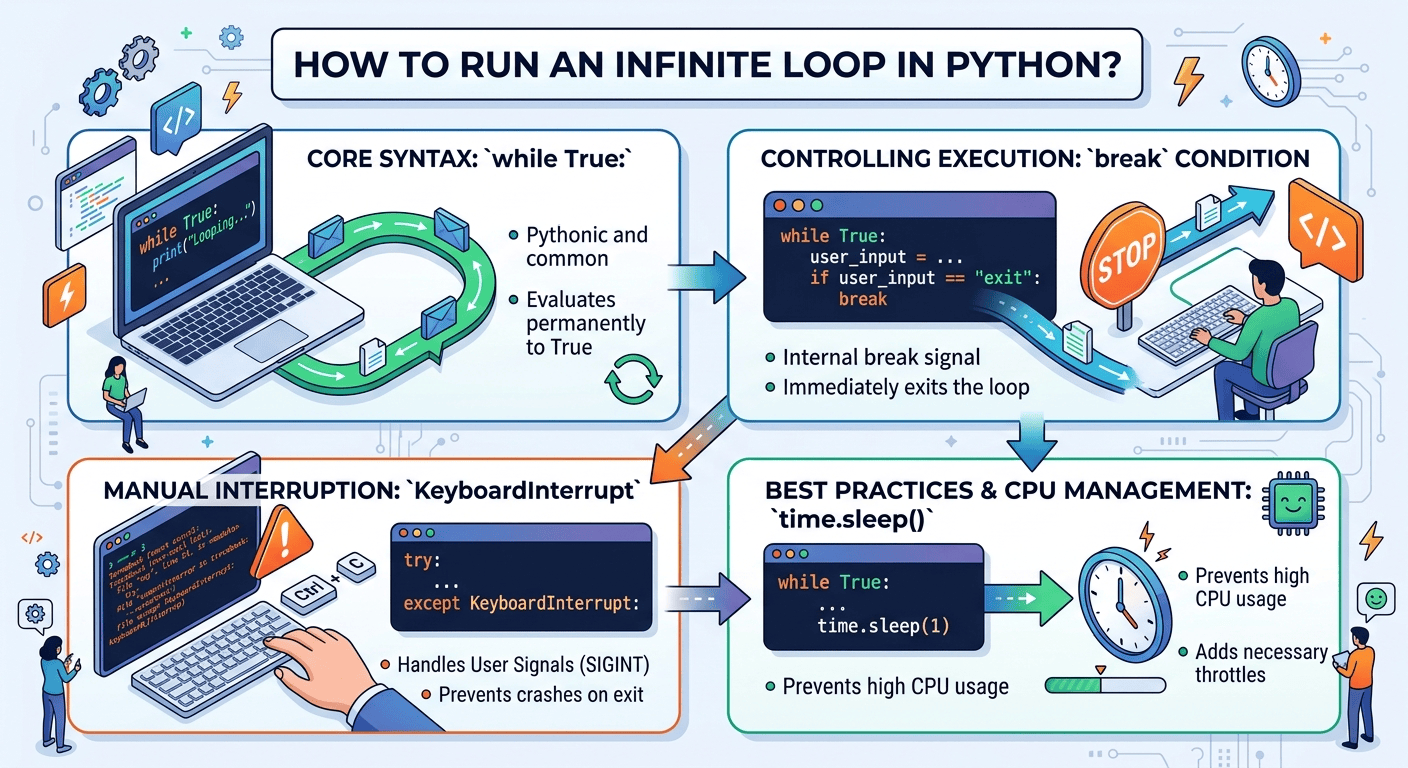
To create an infinite loop in Python, use a while True: statement, which continuously executes the enclosed block of code because the boolean condition never evaluates to false. You can safely exit an infinite loop at any time using the break statement or handle manual execution stops using a try...except KeyboardInterrupt block.

Understanding Infinite Loops in Python
An infinite loop is a sequence of instructions in a computer program that repeats endlessly unless an external intervention or internal break condition stops execution. While accidental infinite loops are a common programming bug (often caused by forgetting to increment a counter inside a standard while loop), intentional infinite loops are a foundational pattern in software engineering.
In Python, intentional infinite loops power event-driven applications, server listeners, game engines, background worker threads, and continuous data scrapers. Python evaluates the conditional expression of a while loop before every iteration; by passing the boolean constant True, the condition remains permanently satisfied.
Core Syntax: The Standard while True Loop
The most pythonic and readable way to construct an infinite loop is using the while True statement.
import time

# A simple intentional infinite loop
while True:
    print("Looping continuously...")
    time.sleep(1)  # Pauses execution for 1 second to manage CPU usage
How It Works Step-by-Step:
-
Condition Evaluation: Python checks the expression following
while. SinceTrueis always true, the block enters execution. -
Body Execution: The program runs
print()and pauses attime.sleep(1). -
Re-evaluation: Once the block finishes, control jumps back to the top, re-evaluating
Trueand repeating the sequence indefinitely.
Controlling Infinite Loops: Breaking and Graceful Exits
Running an unmanaged infinite loop can cause high CPU utilization or frozen terminal sessions. Professional developers implement controlled exit strategies using internal logic or system signal handlers.
1. Using the break Statement
You can terminate an infinite loop immediately when a specific condition is met using the break keyword.
while True:
    user_input = input("Enter 'exit' to stop the loop: ").strip().lower()

    if user_input == "exit":
        print("Exiting loop safely...")
        break  # Immediately exits the loop

    print(f"You entered: {user_input}")

print("Program terminated successfully.")
2. Handling KeyboardInterrupt (Ctrl + C)
When running an infinite loop in a command-line interface, stopping it manually sends a SIGINT signal, throwing a KeyboardInterrupt exception. Catching this exception ensures clean termination without printing an ugly traceback error.
import time

print("Starting background service. Press Ctrl+C to stop.")

try:
    while True:
        print("Service is active and listening...")
        time.sleep(2)
except KeyboardInterrupt:
    print("\nKeyboardInterrupt detected. Cleaning up resources and shutting down...")
Advanced Infinite Iteration Techniques
While while True: is the most common approach, Python’s standard library provides specialized modules for infinite iteration over sequences.
Using itertools.count()
The itertools module offers count(), which generates an infinite sequence of consecutive numbers.
import itertools
import time

# Starts counting from 1 endlessly
for iteration in itertools.count(start=1, step=1):
    print(f"Processing task batch #{iteration}")
    time.sleep(1)

    if iteration >= 5:
        print("Batch limit reached.")
        break
Using itertools.cycle()
If you need to cycle through a list or sequence infinitely, itertools.cycle() loops through the items repeatedly.
import itertools
import time

status_light = itertools.cycle(["RED", "YELLOW", "GREEN"])

# Simulating a traffic light sequence
for _ in range(6):
    current_state = next(status_light)
    print(f"Traffic light changed to: {current_state}")
    time.sleep(1)
Real-World Applications for Students, Developers, and Freelancers
Understanding how to control continuous execution opens up critical web development and automation capabilities:
-
For Students & Beginners: Infinite loops power command-line interactive applications, text-based RPG games, and continuous menu selection systems where the program needs to prompt the user repeatedly until they choose to quit.
-
For Web Developers & Freelancers: Real-time applications rely on continuous loops to listen for inbound WebSockets, stream data from live APIs (like financial tickers or social media feeds), and check database tables for queued emails or background processing jobs.
-
For Data Engineers: Automated web scrapers use infinite loops to continuously poll eCommerce websites or news portals at designated time intervals to monitor price drops or breaking updates.
Deploying Infinite Python Services to Production
Running an infinite loop on a local laptop or desktop is fine during development, but local execution fails in production when your device goes to sleep, restarts, or loses network connectivity. Real-world applications demand cloud servers with 24/7/365 uptime.
When deploying continuous Python scripts—such as Telegram bots, API polling daemons, or background workers—you need a reliable server configured with a process manager like systemd or supervisor.
Recommended Infrastructure: Hostinger VPS
For executing uninterrupted background scripts, Hostinger VPS Hosting provides an ideal server environment with full root access, low latency, and guaranteed uptime.
Step-by-Step: Running a 24/7 Python Daemon on Hostinger VPS
-
Provision a Hostinger VPS: Choose a Linux distribution (such as Ubuntu or Debian) in Hostinger’s hPanel.
-
Connect via SSH: Access your cloud server securely:
Bashssh root@your-vps-ip -
Upload Your Python Script: Save your infinite script (e.g.,
app_daemon.py) on the server. -
Create a
systemdService File: Create a background daemon so Linux automatically starts and restarts your script if it crashes:Bashsudo nano /etc/systemd/system/python_daemon.service -
Configure the Service Unit:
Ini, TOML[Unit] Description=Python Infinite Service Daemon After=network.target [Service] Type=simple User=root WorkingDirectory=/root ExecStart=/usr/bin/python3 /root/app_daemon.py Restart=always RestartSec=5 [Install] WantedBy=multi-user.target -
Enable and Start the Daemon:
Bashsudo systemctl daemon-reload sudo systemctl enable python_daemon.service sudo systemctl start python_daemon.service
Using Hostinger’s high-performance KVM architecture ensures your infinite loops run continuously in isolated environments without being terminated by host resource managers.
Best Practices and CPU Management
When designing continuous Python scripts, follow these essential engineering safeguards:
-
Always Include a Throttle (
time.sleep): An unthrottledwhile True:loop executing empty code will consume 100% of a single CPU core, leading to system thermal throttling and high server load. Adding even a tiny delay (time.sleep(0.01)) drops CPU utilization to near zero. -
Wrap Execution in Global Exception Handlers: Uncaught exceptions inside an infinite loop will crash the script. Wrap the inner loop logic in
try...exceptblocks to log errors and allow the loop to continue running. -
Implement Structured Logging: Avoid relying solely on
print()for production scripts. Use Python’s built-inloggingmodule to output log entries with timestamps to rotating log files.
Exclusive Hosting Offer: Launch Your Python Scripts 24/7
Transitioning your Python automation tools, scrapers, and background daemons from local development to cloud servers requires robust infrastructure. Elevate your developer setup with fast, reliable, and secure hosting.
Exclusive 20% Discount Offer
Hostinger offers high-performance Web Hosting and VPS solutions featuring dedicated NVMe storage, 99.9% uptime, and 24/7 technical support. Claim an EXCLUSIVE 20% DISCOUNT on your order today using the link below!
Claim Your 20% Discount on Hostinger Hosting Here
-
Direct Access Link: https://www.hostinger.com/pk?REFERRALCODE=Meerub
Deploy your continuous Python applications on Hostinger today for uninterrupted 24/7 performance!

