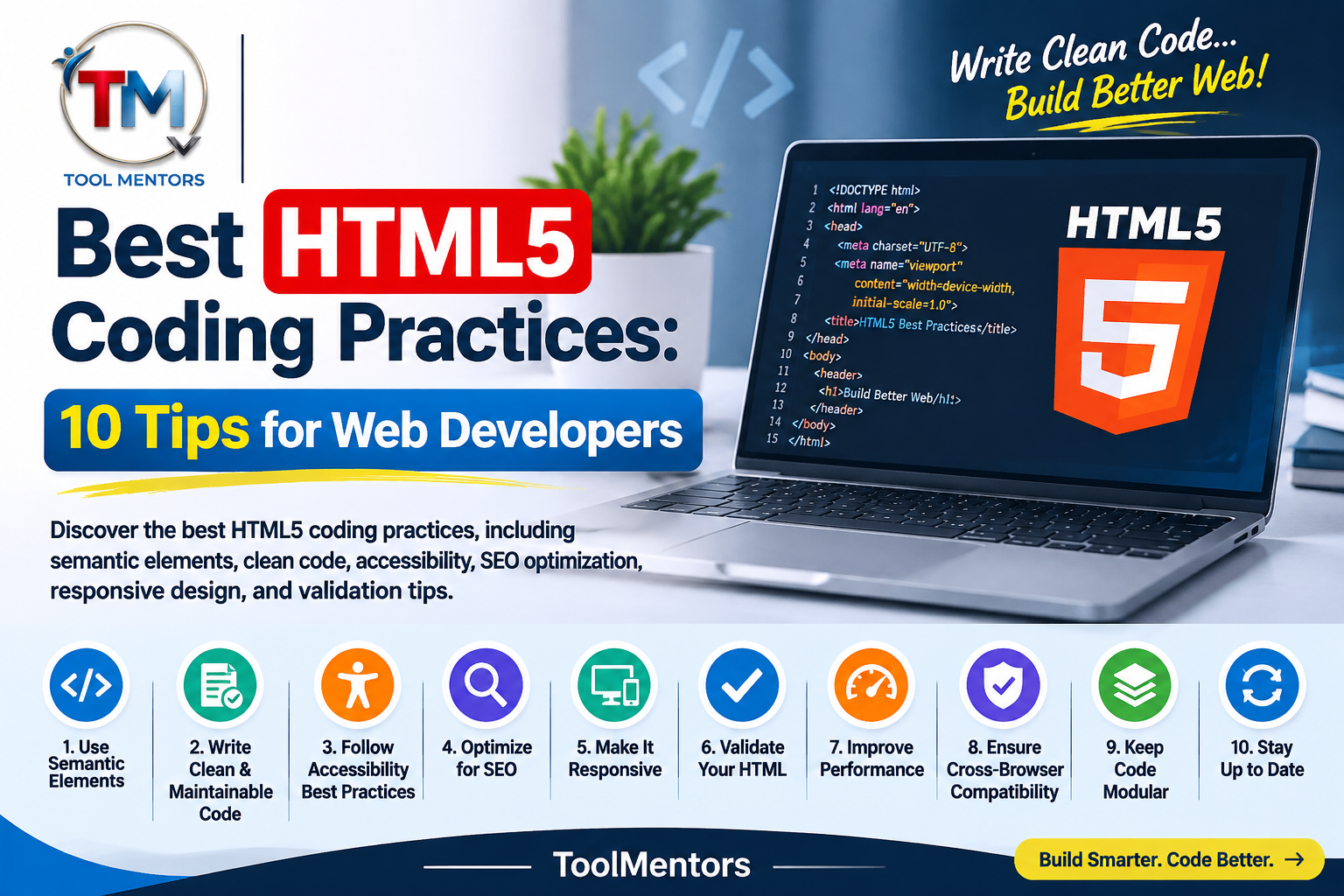
HTML5 is the foundation of modern web development. It helps developers create structured, accessible, responsive, and user-friendly websites. However, writing HTML code is not just about adding tags and displaying content. Following the best HTML5 coding practices is essential for building websites that are easy to maintain, perform well, and provide a consistent experience across different devices and browsers.
Whether you are a beginner learning HTML or an experienced developer working on professional websites, understanding HTML5 coding standards can improve the quality of your work. From using semantic HTML elements to maintaining clean code structure, small improvements can make a significant difference in web development.
In this guide, we will explore the best HTML5 coding practices, explain why they matter, and share practical tips to help you write cleaner and more accessible code.
1. Use Semantic HTML5 Elements
One of the most important HTML5 best practices for web developers is using semantic elements. Semantic HTML elements describe the purpose of different sections of a webpage, making the code easier to understand for browsers, search engines, developers, and assistive technologies.
Instead of using <div> elements for every section, choose appropriate semantic tags such as:
<header>for introductory content or page headers.<nav>for navigation links.<main>for the primary page content.<section>for related content grouped together.<article>for independent content.<aside>for supporting information.<footer>for footer content.
For example:
<header>
  <h1>Welcome to My Website</h1>
</header>

<nav>
  <a href="/">Home</a>
  <a href="/blog/">Blog</a>
</nav>

<main>
  <article>
    <h2>Learning HTML5</h2>
    <p>Explore modern HTML5 development practices.</p>
  </article>
</main>

<footer>
  <p>Copyright 2026</p>
</footer>
This structure makes your HTML5 code more meaningful and easier to maintain. It also provides useful landmarks for screen reader users.
2. Maintain a Clean and Organized HTML Structure
Clean and maintainable HTML code makes website development easier. Poorly organized markup can create confusion, especially when multiple developers work on the same project.
Follow these practices to maintain a consistent code structure:
- Use proper indentation throughout your document.
- Keep related elements grouped together.
- Write meaningful class and ID names.
- Avoid unnecessary HTML elements.
- Use lowercase element and attribute names.
- Close elements correctly and maintain proper nesting.
For example, avoid placing unrelated elements inside one another. Organize your content logically so developers can quickly understand the purpose of each section.
A clean HTML structure also makes debugging, updating, and improving website functionality easier.
3. Follow HTML5 Coding Standards
Following established HTML5 coding standards helps ensure that your webpages work consistently across modern browsers.
Start every HTML5 document with the correct doctype declaration:
<!DOCTYPE html>
<html lang="en">
<head>
  <meta charset="UTF-8">
  <meta name="viewport" content="width=device-width, initial-scale=1.0">
  <title>HTML5 Coding Practices</title>
</head>
<body>
  <h1>Welcome to HTML5</h1>
</body>
</html>
The <!DOCTYPE html> declaration tells browsers to use standards mode. The lang attribute identifies the primary language of the document, while the character encoding helps browsers display text correctly.
You should also use unique IDs, valid attributes, and appropriate element nesting. Avoid deprecated HTML elements and outdated coding techniques when modern alternatives are available.
4. Prioritize HTML5 Accessibility Best Practices
Website accessibility allows people with different abilities to access and understand web content. Developers should consider accessibility from the beginning rather than treating it as an optional improvement.
Some important HTML5 accessibility best practices include:
- Add descriptive alternative text to meaningful images.
- Use proper heading levels to organize content.
- Provide labels for form inputs.
- Use descriptive link text.
- Ensure interactive elements support keyboard navigation.
- Use native HTML controls whenever possible.
For example:
<label for="email">Email Address:</label>
<input type="email" id="email" name="email" required>
<button type="submit">Subscribe</button>
This example uses a properly associated label and a native email input, helping users understand and interact with the form.
For decorative images, use an empty alt attribute (alt="") so screen readers can skip unnecessary visual details.
Accessible HTML improves usability for a wider audience and creates a better browsing experience.
5. Optimize HTML5 Code for SEO
HTML5 SEO best practices help search engines understand your webpage content and its structure. Although HTML markup alone cannot guarantee higher rankings, well-organized code supports better content interpretation.
Consider these optimization techniques:
- Write a unique and descriptive title for every page.
- Use meaningful heading tags.
- Add relevant meta descriptions.
- Organize content with semantic HTML elements.
- Use descriptive internal links.
- Provide useful alternative text for informative images.
- Make important content accessible in the page’s HTML.
For example, use one clear main heading that describes the page topic, followed by relevant subheadings that organize the information.
You should also connect related articles using contextual internal links. For more HTML learning resources, explore the HTML5 Complete Guide for Beginners.
6. Create Responsive HTML5 Websites
Responsive HTML5 web design ensures that websites work properly on smartphones, tablets, laptops, and desktop computers.
A common mistake is designing webpages with fixed widths that do not adapt to smaller screens.
To improve responsiveness:
- Include the viewport meta tag.
- Use flexible layouts with CSS Flexbox and Grid.
- Make images responsive.
- Apply CSS media queries when necessary.
- Test webpages on different screen sizes.
- Avoid unnecessary horizontal scrolling.
Use this viewport declaration inside the <head> element:
<meta name="viewport" content="width=device-width, initial-scale=1.0">This helps browsers display webpages according to the device’s screen width.
Remember that HTML provides the content structure, while CSS handles most responsive layout and styling decisions. Combining both correctly creates a better experience for mobile users.
7. Use HTML5 Validation Tools
HTML validation tools help developers identify errors and inconsistencies in their markup. Even experienced developers can accidentally write invalid attributes, incorrectly nested elements, or improperly closed tags.
Regular validation is an important part of maintaining reliable HTML5 code.
You can use the W3C Markup Validation Service to check your HTML documents and identify potential issues. HTML linters can also help maintain consistent formatting and coding standards.
Make validation part of your development workflow:
- Write your HTML code.
- Run the document through an HTML validator.
- Review the reported errors and warnings.
- Correct invalid markup.
- Test the webpage in different browsers.
- Repeat the process after significant updates.
Remember that a validator cannot guarantee that a website is accessible or functions perfectly. Manual testing is still important.
8. Optimize Images and Multimedia Elements
Images, audio, and videos make websites more engaging, but poorly implemented multimedia can affect performance and accessibility.
Use modern HTML5 multimedia elements such as <img>, <video>, and <audio> where appropriate.
For images, include descriptive alternative text and specify dimensions when possible to reduce layout shifts.
For example:
<img
  src="html5-guide.jpg"
  alt="HTML5 coding guide for beginners"
  width="800"
  height="450"
  loading="lazy">
The loading="lazy" attribute can defer loading off-screen images until they are closer to the viewport.
For videos, consider providing captions and appropriate controls. For audio content, provide a transcript when practical.
These practices improve accessibility and can contribute to a smoother user experience.
9. Use Proper HTML5 Forms and Input Types
HTML5 introduced useful input types and built-in form validation features that simplify form development.
Instead of using a generic text input for every field, select the appropriate input type.
For example:
<form>
  <label for="name">Full Name:</label>
  <input type="text" id="name" name="name" required>

  <label for="email">Email:</label>
  <input type="email" id="email" name="email" required>

  <label for="date">Appointment Date:</label>
  <input type="date" id="date" name="date">

  <button type="submit">Submit</button>
</form>
Using appropriate input types improves usability and provides helpful browser features, such as email validation and mobile-friendly input interfaces.
However, client-side validation should not replace server-side validation. Always verify submitted data on the server before processing it.
10. Keep Your HTML Code Maintainable and Consistent
Good HTML5 website development practices focus on long-term maintainability, not just making a webpage work today.
As websites grow, developers need a consistent approach to organizing and updating their code.
Consider these additional recommendations:
- Follow the same formatting conventions throughout the project.
- Reuse appropriate components and templates.
- Avoid unnecessary inline styles.
- Remove unused and outdated markup.
- Keep HTML, CSS, and JavaScript responsibilities organized.
- Document complex structures when necessary.
- Test important changes before publishing.
Consistent coding practices reduce development time and make collaboration easier.
Conclusion
Following the best HTML5 coding practices is essential for building modern, accessible, responsive, and search-engine-friendly websites. Developers should focus on semantic HTML elements, clean code structure, accessibility, proper validation, responsive design, and maintainable markup.
Whether you are learning HTML5 or developing professional websites, applying these techniques can help you create better web experiences. Start with the fundamentals, validate your code regularly, and continue improving your development workflow.
For more useful web development tutorials and resources, visit ToolMentors and explore the latest articles on the ToolMentors Blog.
If you find our tutorials helpful, you can also Buy Us a Cup of Coffee to support our work and help us publish more educational content.
Frequently Asked Questions (FAQs)
1. What are the best HTML5 coding practices for modern websites?
The best HTML5 coding practices include using semantic elements, writing valid markup, maintaining clean code, following accessibility guidelines, creating responsive layouts, and validating HTML regularly.
2. Why should developers use semantic HTML5 elements?
Semantic HTML5 elements describe the meaning and purpose of webpage content. They improve code readability, help assistive technologies understand page structure, and make website maintenance easier.
3. Which semantic HTML5 tags should every developer know?
Developers should understand commonly used semantic tags such as <header>, <nav>, <main>, <section>, <article>, <aside>, and <footer>. Each element should be selected according to its intended purpose.
4. How can developers write clean and maintainable HTML5 code?
Developers can write clean HTML5 code by using consistent indentation, meaningful element names, proper nesting, organized sections, and avoiding unnecessary markup.
5. How does HTML5 help improve website accessibility?
HTML5 supports accessibility through semantic elements, native form controls, descriptive page structure, and meaningful content organization. Developers should also use image alternatives, form labels, and keyboard-accessible controls.
6. What is the correct way to use the alt attribute in HTML5?
The alt attribute provides alternative text for images. Use descriptive text for meaningful images and an empty alt="" attribute for decorative images that do not add important information.
7. Does semantic HTML5 improve SEO?
Semantic HTML5 helps search engines understand webpage structure and content. Proper headings, descriptive titles, meaningful links, and organized markup support search engine understanding, although they do not guarantee higher rankings.
8. Why is HTML validation important in web development?
HTML validation identifies markup errors, incorrect nesting, and invalid attributes. It helps developers maintain standards-compliant code and improve website reliability.
9. How can developers make an HTML5 website responsive on mobile devices?
Developers can create responsive websites by using the viewport meta tag, flexible CSS layouts, responsive images, and media queries. Testing across different screen sizes is also important.
10. What common HTML5 coding mistakes should developers avoid?
Common mistakes include using deprecated elements, creating duplicate IDs, incorrect element nesting, missing image alternative text, inaccessible form controls, and using unnecessary <div> elements instead of semantic alternatives.

One Comment